If you send many LinkedIn messages and find it hard to keep up with every reply, Kakiyo might seem like a shortcut.
Kakiyo runs your LinkedIn conversations for you.
It sends requests, starts chats, answers questions, handles objections, and even books meetings.
You don’t have to write every follow-up or watch your inbox all day.
Your job is to show up to warm, qualified calls while the AI does the talking.
In this Kakiyo review, we’ll walk through how it works, what it does best, where it can be risky, and if it’s a good fit for your LinkedIn outreach.
Let’s get into it.
TL;DR: Kakiyo Review
Kakiyo is an AI SDR that runs full LinkedIn conversations for you from first message to booked meeting.
It sends connection requests, starts chats, follows up, handles objections, and qualifies leads automatically.
The AI adapts each reply to the prospect instead of using fixed message scripts.
Meetings are booked on your calendar when the prospect is qualified and ready.
You train the AI once with your offer, tone, and rules, then let it run on autopilot.
Autopilot mode is fully automatic, while Copilot mode lets you step in anytime.
It uses dedicated proxies and virtual machines to act like a real human on LinkedIn.
Daily invite and message limits are built in to reduce account risk.
Pricing starts at $115 per month for one LinkedIn account with 5,000 AI credits.
What is Kakiyo?
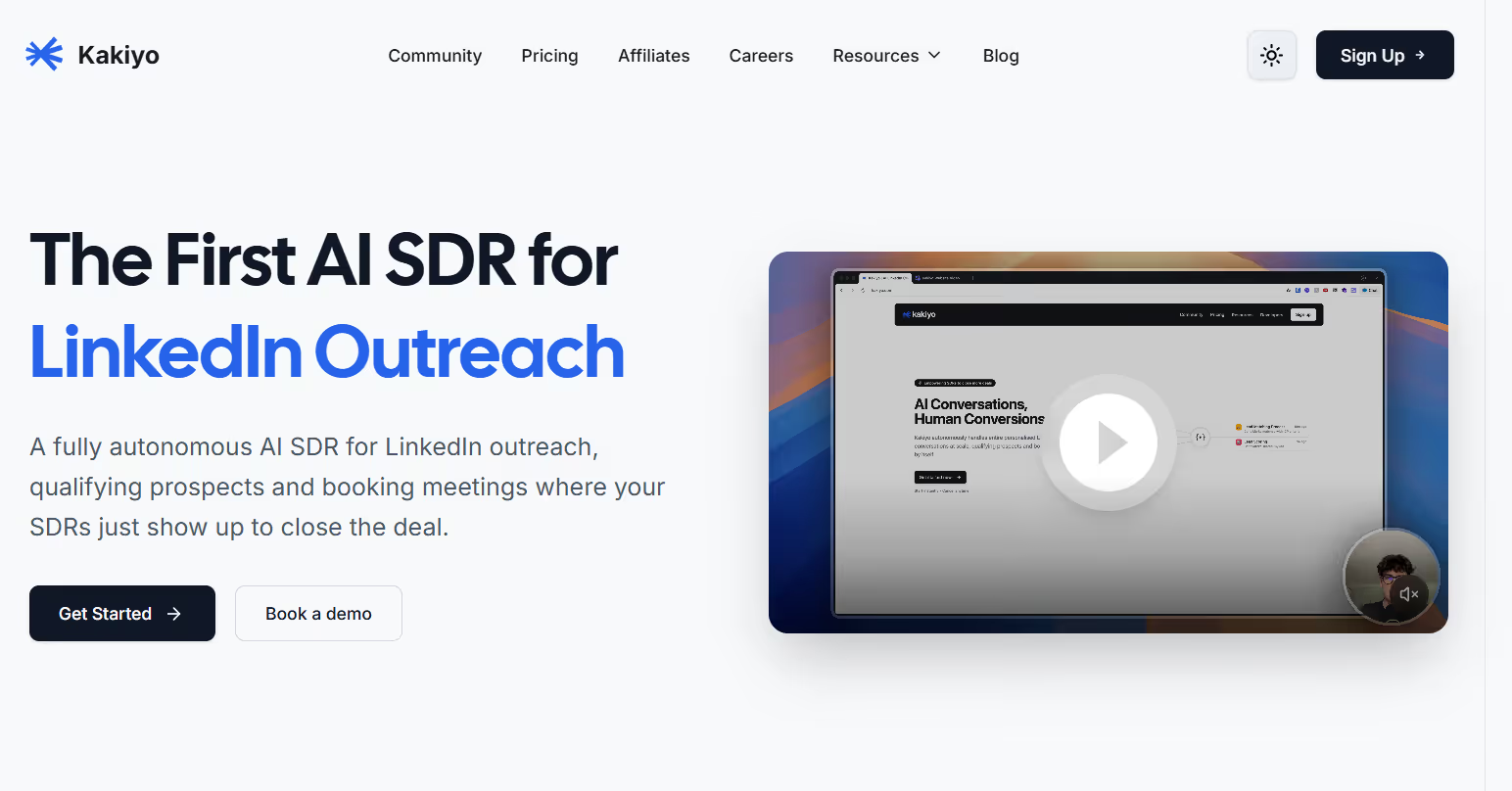
This image shows the Kakiyo homepage
Kakiyo is an AI SDR built for LinkedIn outreach. It runs your LinkedIn conversations for you, so your team can focus on closing.
Kakiyo can send connection requests, start the first message, and then keep the chat going in a natural way.
It adapts to what the prospect says, handles common objections, and moves the chat forward.
When a prospect is a good fit and ready to talk, Kakiyo can book a meeting using your calendar link.
You can train it once, test it in a Sandbox, and then run it on autopilot.
It also includes analytics so you can see things like active conversations, reply rate, qualified leads, and meetings booked.
Personalized Outbound Strategy
Get The Right Outbound Strategy In Minutes
Enter your email to get a custom plan & stack recommendation for your
business
It's being carefully crafted by AI
Please check your mailbox in 5 minutes
How Kakiyo Works?
Kakiyo is built to run your LinkedIn outreach end-to-end.
You train it once, test it safely, then let it handle real conversations and book meetings.
You connect your LinkedIn account so Kakiyo can send invites and messages from your profile.
You set up your offering and prompts so Kakiyo knows what you sell and how to talk.
You choose how Kakiyo qualifies prospects, like using the BANT framework and score rules.
You add prospects by importing a CSV or by using AI Lead Finder for fresh LinkedIn leads.
Kakiyo checks if a prospect is already connected, and sends a connection request if needed.
After a connection is accepted, Kakiyo reads the prospect’s profile activity to personalize the first message.
Kakiyo sends the first message after a delay, then replies with human-like timing in follow-up chats.
Kakiyo keeps the conversation moving, handles objections, and backs off when it should.
When the prospect is qualified and ready, Kakiyo books a meeting using your calendar link.
You can run it in Autopilot or pause chats and take over manually when needed.
You track results in the dashboard, like active conversations, reply rate, qualified leads, and meetings booked.
Top Features of Kakiyo
Kakiyo works like a full AI SDR on LinkedIn. It does not just send messages.
It talks, qualifies, handles doubts, and books meetings for you.
You train it once, test it, then let it run real conversations at scale.
Here are the main features of Kakiyo:
Feature
What It Does
Real Conversational AI
Adapts each reply based on the prospect’s latest message and full conversation history.
Automatic Meeting Booking
Schedules meetings on your calendar once genuine interest is detected.
In-Chat Lead Qualification
Asks qualifying questions and scores prospects according to your defined criteria.
Objection Handling
Responds naturally to pricing, timing, or competitive tool objections.
Deep LinkedIn Personalisation
Uses posts, profile details, and recent activity to craft tailored first messages.
Smart First Message Delay
Sends the initial message after a timed delay following connection acceptance.
Sandbox Testing
Allows testing of difficult scenarios and prompt adjustments before going live.
AI Builder Setup
Generates your offer positioning and prompts from website content or guided inputs.
AI Lead Finder
Discovers new LinkedIn prospects in real time using your ICP filters.
Buying Signal Detection
Identifies prospects based on posts, comments, job changes, and company updates.
Auto Data Enrichment
Adds company insights, technology stack, funding data, and hiring signals to leads.
Live Performance Dashboard
Displays active conversations, reply rates, qualified leads, and meetings booked.
These features let Kakiyo start real LinkedIn talks, keep them natural, qualify buyers, and book meetings while your team focuses only on closing.
Kakiyo Pricing
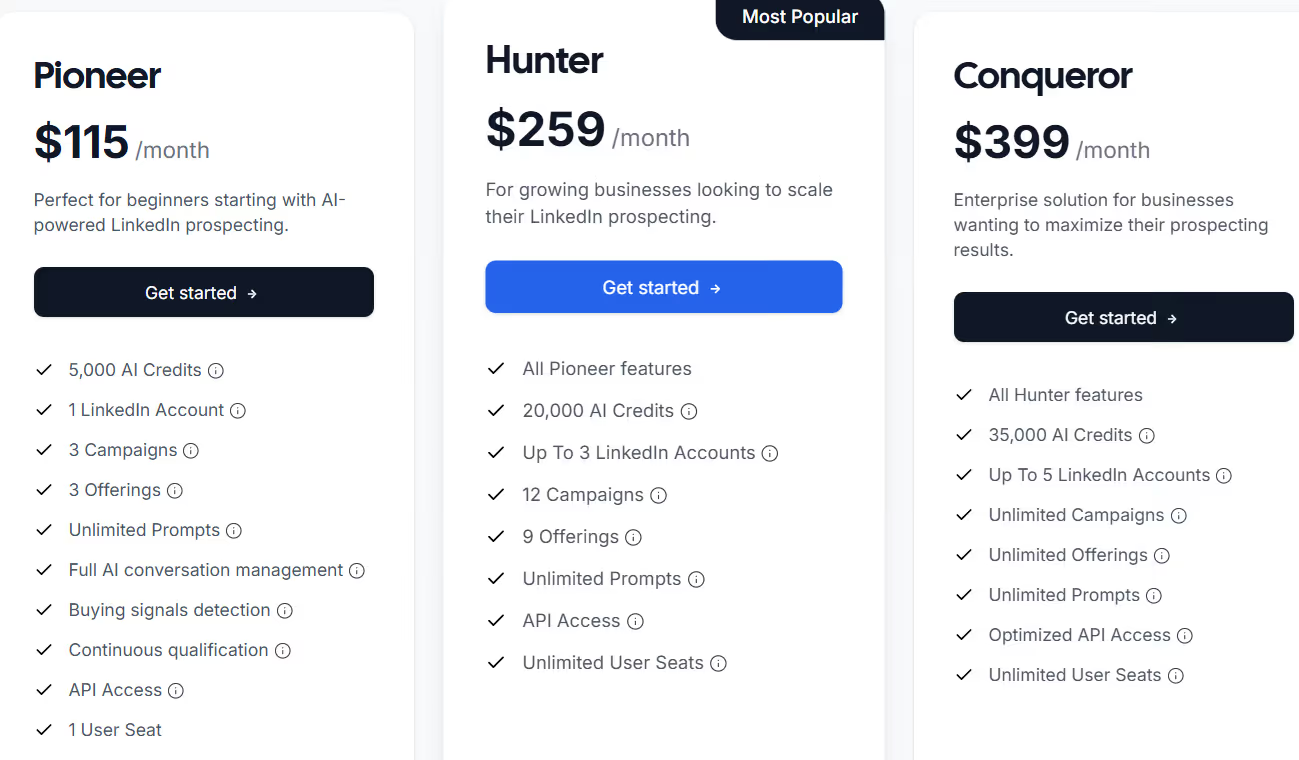
This image shows the Kakiyo pricing
Pioneer – $115/month, includes 5,000 AI credits, 1 LinkedIn account, 3 campaigns, 3 offerings, unlimited prompts, full AI conversation management, buying signal detection, continuous qualification, API access, 1 user.
Hunter – $259/month, includes 20,000 AI credits, up to 3 LinkedIn accounts, 12 campaigns, 9 offerings, unlimited prompts, API access, unlimited users.
Conqueror – $399/month, includes 35,000 AI credits, up to 5 LinkedIn accounts, unlimited campaigns, unlimited offerings, unlimited prompts, optimized API access, unlimited users.
Agency / Custom plan – For 20+ LinkedIn accounts with dedicated support and custom pricing.
You can choose monthly or yearly billing (yearly saves 20%).
Pros and Cons of Kakiyo
Pros
Cons
Runs autonomous LinkedIn outreach from connection to meeting booking
Adapts conversations based on each prospect’s replies
Uses human-like timing delays to reduce automation signals
Applies detailed personalisation from LinkedIn profile and activity data
Handles qualification and common objections within the chat
Limited to LinkedIn, with no email or multi-channel support
Requires thoughtful initial setup of prompts and positioning
Invitation volume must remain within LinkedIn safety limits
Account connection requires LinkedIn login access
AI Lead Finder credits are billed separately from main plans
Is Kakiyo Right for You?
If you want LinkedIn outreach to run almost on its own, Kakiyo can be a strong fit.
It is built for teams that want real conversations, automatic qualification, and meeting booking without hiring more SDRs.
You train it once, test in the sandbox, and then let it handle replies, objections, and follow-ups on autopilot.
It works best if your sales process is LinkedIn-first and you have a clear ideal customer and offer.
If you need multichannel outreach or a full CRM, you may need other tools alongside it.
But if your goal is to book more qualified LinkedIn meetings with less manual work, Kakiyo is the right kind of tool.
Best Kakiyo Alternative for Multi-Channel Outreach – Salesforge
Kakiyo is powerful for fully automated LinkedIn conversations.
But it works only on LinkedIn and depends on a few LinkedIn accounts to scale.
If you want to reach prospects on both LinkedIn and email, spread sending across many inboxes, and protect deliverability while scaling, Salesforge is a stronger option.
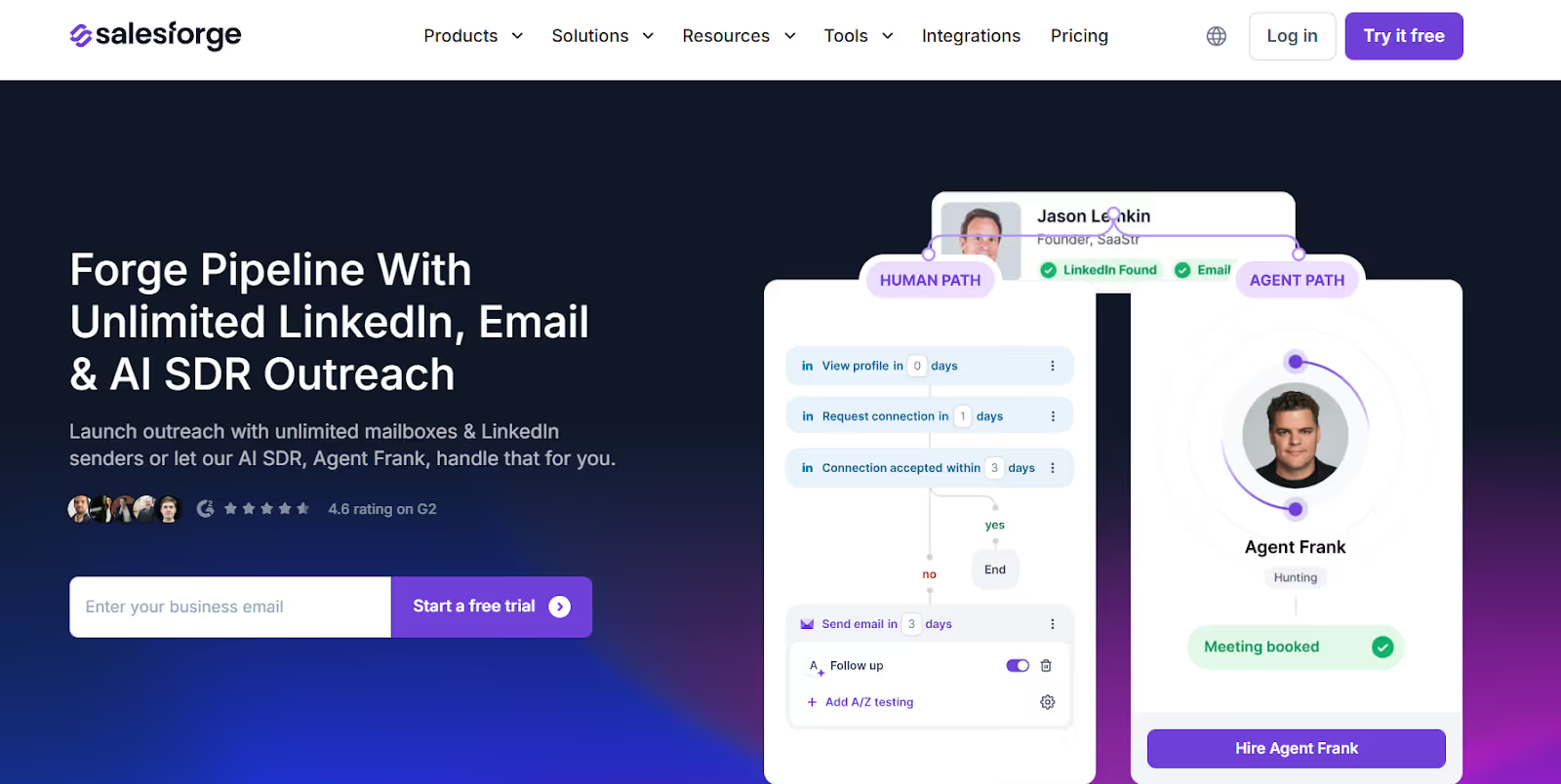
This image shows the Salesforge homepage
Salesforge is built for multi-channel outbound and safe volume, not just single-channel automation.
It lets you add unlimited mailboxes and LinkedIn senders, so you don’t overload one account.
Outreach is spread safely across many inboxes with built-in warm-up and rotation.
This means you can grow volume without hurting deliverability or risking accounts.
Kakiyo vs Salesforge: Quick Comparison
Feature
Kakiyo
Salesforge
Main Channel
LinkedIn only
LinkedIn and Email
AI SDR
Available for LinkedIn conversations
Agent Frank for LinkedIn and email outreach
Scaling Method
Scales per LinkedIn account
Unlimited mailboxes and LinkedIn senders
Outreach Type
Conversation-driven LinkedIn chats
Conditional multi-channel sequences
Meeting Booking
Scheduled within LinkedIn conversations
Scheduled via LinkedIn or email channels
Deliverability Tools
Relies on LinkedIn safety limits
Includes warm-up, rotation, and monitoring tools
Unified Inbox
LinkedIn conversations only
Primebox for LinkedIn and email replies
Languages
Depends on LinkedIn conversation language
Built-in multi-language outreach support
Team Usage
Limited by account-based plans
Unlimited users on Growth plan
Best For
Automating LinkedIn-based SDR conversations
Building a scalable multi-channel outbound pipeline
If your goal is only to automate LinkedIn conversations, Kakiyo can work well.
If you want a predictable pipeline from both email and LinkedIn with unlimited scaling and strong deliverability, Salesforge is a better Kakiyo alternative.
Personalized Outbound Strategy
Get The Right Outbound Strategy In Minutes
Enter your email to get a custom plan & stack recommendation for your
business
It's being carefully crafted by AI
Please check your mailbox in 5 minutes
Is Kakiyo AI SDR Safe for LinkedIn Outreach?
Kakiyo is safe to use if your main goal is to automate LinkedIn conversations within normal LinkedIn limits.
It is built to mimic human behaviour, add delays between actions, and run on dedicated infrastructure to reduce the chance of account flags.
However, if you try to push very high volume only through LinkedIn accounts, risk can still increase because all activity stays inside one channel.
If you want to grow outreach while spreading risk across both LinkedIn and email, a multi-channel setup can feel safer and more scalable.
Salesforge is a better choice for teams that want more flexibility and safer scaling.
It lets you run LinkedIn and cold email together, spread sending across unlimited inboxes, and use built-in warm-up and rotation to protect deliverability.
If your goal is not just safe LinkedIn chats but to book more meetings across channels and grow revenue predictably, Salesforge is the stronger option.
I dug through Workflows.io's five services, its $4K to $12K pricing bands, ten published case studies, and how it stacks up against certified outbound alternatives.
I dug through corebits.io, the gtm.corebits.io subdomain, and every case study across their three engines to give you an honest read before you book the discovery call.
Read this Vantage Profiles review for a clear look at its LinkedIn account rental service, pricing, identity risks, customer feedback, and whether it is worth using.






.jpg)