

Personalized Outbound Strategy
Get The Right Outbound Strategy In Minutes
Enter your email to get a custom plan & stack recommendation for your business
It's being carefully crafted by AI
Please check your mailbox in 5 minutes
Clark Barron said it after the Apollo ban. Any company pushing LinkedIn data without user consent is "one LinkedIn investigation away from being taken out back and Old Yeller'd."

Six months later, HeyReach got banned too.
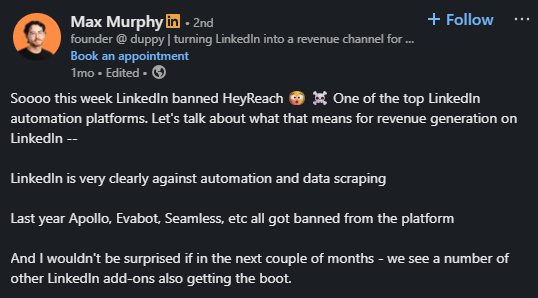
This isn't a one-off. LinkedIn is running a sustained sweep, and the tools people rely on most for outbound are sitting in the crossfire.
If you're reading this, you're probably running LinkedIn outreach. Connection sequences, automated messages, and Chrome extensions pulling contact data.
And you're wondering how exposed you actually are.
What's interesting is that most people running outbound had no idea they were in violation until the ban hit.
The rules exist, but they're just not where anyone thinks to look.
So I spent 3 hours analyzing LinkedIn's User Agreement sections 8.2-8.4, the actual ban triggers people reported, and what's still safe to run.
If you're an SDR, agency, or founder, you're asking this question. Here's what you must know.
Not exactly. But that doesn't mean you are safe.
LinkedIn automation is not a criminal offense. No law specifically bans it.
What it violates is LinkedIn's User Agreement. That is a contract between you and the platform.
When you sign up for LinkedIn, you agree not to use bots, scrapers, or unauthorized tools to automate activity on the platform.
Breaking that agreement does not land you in jail. It gets your account restricted or permanently banned.
There's also a legal angle here. Some tools scrape and sell LinkedIn data without consent. This crosses into data privacy violations. The risk depends on your jurisdiction.
GDPR in Europe. CCPA in California. These laws treat personal data collection without consent as a legal issue, not just a ToS issue.
So the question is not really "is LinkedIn automation illegal?" The better question is: what are the actual consequences?
Knowing the difference helps you make a better decision about what tools you run.
Yes and no. It depends on what the tool does and how it connects to LinkedIn.
LinkedIn allows automation that runs through its official API. Tools built on the API operate with LinkedIn's permission.
Clay is a good example. It uses LinkedIn's official API for data enrichment and has not been removed from the platform.
What LinkedIn does not allow is third-party tools that log into your account and act on your behalf without going through the API.
That includes:
Chris from the put it well: "It was the process, not the product, that got Apollo and Seamless.ai banned."
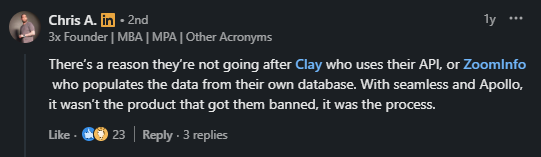
So the question to ask about any tool you use is simple: Does it use LinkedIn's official API, or does it log into your account and act as you?
If it is the second option, LinkedIn considers it a violation regardless of how popular the tool is.
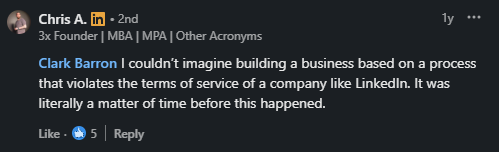
That is the line. Tools that respect it stay on the platform. Tools that cross it eventually get removed.
Technically, yes. But LinkedIn's ToS draws a clear line on how.
LinkedIn's own platform has a built-in messaging feature. You can use LinkedIn's AI message suggestions inside Sales Navigator. That is allowed.
What is not allowed is using a third-party tool to send messages automatically at scale without going through LinkedIn's official API.
Here is where most SDRs and agencies get it wrong:
LinkedIn's algorithm tracks message velocity, response rates, and behavioral patterns.
If you send the same message to 80 people in two hours, the system flags it regardless of the tool.
One user on Reddit put it directly: "Most bans come from sending too many outreach messages and not personalizing them enough."

The volume is one problem. The lack of variation is another.
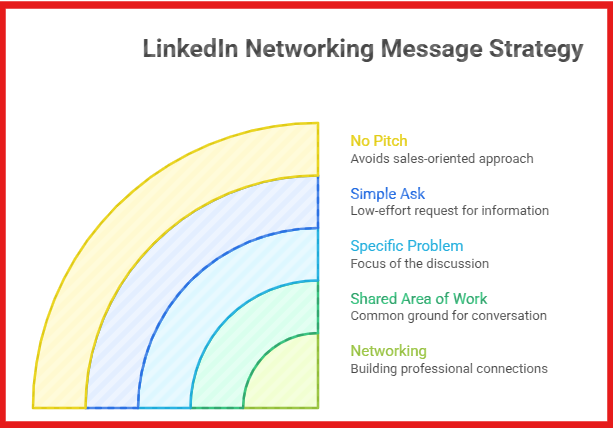
If you want to automate LinkedIn messages safely, the only route that does not put your account at risk is going through LinkedIn's official API or doing it manually through varied angles, as shown in the image above, at a human-like pace.
Yes. And it has already happened to some of the biggest names in B2B sales tools.
Apollo, Seamless.ai, Evaboot, LGM, and HeyReach were all removed from LinkedIn within a 12-month window.
The common thread: they all used Chrome extensions or other methods to pull LinkedIn data without going through the official API.
LinkedIn's ToS is direct on this. Section 8.2 explicitly prohibits:
If a tool you use does any of these things, your account is at risk, not just the tool's company page.
There is also a legal angle. Scraping data behind a login wall is different from scraping publicly indexed pages.
LinkedIn requires a login to access most profile data. That puts scraping in a different category than pulling data from a public website.
So yes, you can get banned for scraping LinkedIn. And depending on what that data is used for, the exposure goes beyond just losing your account.
Most bans do not happen because someone used a tool. They happen because of how that tool was used.
LinkedIn watches behavioral patterns, not just tool signatures.
Most bans happen for predictable reasons:
One user shares: "It's not about the tool, it's about how human your actions look."
New accounts carry more risk. LinkedIn scores accounts based on history, connection acceptance rates, and activity patterns.
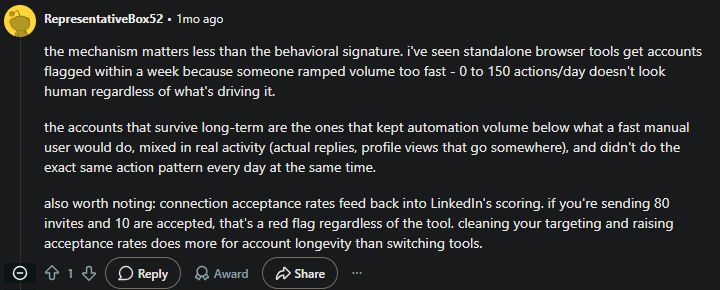
If you send 80 invites and only 10 get accepted, that ratio is a red flag, regardless of what tool sent them.
Same action, same time, every day is another trigger. LinkedIn's system reads repetitive patterns as non-human.
The accounts that survive long term mix automation with real manual activity. Actual replies. Profile views that lead somewhere. Varied send times.
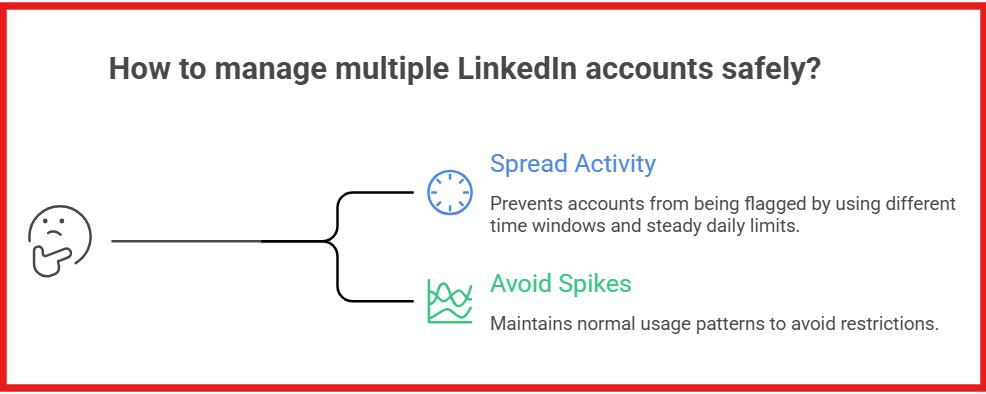
That combination is what keeps an account off LinkedIn's radar.
LinkedIn Account Suspended? 12 Proven Ways To Protect Your LinkedIn Account in 2026
It depends on three things: the tool type, the volume you run, and how human your activity looks.
No tool is completely safe. But some carry significantly less risk than others.
Chrome extensions are the highest risk. LinkedIn scans for extension IDs directly in your browser.
Cloud-based tools are harder to detect but not invisible. LinkedIn compares your API traffic against what a real browser session generates.
Standalone browsers that run locally and mimic human behavior are the hardest to detect. But even those get flagged when volume spikes.
One user who runs outbound for multiple B2B clients shares: "The mechanism matters less than the behavioral signature."

Here is what actually keeps accounts safe:
Account age matters too. New accounts with no history get flagged faster than established ones.
The honest answer is this: LinkedIn automation carries risk at every level. What you control is how much risk you take on and whether your activity pattern looks human enough to stay off LinkedIn's radar.
The accounts that stay active long term all do the same things. They look human to LinkedIn's detection system.
In practice, this looks like:
Start slow. One user who ran outbound for multiple B2B clients said, "Never jump more than 10 to 20 percent in weekly action volume."
If you are at 50 actions per day, move to 55 or 60 the next week. Not 150.
Vary your daily numbers too. Send 40 one day, 33 the next. One Reddit user explains: "It's better to send different numbers each day, like 40 one day, 33 another, not 50 every single day."
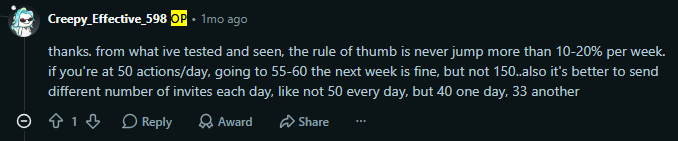
Sending the same volume at the same time every day is a pattern LinkedIn reads as non-human, regardless of what tool you use.
Keep your targeting clean. As one user noted, "Connection acceptance rates feed back into LinkedIn's scoring.

If you're sending 80 invites and 10 are accepted, that's a red flag regardless of the tool."
Cleaning your targeting and raising acceptance rates does more for account longevity than switching tools.
Do not run automation and manual browsing from two separate sessions simultaneously. LinkedIn detects conflicting session behavior.
Mix real activity into your workflow consistently:

One commenter summarized it after watching multiple tools get banned: "The accounts that survive long term keep automation volume below what a fast manual user would do and mix in real activity every day."

Volume control, behavioral variation, clean targeting, and real manual activity mixed in. That is the full picture.
7 Ways You Can Manage Multiple LinkedIn Accounts [+3 Tools Recommended]
Building your outbound on tools that violate LinkedIn's ToS means one investigation away from losing your pipeline overnight.
The shift that actually works is treating LinkedIn as one channel inside a multi-channel sequence, not the whole system.
Email becomes your primary outbound channel. You own the infrastructure. No platform can restrict your sending because your sequence looks too automated.
LinkedIn becomes the warm-up layer. A connection request, a follow-up message after acceptance, a comment on a post. Low volume, high personalization, human-paced.
This is where most tools fail you. Either you run cold email in one place and LinkedIn in another, or you use a tool that connects both but puts your LinkedIn account at risk in the process.
Your email sequences run through properly warmed mailboxes.

Warmforge handles this automatically. It keeps my Heat Score above 85 before any emails go out. No manual warmup management. No guessing if your domain is ready.
Your LinkedIn senders run within safe daily limits alongside those email sequences. With Salesforge, there is no cap on how many LinkedIn profiles you can add to a sequence.
Most tools either limit you to one or two LinkedIn accounts or charge per sender.
Salesforge gives you unlimited LinkedIn senders, meaning you can scale outreach across your entire team, multiple personas, or multiple client accounts without hitting a ceiling.

You are not pushing 100 connection requests a day through a Chrome extension. You are running controlled LinkedIn touchpoints that complement your email outreach rather than replace it.
Primebox pulls every reply, email, and LinkedIn into one inbox. When a prospect replies on LinkedIn, you see it next to the email thread.
When they go cold on LinkedIn, the email sequence picks up. You are not switching between tabs or missing replies because they came through the wrong channel.
Salesforge has an MCP server that connects your entire Forge stack to AI assistants like Claude. Instead of clicking through dashboards, you run your outbound workflow through natural language prompts.
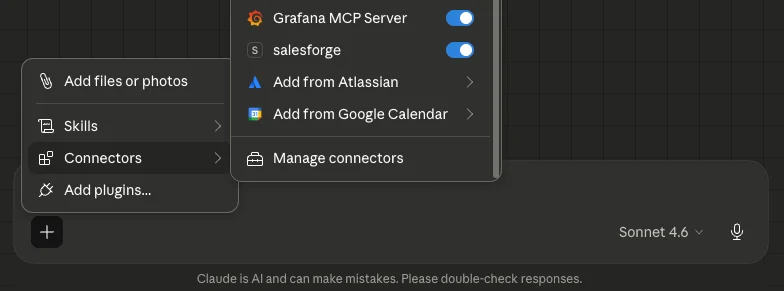
That means:
The LinkedIn actions still run within safe limits. The difference is that you are not manually managing every step. You describe what you want, and the system executes it.
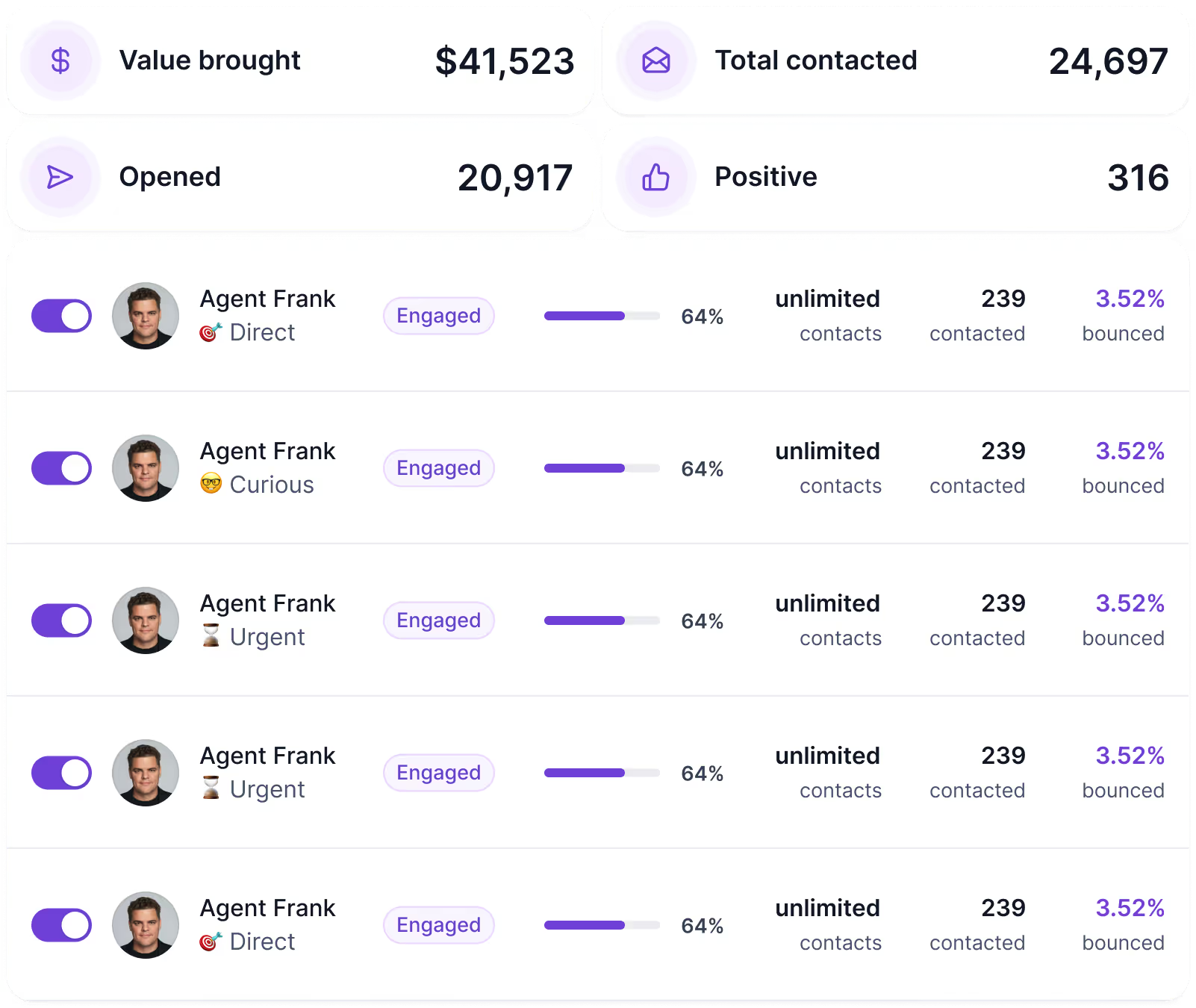
He is not a workflow or an automation sequence. He is a teammate you configure once, and he runs outbound on your behalf around the clock.
The difference between Agent Frank and a typical automation tool is intent. Most tools execute tasks you set up.
He handles the judgment layer, who to contact, when to follow up, what to say next, the same decisions a human SDR would make, running 24 hours a day without a break.
That said, the answer to the LinkedIn ban risk is not abandoning LinkedIn outreach. It is running inside a system where volume, timing, and channel mix are handled correctly from the start.
Enter your email to get a custom plan & stack recommendation for your business
Please check your mailbox in 5 minutes

LinkedIn's crackdown is not slowing down. And if your outbound stack depends on tools that scrape, auto-message, or log into your account without going through LinkedIn's official API, you are one investigation away from starting over.
The short version:
The people still running LinkedIn outreach without losing accounts treat it as one part of a bigger sequence, not the whole strategy.
This is exactly what Salesforge delivers.
Email and LinkedIn running together, replies from both channels in one inbox, mailboxes warmed automatically, and Agent Frank handling the full workflow if you want to step back from daily execution.
No scrambling when the next tool gets banned. No rebuilding your stack from scratch.
Start free on Salesforge and run multi-channel sequences that keep LinkedIn risk low.



.jpg)
