If you’re running outbound with Instantly for cold email and HeyReach for LinkedIn, the problem is leads don’t reply on the same channel every time.
Some ignore emails but reply on LinkedIn. Others accept a connection and never respond, until you email them.
The Instantly + HeyReach integration is meant to handle this handoff automatically.
When one channel stops working, the lead moves to the other.
In this article, we’ll show how that integration actually works, when it’s reliable, where it becomes hard to manage, and when switching to a single platform is a more practical choice.
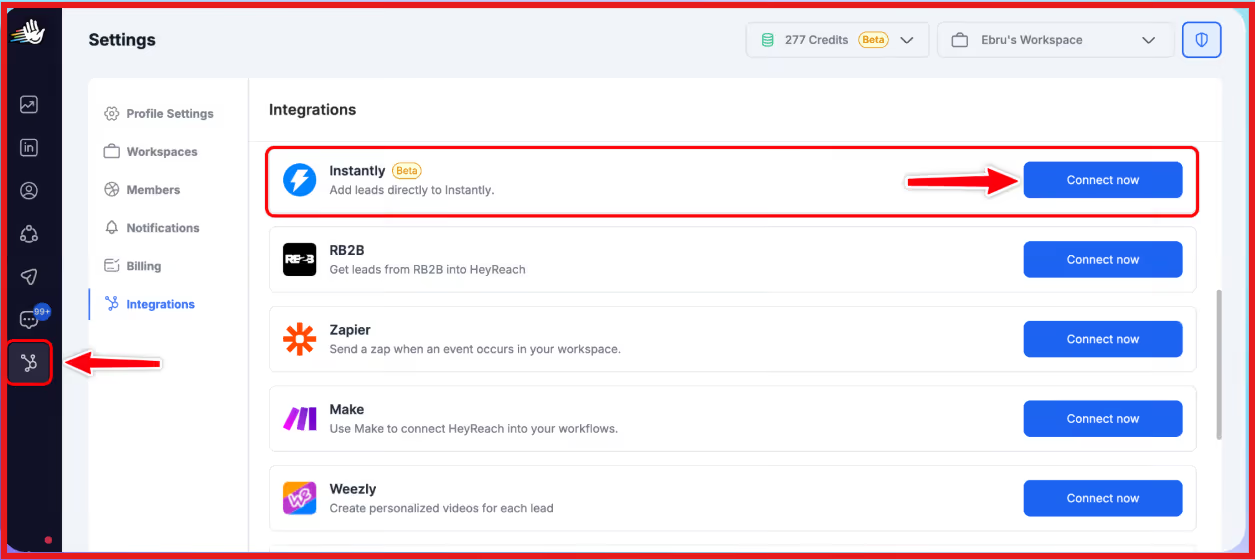
The Instantly + HeyReach integration is an automation-based connection that moves leads between Instantly (email outreach) and HeyReach (LinkedIn outreach) using triggers and actions.
Instantly does not run LinkedIn campaigns itself.
Instead, it uses its Automation Builder to send leads to HeyReach when specific events happen, such as a campaign ending, a lead replying, or a lead being marked as interested.
HeyReach can also send leads back to Instantly to start email outreach.
Instantly and HeyReach work together using automation rules.
Inside Instantly, you create an automation by choosing:
For example, when an email campaign ends or a lead replies in Instantly, the automation can send that lead to HeyReach and add them to a LinkedIn campaign or list.
The same works the other way, HeyReach can send leads back to Instantly to start or continue email outreach.
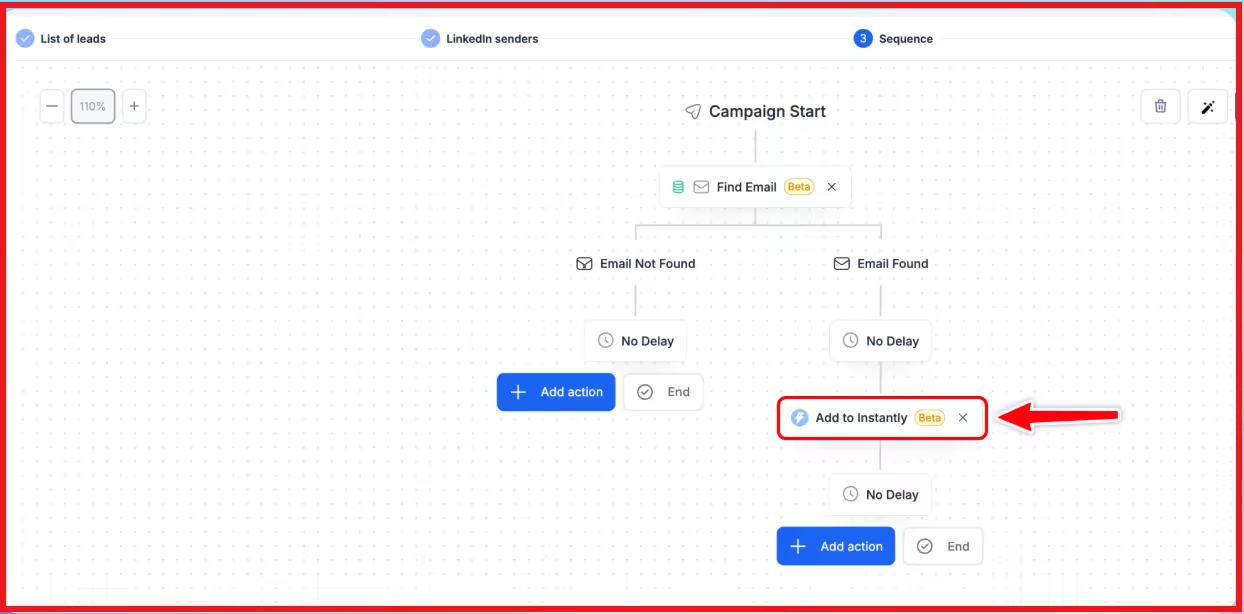
In simple terms:
Leads only move if the automation is set, tested, and turned on.
There is no automatic syncing without these rules.
Yes, Instantly and HeyReach do have a native integration, but it works through automations rather than a shared platform.
Instantly does not include LinkedIn outreach inside the tool.
HeyReach remains a separate platform for LinkedIn automation, and the integration simply moves leads between the two based on trigger-based rules.
While the integration is bidirectional, you are still managing two separate tools that are connected through workflows, not a single unified system.
Connecting Instantly and HeyReach is done through Instantly’s Automation Builder.
The setup only takes a few minutes, but each step needs to be completed in the right order for the integration to work properly.
You can follow the steps below to connect both tools and start moving leads automatically.
Step 1: Log in to your HeyReach account, go to API Integration, generate a new API key, and copy it.
Step 2: Open Instantly, navigate to Settings → Integrations, select HeyReach, paste the API key, and connect your HeyReach workspace.
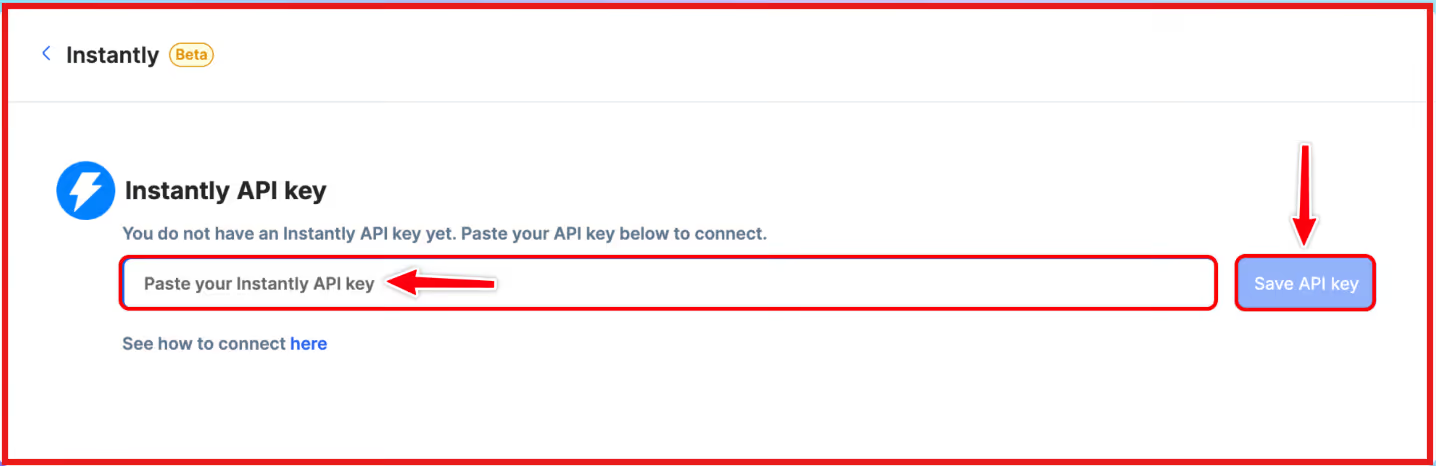
Step 3: Go to the Automations tab in Instantly, click Add New, and create a new automation workflow.
Step 4: Choose Instantly as the trigger tool, select when the automation should start (such as campaign finished, lead replies, lead added to list, or interest status changed), choose the specific Instantly campaign, and test the trigger.
Step 5: Add HeyReach as the action, choose whether to add the lead to a HeyReach campaign or list, select the destination, map the lead data, and test the action.
Step 6: Turn the automation on and check the execution history to confirm the workflow is running correctly.
Once the automation is active, Instantly will automatically send leads to HeyReach based on the rules you set, removing the need for manual lead transfers.
The Instantly + HeyReach integration works well when you want to switch leads between email and LinkedIn automatically instead of doing it manually.
It is most effective when:
The setup works best if your leads have:
This integration is a good fit when you want simple, trigger-based workflows and are comfortable managing email and LinkedIn outreach in separate tools.
The Instantly + HeyReach integration can work well, but it also has a few common issues you should know about.
One common problem is missing lead data.
Leads must have an email address to enter Instantly campaigns and a LinkedIn profile URL to enter HeyReach. If this data is missing, the automation fails.
Another issue is limited triggers.
Instantly only supports a fixed set of triggers, and custom interest labels are not supported. This can limit how detailed your automation rules can be.
Setup errors are also common. If API keys expire, scopes are not selected, or campaigns are deleted, automations can stop working without obvious warnings.
There can also be duplicate or skipped leads. If a lead already exists in a campaign or list, it may be ignored depending on your settings.
Finally, since Instantly and HeyReach are separate tools, there is no shared inbox or combined reporting. You have to track performance in both platforms separately.
You should consider switching from Instantly + HeyReach when the setup starts to feel too complex or limiting for your needs.
If you want email and LinkedIn in one place, this integration may not be the right fit.
Instantly and HeyReach work as two separate tools, which means you have to manage campaigns, data, and reporting in both.
You may also want to switch if:
In short, if you are spending more time managing automations than running outreach, it may be time to look for a more all-in-one option.
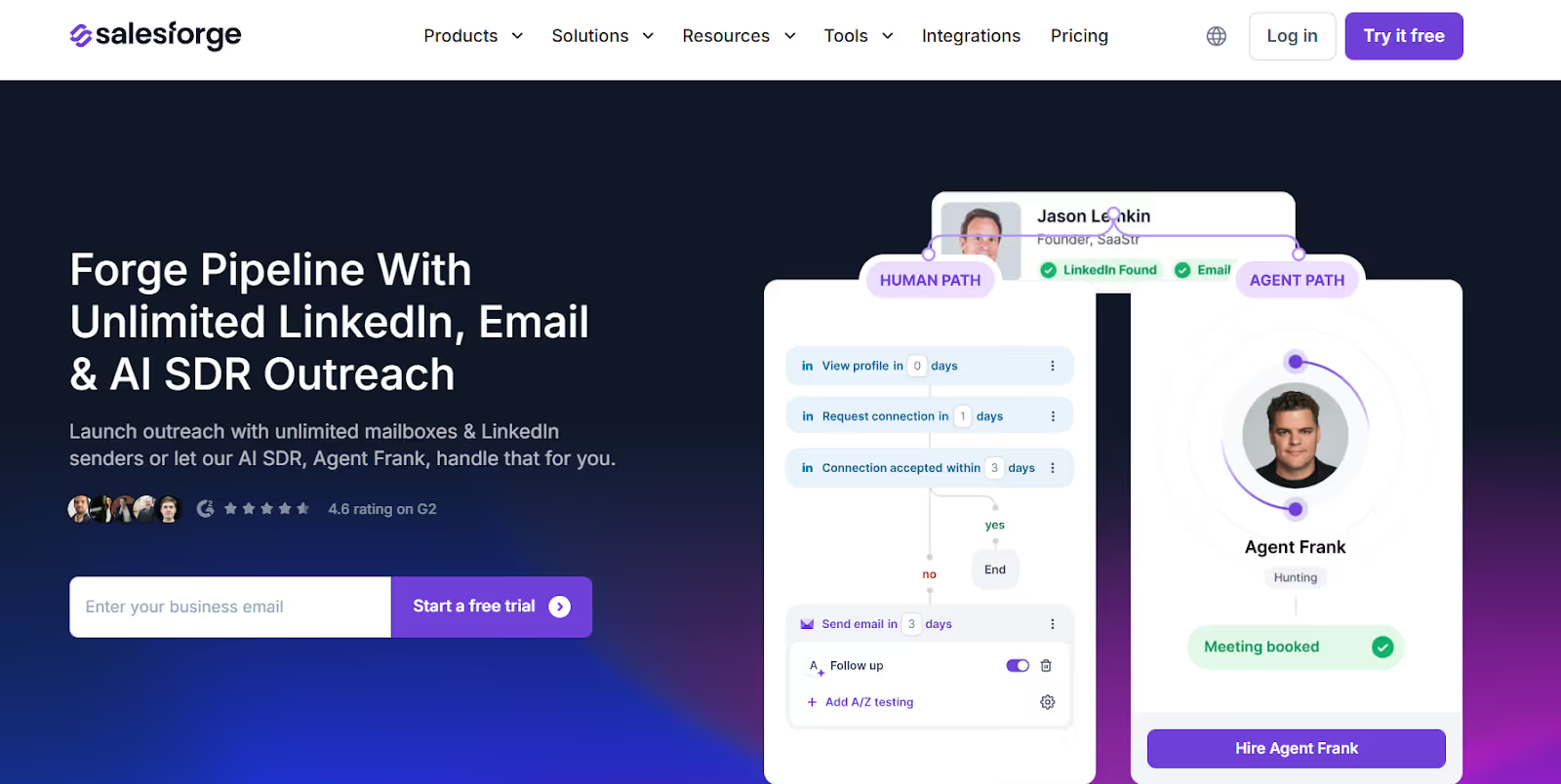
Salesforge is a better alternative to Instantly + HeyReach when you want email and LinkedIn outreach handled inside one platform instead of connecting two separate tools with automations.
Instead of managing triggers, API keys, and workflows, Salesforge lets teams run multi-channel outreach from a single dashboard.
With Instantly + HeyReach, email and LinkedIn are treated as two different systems.
You have to decide when a lead moves, test automations, and fix errors when data is missing.
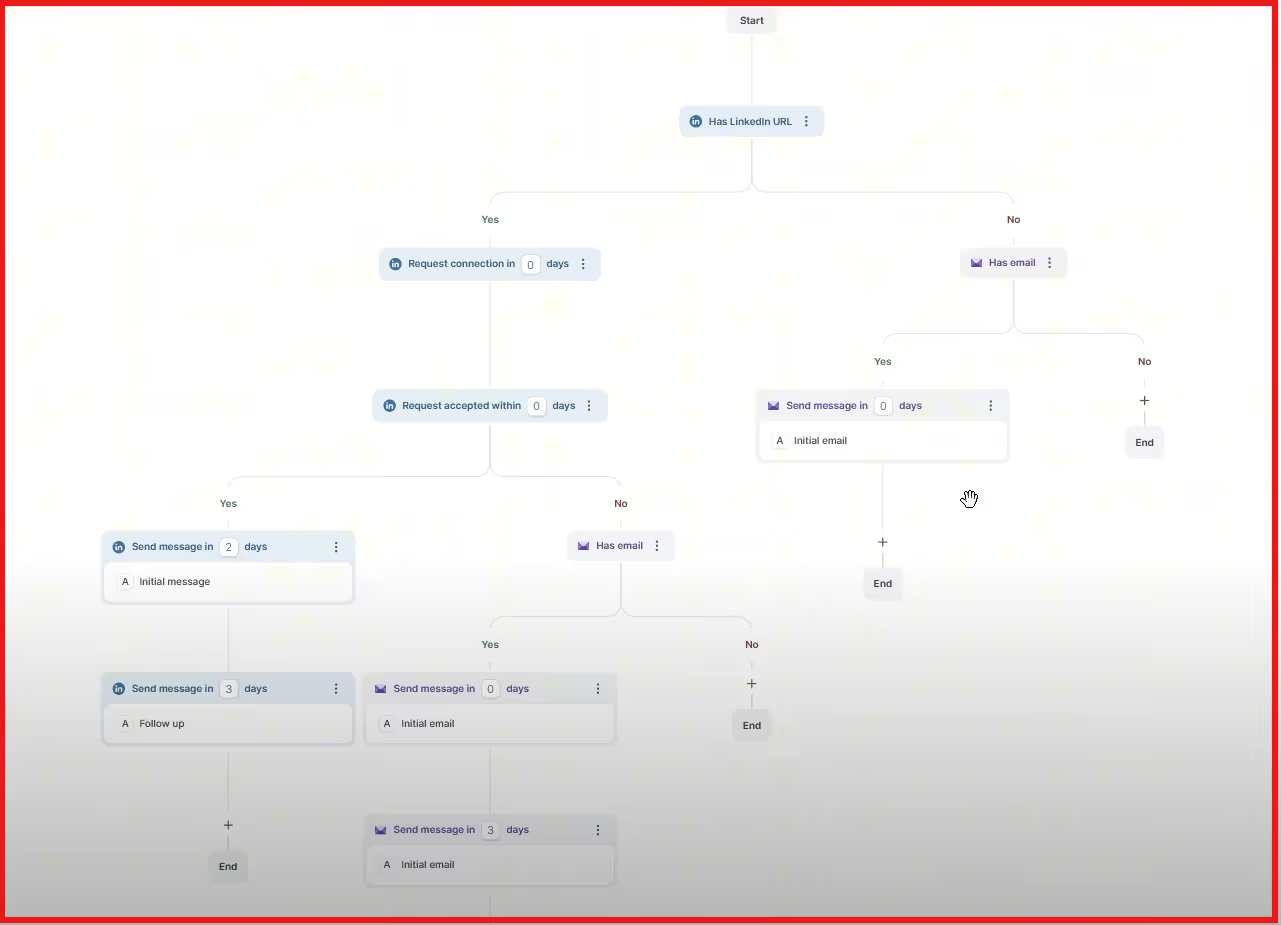
Salesforge removes this layer by building email, LinkedIn, personalization, and deliverability into one system.
It is made for teams that want to scale outreach without micromanaging tools.
Here are the key advantages of Salesforge:
Salesforge also supports multiple languages, making it useful for teams targeting different regions without creating separate setups.
Salesforge is a better choice if:
In short, Salesforge is ideal for teams that want a simpler, more scalable alternative to managing Instantly and HeyReach together.
The Instantly + HeyReach integration works well for teams that are comfortable managing multiple tools and automations.
But as outreach scales, the setup, testing, and ongoing fixes can start to slow teams down.
If you want email and LinkedIn outreach to work together without extra complexity, Salesforge offers a simpler approach.
Everything runs on one platform, outreach, personalization, deliverability, and reporting, so your team can focus more on conversations and less on managing tools.
If you’re looking to simplify your outbound process and scale with less effort, Salesforge is worth trying.
Start your 14-day free trial with Salesforge!



.jpg)
