

Dux-Soup is a LinkedIn automation Chrome extension. Octopus CRM is a LinkedIn automation Chrome extension. Both run only inside your browser, both ignore email entirely, and both stop working the moment you close Chrome.
For B2B teams that want real multi-channel outbound, Salesforge is the stronger choice. It runs email and LinkedIn from one cloud platform, includes free unlimited warm-up through Warmforge, comes with Primebox as a unified inbox, and starts at $40/mo with no per-seat tax.
I have spent the last three years building outbound motions for B2B teams between $1M and $20M ARR. Most of them start the same way: someone tells the founder "just run LinkedIn outreach, it's cheaper than cold email", they install a Chrome extension, and six months later they hit a wall. The wall is always the same. LinkedIn alone is not enough volume to keep pipeline full, the Chrome extension keeps breaking when the laptop sleeps, and there is no good way to follow up by email when a prospect ignores the connection request.
That is the exact scenario where this comparison matters. Dux-Soup and Octopus CRM are two of the most popular LinkedIn-only tools on the market. Salesforge sits in a different category - it does LinkedIn AND email natively, runs in the cloud, and replaces five or six point tools with one platform. Here is what each one actually does, what they cost, and where the real trade-offs live.
Quick-glance comparison table
| Feature | Salesforge | Dux-Soup | Octopus CRM |
|---|---|---|---|
| Outreach channels | Email + LinkedIn | LinkedIn only | LinkedIn only |
| Entry price (monthly) | $40/mo (Pro) | $14.99/mo (Pro Dux) | $9.99/mo (Starter) |
| Entry price (annual) | $40/mo with 2 months free | $11.25/mo (Pro Dux) | $6.99/mo (Starter) |
| Top plan price | $80/mo Growth - unlimited users + LinkedIn senders | $99/mo (Cloud Dux) / $74.17/mo annual | $39.99/mo (Unlimited) / $24.99/mo annual |
| Cloud-based | Yes - fully cloud | Only on the $99/mo Cloud plan | No - Chrome extension only |
| Email warm-up | Free unlimited (Warmforge) | Not applicable (no email) | Not applicable (no email) |
| Email infrastructure | Mailforge, Infraforge, Primeforge or any SMTP | None | None |
| Conditional sequences | Yes - branching by behavior | Linear drip only (Turbo/Cloud) | Linear funnels only |
| Unified inbox | Primebox - email + LinkedIn | Central inbox (Turbo+) | Basic dashboard |
| AI message personalization | Native - 20+ languages | Variables only | Variables only |
| Unlimited mailboxes | Yes - on every plan | Not applicable | Not applicable |
| Free trial | 14 days | 14 days | 7 days |
| SOC2 compliant | Yes | Not publicly listed | Not publicly listed |
| Best for | SMB/mid-market B2B at $5K-$100K ACV | Solo founders running LinkedIn-only outreach | Solo professionals on tight budgets |
Dux-Soup overview
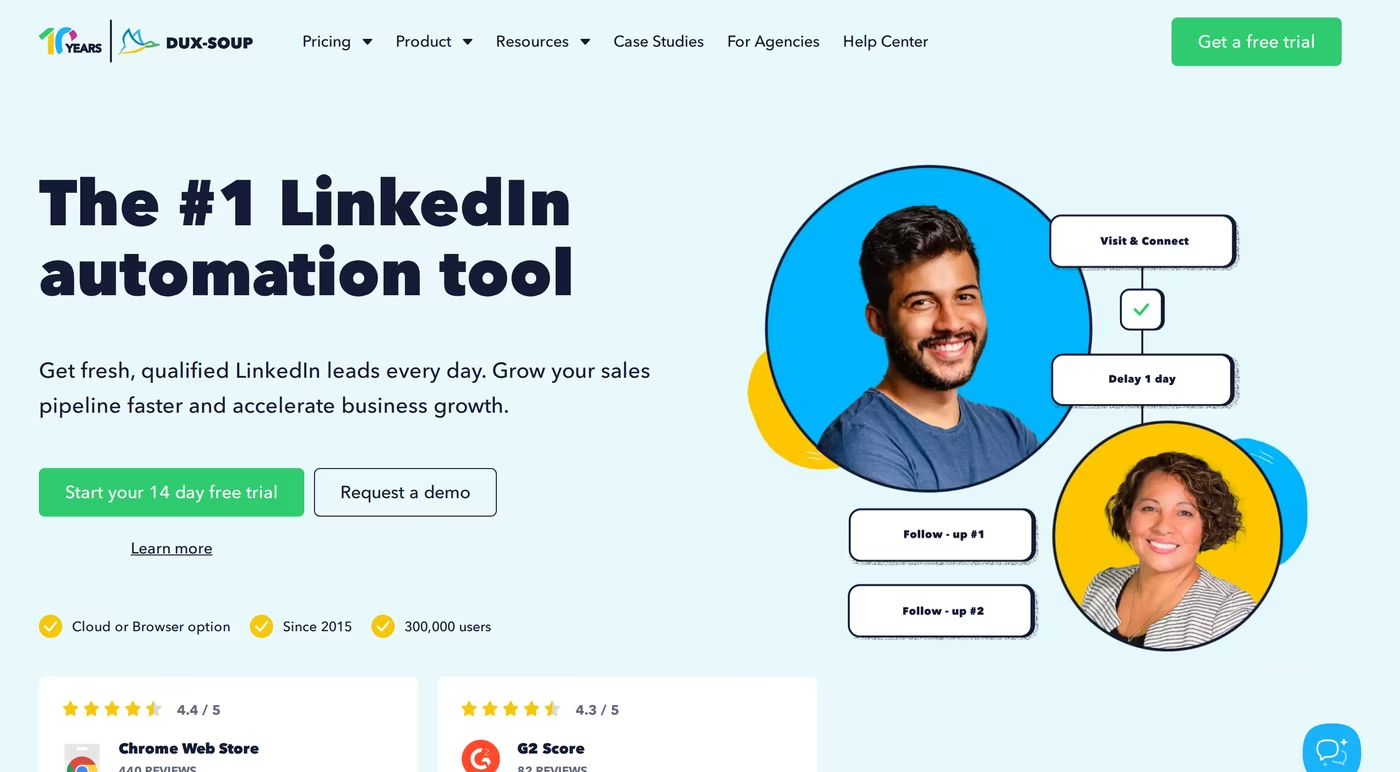
Dux-Soup is a Chrome extension built in 2015 by a small team in the Netherlands. It runs inside your browser on the LinkedIn page itself, sending connection requests, messages, and profile visits while you do other work. The tool has been around for ten years and reports 300,000 users.
The product has three plans for individuals, and the gap between them is wider than most people realize:
- Pro Dux ($14.99/mo monthly, $11.25/mo annual) - basic connection requests, messages to 1st-degree contacts, profile visits, and CSV export. No drip campaigns, no integrations, no campaign statistics. This is a starter tier.
- Turbo Dux ($55/mo monthly, $41.25/mo annual) - adds unlimited drip campaigns, campaign statistics, lead management dashboard, central inbox, and CRM integrations with HubSpot, Salesforce, Pipedrive, Slack, SharpSpring, and Freshsales.
- Cloud Dux ($99/mo monthly, $74.17/mo annual) - the only plan that is actually cloud-based. Pro and Turbo run on your own infrastructure, which means your browser has to stay open.
The CRM integrations are real - Dux-Soup connects natively to HubSpot and Pipedrive and offers a public API on Turbo and Cloud. The drip campaigns support up to 12 actions per sequence (Visit, Follow, Connect, Message, InMail, Like, Endorse) with delays and reply detection.
What it does not do is email. Dux-Soup has no SMTP integration, no cold email sequences, no email warm-up. It is a LinkedIn-only tool. If you want to follow up with a prospect who did not accept your LinkedIn connection request, you have to take the data out of Dux-Soup and into another tool.
The browser-extension architecture is the other thing to understand. Even on the Cloud plan, Dux-Soup operates by modifying LinkedIn's HTML directly. LinkedIn's terms of service prohibit automated interactions, and the company's own help docs include a long article titled "I got a warning from LinkedIn, what should I do?" with advice like "do not mention you are using Dux-Soup" when contacting LinkedIn support.
Honest limitations to note before signing up:
- The Pro plan ($11.25 annual) lacks drip campaigns, so for most outbound use cases you need at least Turbo at $41.25/mo annual.
- Pro and Turbo run on YOUR computer - your browser has to be open and online for campaigns to send.
- The Cloud version is 6.6x the price of the Pro plan.
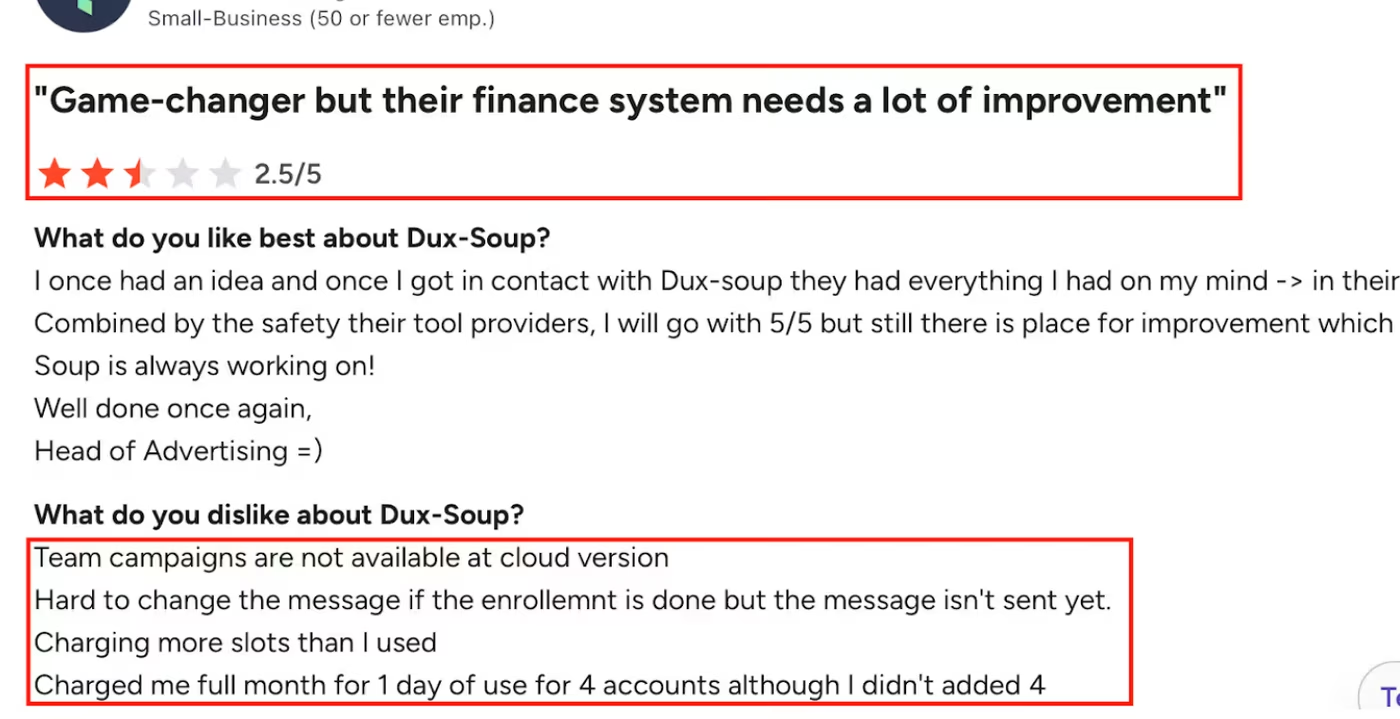
- Real G2 reviews flag billing issues ("Charged me full month for 1 day of use for 4 accounts") and the fact that team campaigns are not available on certain plans.
Octopus CRM overview
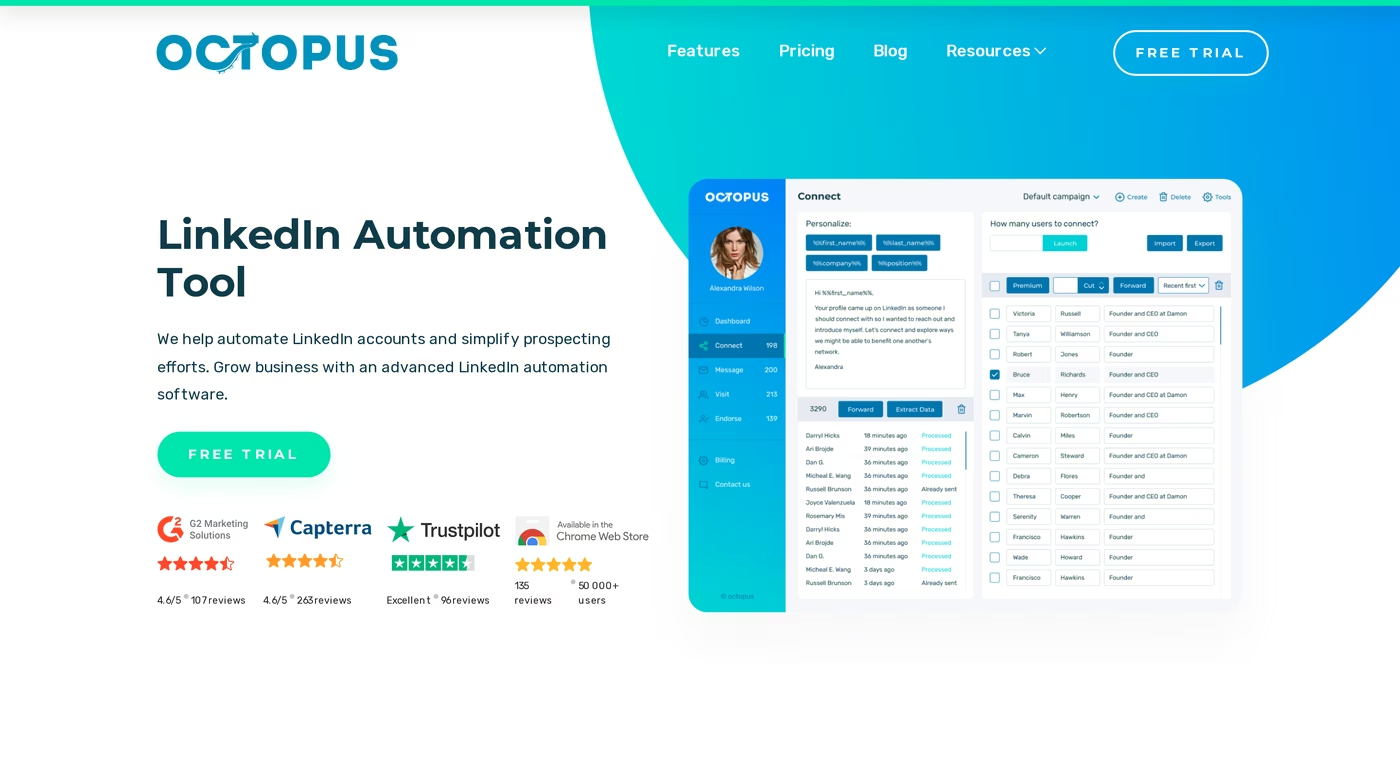
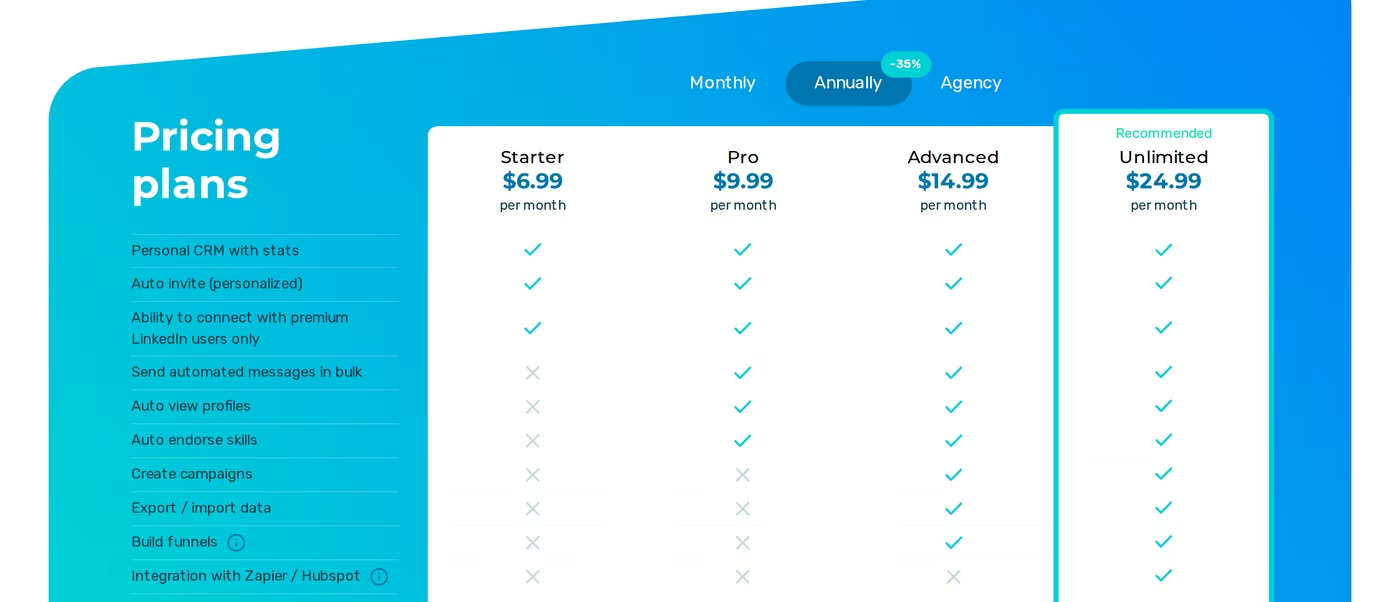
Octopus CRM is also a Chrome extension. It is built in Ukraine, has been around since 2018, and reports 40,000 users. The product positions itself as the cheapest credible LinkedIn automation tool, with plans starting at $9.99/mo monthly or $6.99/mo annual.
The four tiers (annual prices in brackets):
- Starter at $9.99/mo monthly ($6.99 annual) - personal CRM stats, auto invite, and the ability to connect with premium LinkedIn users. No bulk messaging, no profile views, no campaign builder.
- Pro at $14.99/mo monthly ($9.99 annual) - adds bulk messaging, auto profile views, and auto skill endorsements.
- Advanced at $21.99/mo monthly ($14.99 annual) - adds campaign creation, data export/import, and funnel building.
- Unlimited at $39.99/mo monthly ($24.99 annual) - adds Zapier/HubSpot integrations, activity control, and Recruiter account support. Most useful features live on this tier.
The tool itself does what it says. You filter target profiles in LinkedIn search, transfer them to your Octopus dashboard, build a funnel (connection request, thank-you message, skill endorsement, follow-up), and let it run. It uses dynamic placeholders (first name, company, position) and respects LinkedIn's ~100 connection requests per week limit. There is a "Connect by Email" workaround that sends invites via email when you hit the weekly cap.
It integrates with Zapier and HubSpot on the Unlimited plan, supports Free, Premium, Sales Navigator, and Recruiter accounts, and includes a 7-day free trial with no credit card.
Where Octopus CRM consistently runs into limits is on the structural side:
- It is a Chrome extension only - no web app, no mobile, no API outside the extension itself. The moment you close Chrome, the automation stops.
- Sequences are linear. You cannot build conditional logic like "if they reply, send message A; if they don't reply, send message B."
- No email outreach at all. The "connect by email" feature is a LinkedIn workaround, not real cold email sending.
- The cheapest plan ($6.99 annual) lacks bulk messaging and campaign creation - you need at least Advanced at $14.99/mo annual to do real outbound.
- Customer support is email-only and frequently slow according to multiple G2 and Capterra reviews.

Salesforge overview
Salesforge is the outreach execution layer of the broader Forge Stack - a family of products built specifically for cold outbound. The platform runs email and LinkedIn together in one place, with native AI personalization, free unlimited warm-up, and infrastructure tools (Mailforge, Infraforge, Primeforge) that the LinkedIn-only tools simply do not have.
The core capabilities matter for this comparison because they directly address the limits that show up in Dux-Soup and Octopus CRM reviews:
- Email + LinkedIn from one dashboard - run a sequence that sends a LinkedIn connection request, follows up by email if it goes unaccepted, and pivots back to LinkedIn when the email gets opened. Conditional logic is built in.
- Unlimited mailboxes on every plan - no per-mailbox tax, no seat cap. Pro and Growth both support unlimited email accounts.
- Unlimited LinkedIn senders on Growth - the Growth plan replaces per-seat LinkedIn pricing entirely. Pro is capped at 1 LinkedIn sender.
- Primebox unified inbox - one inbox for every email and LinkedIn reply, with AI sentiment analysis (positive/neutral/negative tagging) on every thread. Available on a mobile app too.
- Free unlimited Warmforge warm-up - the premium email warm-up tool included free with every Salesforge subscription, with a real-time Heat Score for every mailbox.
- Native AI personalization in 20+ languages - American English, French, German, Spanish, Japanese, Polish, Dutch, Czech, and more, with single-source or multi-source ("Overdrive") modes.
- Cloud-native - no Chrome extension dependency, no laptop-must-stay-awake requirement. Campaigns run on Salesforge's servers around the clock.
- Smart mailbox rotation and dynamic IPs - emails get distributed across multiple sender accounts automatically to protect deliverability.
- Multi-language sequences and A/B testing on the Growth plan.
- SOC2 compliant, badged on every Forge product page.
- Real CRM integrations - HubSpot, Salesforce, Pipedrive, Attio, GoHighLevel, folk, Breakcold native; Zapier and Make for everything else.
- Salesforge API on the Growth plan, plus a Salesforge MCP server that connects to Claude, Cursor, and Windsurf.
Salesforge sits inside the wider Forge Stack: Leadsforge for lead search (500M+ contacts), Primeforge for Google Workspace and MS365 mailboxes built for cold sending, Infraforge for dedicated-IP infrastructure, and Mailforge for shared-IP infrastructure. Every product is built to integrate natively - no Zapier middleware between them. That is the part neither Dux-Soup nor Octopus CRM can replicate, because they do not own infrastructure or deliverability.
Pricing is the part most people get wrong, so I will be specific:
- Pro Plan at $40/mo - 1,000 active contacts, 5,000 emails/month, 1 LinkedIn sender, 1 user, unlimited mailboxes, unlimited Warmforge warm-up, Primebox.
- Growth Plan at $80/mo - 10,000 active contacts, 50,000 emails/month, unlimited LinkedIn senders, unlimited users, plus multi-language sequences, A/B testing, API access, ESP matching, Primebox AI, and the full integrations library. (Note: the Salesforge pricing page metadata shows $48/mo in places and the stack calculator quotes $96/mo - the live plan price at salesforge.ai/pricing is the source of truth, so verify the current price before signing up.)
- An optional AI SDR called Agent Frank is sold as a separate subscription at $499/mo billed quarterly or $416/mo billed annually - it is not bundled into Pro or Growth.
Who Salesforge is genuinely a good fit for, per the company's own published positioning: B2B teams with ACVs between $5K and $100K, selling to SMB or mid-market companies, targeting 3,000+ businesses, and wanting to scale outbound without a large SDR headcount. It is NOT a good fit for teams selling six- and seven-figure deals to Fortune 500 procurement - the company says this out loud on its solutions pages.
A real customer benchmark: ChannelCrawler, a YouTube channel discovery platform, runs on Salesforge + Infraforge + Warmforge and hit an 85.71% positive reply rate with 100% inbox placement. The case study is public on salesforge.ai/case-study/channelcrawler. UniteSync did 85.26% positive reply rate at $2.86 CAC on Salesforge + Mailforge + Warmforge. Those numbers are reproducible on the same stack.
Limitations worth flagging:
- Email infrastructure is not included in the base price - you connect your own mailboxes or buy Primeforge/Infraforge/Mailforge separately.
- The Pro plan caps you at 1 LinkedIn sender and 1 user. Real teams want Growth.
- API access and the full integrations library are Growth-only.
in Action

Head-to-head: feature comparison
Multi-channel outreach
This one is not close.
- Dux-Soup: LinkedIn only. No email anywhere in the product.
- Octopus CRM: LinkedIn only. There is a "Connect by Email" feature but it is just sending LinkedIn invites via email to bypass the weekly limit, not real cold email outreach.
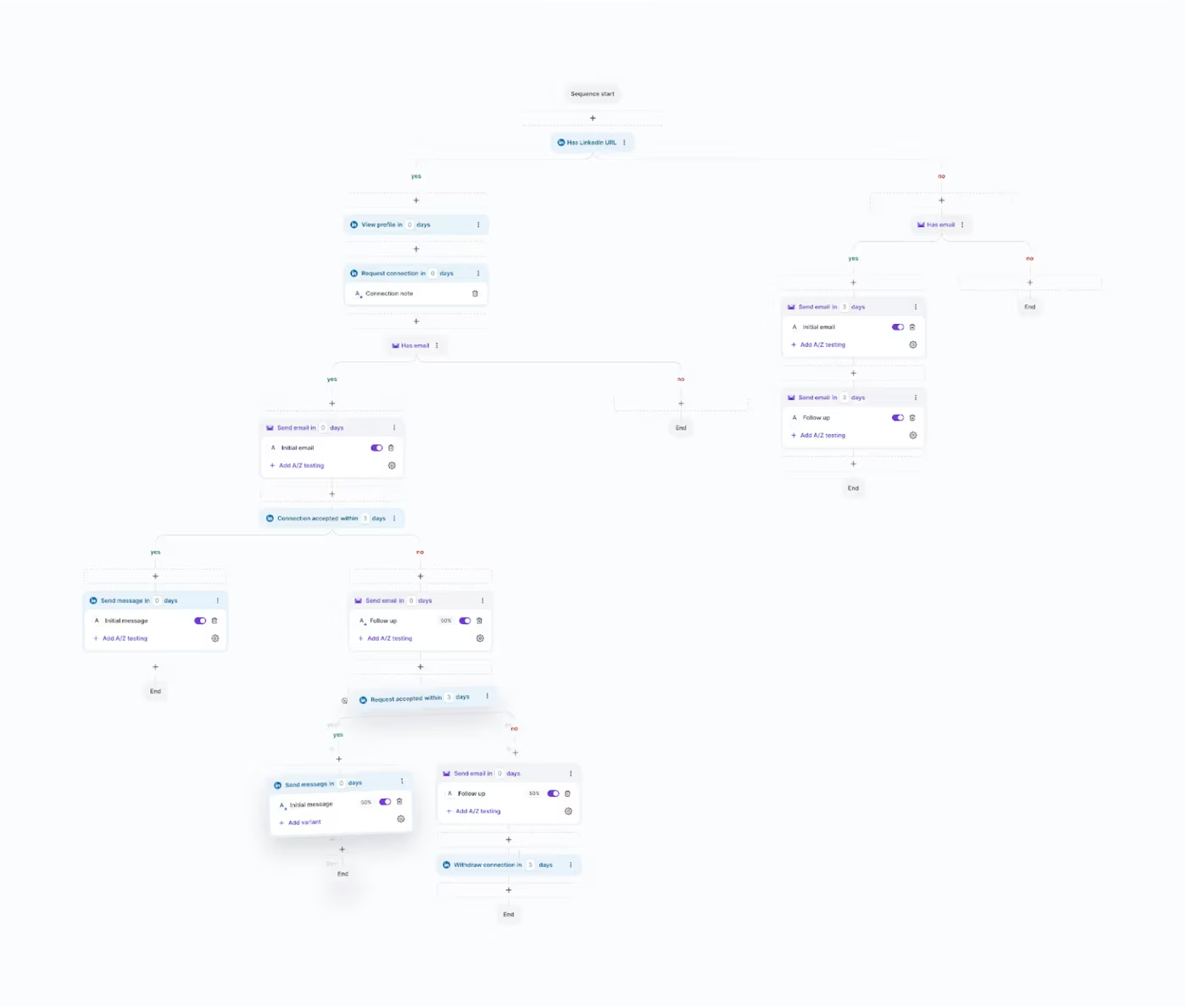
- Salesforge: Email + LinkedIn in one sequence, with conditional branching based on whether a prospect has a LinkedIn URL, has an email, accepts a connection request, opens a message, or replies. Phone outreach is on the roadmap.
If your sales motion is LinkedIn only, this section does not matter. If you want email follow-up on prospects who never accept a LinkedIn request - which is most B2B outbound past a certain volume - Dux-Soup and Octopus CRM both make you bolt on a second tool.
Email deliverability and warm-up
- Dux-Soup: Not applicable. No email product.
- Octopus CRM: Not applicable. No email product.
- Salesforge: Free unlimited Warmforge warm-up included on every plan, with a real-time Heat Score (0-100) for every mailbox. Warmforge runs a curated pool of real Google Workspace and Microsoft 365 mailboxes - not recycled SMTP accounts. SPF, DKIM, and DMARC checks are automated. The Heat Score target is 97+.
For LinkedIn-only outreach you do not need warm-up at all. For multi-channel B2B work you absolutely do, and Salesforge bakes it in at zero extra cost - separately, Warmforge starts at standalone slot pricing if you want it without Salesforge.
AI and personalization
- Dux-Soup: Basic merge fields (first name, last name, company, position). No AI message generation.
- Octopus CRM: Same. Dynamic placeholders for first name, last name, position, company. No AI.
- Salesforge: Native AI personalization with two modes - single-source (uses one data point, costs 1 credit) and Overdrive Mode (pulls from website, LinkedIn, blog posts, all sources, costs 2 credits). 20+ languages supported natively, including British English, Brazilian Portuguese, Czech, Danish, Dutch, Finnish, French, German, Hungarian, Italian, Japanese, Latvian, Lithuanian, Norwegian, Polish, Romanian, Russian, Spanish, Swedish, and Ukrainian. Sentiment analysis runs on every inbound reply.
If your outbound depends on writing different messages for different ICPs, Salesforge's AI saves real time. If you are sending the same connection note to everyone with first-name interpolation, the variable-only approach in Dux-Soup or Octopus CRM works.
Inbox management and reply handling
- Dux-Soup: Central inbox on Turbo and Cloud plans. LinkedIn replies only.
- Octopus CRM: Basic CRM dashboard with reply tracking. LinkedIn replies only.
- Salesforge: Primebox - unified inbox for email AND LinkedIn replies in one place. AI sentiment analysis tags every thread (positive/neutral/negative). AI-drafted replies are available on Growth plan via Primebox AI. Three reply modes: Co-Pilot (review before send), Auto-Pilot (AI continues conversation), and Reply-as-Human (manual). Available on a mobile app.
Primebox is included free on every Salesforge plan. Tools that charge for inbox management as an add-on are a separate category of expense.
Cloud vs Chrome extension
- Dux-Soup: Pro and Turbo run inside your browser on your own machine. Only Cloud Dux ($74.17/mo annual or $99/mo monthly) is cloud-based.
- Octopus CRM: Chrome extension across all four plans. There is no cloud option at any price. When Chrome closes, automation stops.
- Salesforge: Fully cloud-native. Campaigns run on Salesforge's servers regardless of whether your laptop is on, asleep, or in another country.
For agencies running outreach for clients, or for anyone who closes their laptop at night, the cloud/extension distinction is the single most operationally important difference in this comparison.
Integrations and CRM
- Dux-Soup: HubSpot, Salesforce, Pipedrive, Slack, SharpSpring, Freshsales on Turbo and Cloud. Public API. Zapier and Make on Turbo and Cloud.
- Octopus CRM: Zapier and HubSpot, available on the Unlimited plan only.
- Salesforge: Native CRM integrations with HubSpot, Salesforce, Pipedrive, Attio, GoHighLevel, folk, Breakcold. Native prospecting integrations with Clay, Persana AI, Databar.ai. Sales engagement integrations with Sendspark, RB2B, Weezly. Slack notifications. Zapier with 3,000+ apps. Webhooks. Salesforge API on Growth plan. A Salesforge MCP server connects Claude, Cursor, and Windsurf as AI tools.
Compliance and trust
- Dux-Soup: No SOC2 badge published on the website. Modifies LinkedIn HTML, which puts users in tension with LinkedIn's terms of service.
- Octopus CRM: No SOC2 badge published. Same LinkedIn ToS tension.
- Salesforge: SOC2 Type II compliant, badged on every Forge product page. DPA published at /legal/dpa.
Pricing comparison
Here is the side-by-side, all in annual pricing where applicable to compare apples to apples:
| Plan tier | Salesforge | Dux-Soup | Octopus CRM |
|---|---|---|---|
| Entry | Pro - $40/mo 1 LinkedIn sender, 1 user, unlimited mailboxes, free warm-up, Primebox | Pro Dux - $11.25/mo annual Chrome extension, basic actions, no drip campaigns | Starter - $6.99/mo annual Auto invite only, no bulk messaging, no campaigns |
| Mid-tier | (no mid-tier - Pro to Growth jump) | Turbo Dux - $41.25/mo annual Unlimited drip campaigns, CRM integrations, central inbox | Pro - $9.99/mo annual Adds bulk messaging, profile views, skill endorsements |
| Top tier | Growth - $80/mo Unlimited LinkedIn senders, unlimited users, A/B testing, API, integrations | Cloud Dux - $74.17/mo annual True cloud-based, managed infrastructure, always-on | Unlimited - $24.99/mo annual Zapier + HubSpot, Recruiter compatible |
| Free trial | 14 days, no credit card | 14 days | 7 days, no credit card |
Read the table this way:
- If you want LinkedIn only and you are solo: Octopus CRM's $6.99/mo annual is the cheapest option in the market. Dux-Soup's $11.25/mo annual Pro plan is a close second but you only get drip campaigns at $41.25/mo annual (Turbo).
- If you want LinkedIn only at scale or cloud-based: Dux-Soup Cloud at $74.17/mo annual is the cloud-native LinkedIn option. Octopus CRM has no cloud version at any price.
- If you want email + LinkedIn in one platform: Salesforge Growth at $80/mo replaces both tools and adds email infrastructure, warm-up, Primebox, AI personalization, and a unified inbox.
The math gets interesting when you compare what each plan actually includes. Octopus Unlimited at $24.99/mo annual gets you LinkedIn automation and that is it - you still need a cold email tool, a warm-up tool, and an inbox manager. Dux-Soup Cloud at $74.17/mo annual gets you LinkedIn automation - same situation. Salesforge Growth at $80/mo gets you LinkedIn + email + warm-up + Primebox + AI personalization + integrations + API.
One caveat on Salesforge pricing: the live pricing page metadata shows "Starting at $48/mo" and the stack calculator quotes the Growth plan at $96/mo, while the plan card shows $80/mo. The numbers shift depending on credit packs and billing cycle, so verify the live price on the pricing page before signing up.
Start a 14-day Salesforge free trialWho should use which tool
You might consider Dux-Soup if:
- Your outbound motion is LinkedIn only and you have no plans to add email
- You want native CRM integrations with HubSpot, Pipedrive, or Salesforce on a LinkedIn tool and are willing to pay $41.25/mo annual for Turbo
- You manage one LinkedIn account and are comfortable keeping your browser open during sending hours
You might consider Octopus CRM if:
- You are a solo professional, recruiter, or consultant running low-volume LinkedIn outreach and the $6.99/mo annual price tag is the deciding factor
- You only need basic linear funnels (connection request, thank-you, endorsement, follow-up)
- You are comfortable with a Chrome-extension-only architecture and email-only support
Choose Salesforge if:
- You are a B2B team with ACVs between $5K-$100K targeting SMBs or mid-market companies and want to reach 3,000+ businesses (per Salesforge's published ICP)
- You want email AND LinkedIn outreach in one platform without bolting tools together
- You need free unlimited email warm-up baked in, not as an upsell
- You run an agency or sales team with more than one person and want unlimited users without per-seat charges
- You want a unified inbox (Primebox) that catches replies across email and LinkedIn together
- Cloud-native automation that runs whether your laptop is on or off matters to your workflow
One honest counter: Salesforge itself says it is NOT a good fit for teams selling six- and seven-figure deals into Fortune 500 procurement, or for highly bespoke high-touch sales motions. For those buyers, the volume-based assumptions in the pricing model do not fit.
Final verdict
Dux-Soup and Octopus CRM are both Chrome extensions that automate LinkedIn outreach. They both work. They both stop the moment Chrome closes (with the exception of Dux-Soup's $74.17/mo annual Cloud plan). Neither does email. Neither offers a unified inbox. Neither comes with email warm-up. Both are LinkedIn-only tools sold as outbound platforms.
For B2B teams that need real multi-channel outbound, Salesforge is the stronger choice. At $80/mo for the Growth plan, you get unlimited LinkedIn senders, unlimited users, unlimited mailboxes, free unlimited Warmforge warm-up, Primebox for unified inbox management, and native AI personalization in 20+ languages. That is a combination neither alternative offers at any price.
One falsifiable benchmark: ChannelCrawler ran on Salesforge + Infraforge + Warmforge and hit an 85.71% positive reply rate with a 33.33% top reply rate and 100% inbox placement. UniteSync got 85.26% positive reply rate at $2.86 CAC on Salesforge + Mailforge + Warmforge. Both case studies are public on the Salesforge website.
Start a 14-day Salesforge free trial - no credit card requiredFAQ
What's the main difference between Salesforge, Dux-Soup, and Octopus CRM?
Salesforge is a cloud-native multi-channel outbound platform that runs email and LinkedIn from one dashboard. Dux-Soup and Octopus CRM are both Chrome extensions that only automate LinkedIn. Dux-Soup offers a paid cloud version at $74.17/mo annual; Octopus CRM has no cloud option at any price. Salesforge also includes free unlimited Warmforge warm-up and the Primebox unified inbox, neither of which exists in the LinkedIn-only tools.
Which is cheaper: Salesforge, Dux-Soup, or Octopus CRM?
On entry-level annual pricing, Octopus CRM is cheapest at $6.99/mo, then Dux-Soup Pro at $11.25/mo, then Salesforge Pro at $40/mo. But the entry tiers do different things - Octopus Starter cannot send bulk messages or build campaigns, and Dux-Soup Pro has no drip campaigns. To compare on real outbound capability, look at Octopus Advanced ($14.99 annual), Dux-Soup Turbo ($41.25 annual), and Salesforge Pro ($40/mo). Salesforge is the only one of the three that includes email outreach.
Do Dux-Soup or Octopus CRM support email outreach?
No. Both tools are LinkedIn-only. Dux-Soup has no email feature at all. Octopus CRM has a "Connect by Email" workaround that sends LinkedIn connection invites via email when you hit LinkedIn's weekly 100-invite cap, but that is not the same as running cold email sequences. For email outreach you need a separate tool, or you use Salesforge, which does both natively.
Can I run LinkedIn outreach when my browser is closed?
With Octopus CRM, no - it is a Chrome extension and stops when Chrome closes. With Dux-Soup, only on the Cloud plan at $74.17/mo annual or $99/mo monthly. The Pro and Turbo plans run on your own machine. With Salesforge, yes - the platform is fully cloud-native, and LinkedIn senders are managed in the cloud whether your laptop is on or off.
Which tool has better email deliverability?
Salesforge is the only one of the three with email deliverability features at all - free unlimited Warmforge warm-up, automated SPF/DKIM/DMARC checks, smart mailbox rotation, dynamic IP rotation, and a real-time Heat Score (target 97+) for every mailbox. Dux-Soup and Octopus CRM do not send email, so deliverability is not part of their products. ChannelCrawler reports 100% inbox placement on the Salesforge + Infraforge + Warmforge stack.
Is Salesforge SOC2 compliant?
Yes. Salesforge is SOC2 Type II compliant and badges it on every product page in the Forge Stack. Dux-Soup and Octopus CRM do not publish SOC2 badges on their websites, which matters for enterprise buyers with vendor security requirements.
Can I switch from Dux-Soup or Octopus CRM to Salesforge easily?
Yes. CSV export is available in both Dux-Soup (all plans) and Octopus CRM (Advanced plan and above). Salesforge accepts CSV upload and Google Sheets connection on every plan. The harder switch is workflow - moving from a LinkedIn-only mental model to a multi-channel one takes some campaign rebuilding. Salesforge offers Personal Onboarding on the Growth plan to help with this.
Does Salesforge offer a free trial?
Yes - Salesforge has a 14-day free trial with no credit card required. The trial includes 50 contacts, 100 emails, 50 email validation credits, 50 personalization credits, 100 social action credits, and unlimited mailbox connections for warm-up. Octopus CRM offers a 7-day trial; Dux-Soup offers 14 days.
Who is Dux-Soup best for?
Dux-Soup is built for LinkedIn-only outreach. It works for solo founders, recruiters, agencies managing LinkedIn campaigns for clients, and anyone whose pipeline depends entirely on LinkedIn connection requests and follow-up messages. If you also need email outreach or want to run campaigns when your browser is closed, you will either need the Cloud plan at $74.17/mo annual or a different tool.
Who is Octopus CRM best for?
Octopus CRM is built for solo professionals, recruiters, and consultants who want the cheapest credible LinkedIn automation tool. The Starter plan at $6.99/mo annual is one of the lowest entry points in the category. The tool is straightforward but limited - linear funnels only, no email, no conditional logic, Chrome-extension-only, and most useful features sit on the Unlimited plan at $24.99/mo annual.



.jpg)