
Personalized Outbound Strategy
Get The Right Outbound Strategy In Minutes
Enter your email to get a custom plan & stack recommendation for your business
It's being carefully crafted by AI
Please check your mailbox in 5 minutes
Clay MCP Server is getting a lot of attention in GTM circles right now, especially from teams trying to simplify their outbound workflows. You connect Clay to tools like ChatGPT or Claude, and suddenly you can find prospects, enrich contact data, and run workflows directly from a prompt.
On the surface, this looks like a faster way to run outbound. But most GTM teams are not struggling with running workflows. They are struggling with finding the right leads, getting reliable data, and turning that into actual pipeline. So the real question isn’t just what Clay MCP Server can do. It’s whether it actually helps you generate pipeline, or simply makes your existing setup easier to use.
In this review, we’ll break down how it works, where it fits, and whether it’s the right choice for GTM teams.
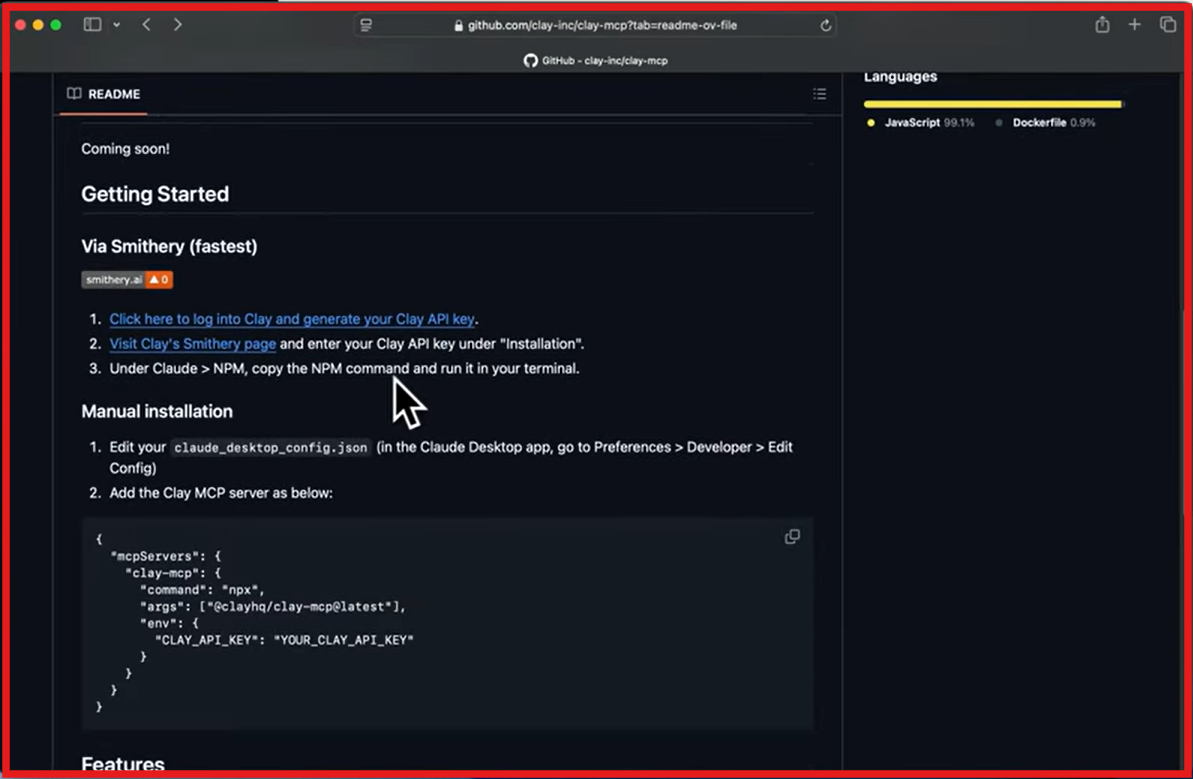
Clay MCP Server is a feature that lets you use Clay directly inside AI tools like ChatGPT and Claude. Instead of switching between multiple tools, you can do most research and workflow tasks from one place. You can search for ICP contacts, enrich their contact data, research accounts, and run workflows just by typing a prompt.
Clay MCP connects your AI tool with Clay’s data and workflows. So instead of manually running tasks inside Clay, the AI can trigger those workflows for you. For example, you can ask it to find decision-makers at a company, pull contact details like email and company data, and draft outreach messages. Clay uses its data providers and workflows to return structured results.
It also uses pre-built workflows (called functions) created by your ops team. These can include enrichment, lead scoring, or outreach generation. Once set up, any rep can run them from chat without needing to understand the backend.
In simple terms, Clay MCP turns Clay into a system that AI can operate directly, helping GTM teams run research and workflows faster.
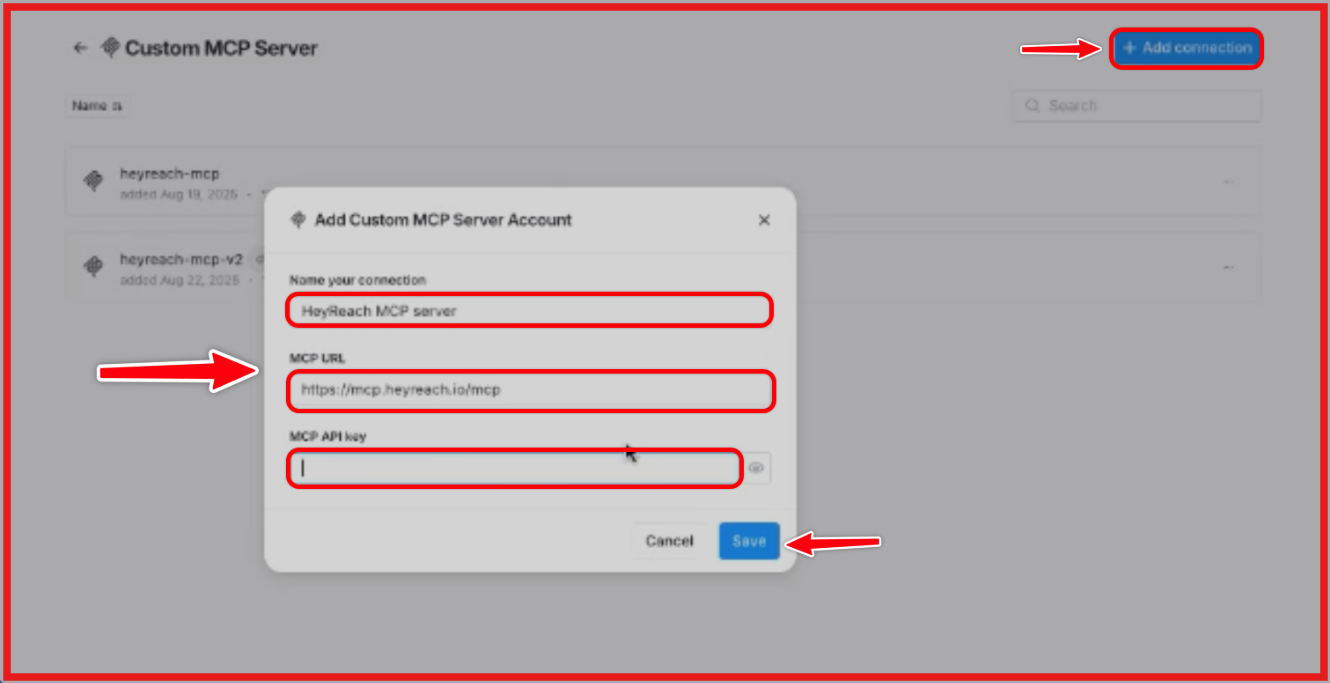
Clay MCP Server works by connecting Clay with AI tools like ChatGPT and Claude, so reps can run prospecting and research directly from chat. The process starts with a prompt. A rep types something like “find VP-level contacts at this company.” The AI understands the request and sends it to Clay.
Clay then searches for ICP contacts using filters like job title, company, and location. It pulls matching people and enriches them using its data providers, adding details like email, work history, funding, tech stack, and website data.
If there are workflows already built by the ops team, Clay can run those as well. These workflows (called functions) handle things like enrichment waterfalls, ICP scoring, lead qualification, and outreach generation. The AI simply triggers them based on the prompt.
Once everything runs, the results come back into the same chat as structured output. This can include a list of contacts, enriched profiles, and draft outreach messages based on the data. The important part is that reps don’t need to know how these workflows are built. Ops teams define the logic once, and reps use it through prompts.
Clay MCP Server helps GTM teams run prospecting, enrichment, and workflows directly from chat.
Here are the top features of Clay MCP Server that are actually useful:
Clay MCP Server does not have separate pricing. It uses the same credit-based system as Clay.
Clay MCP pricing is flexible, but it depends heavily on usage. If your team runs a lot of enrichment or workflows, costs can increase quickly. It’s not expensive to start, but scaling depends on how efficiently you use credits.
Clay MCP Server works as an interface that lets reps use Clay inside tools like ChatGPT and Claude, using existing data, workflows, and enrichment providers.
It’s a good fit if:
It’s not the best fit if:
Clay MCP Server works best for teams that already use Clay and want to access their workflows and data from chat. It helps reps run research and workflows, while still using the same logic defined by the ops team.
If you need a complete outbound system with lead sourcing and execution, Clay MCP alone is not enough.
Clay MCP Server connects AI tools with data and workflows inside Clay. It allows you to find contacts, enrich data, and run predefined workflows through prompts. The Salesforge MCP Server works differently. It exposes multiple parts of the outbound stack through a single connection, including outreach workflows, lead data, and infrastructure.
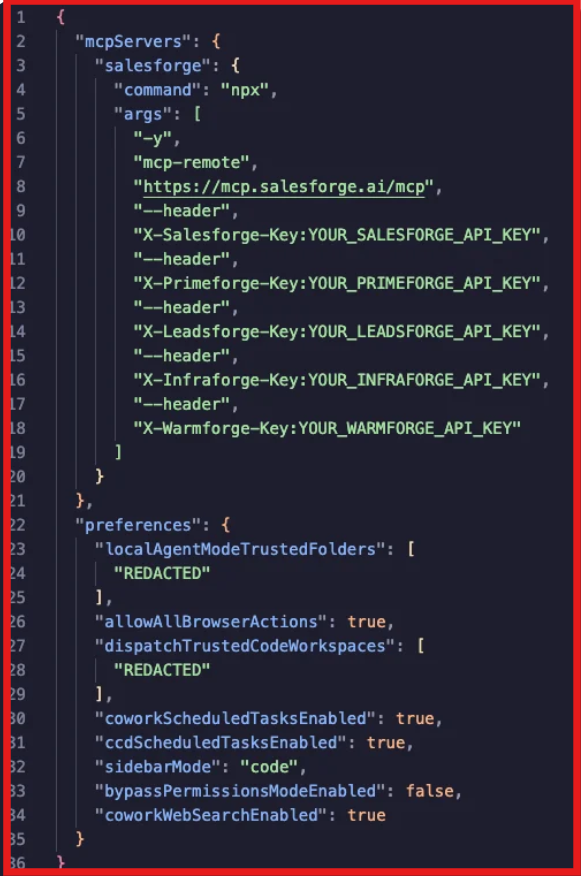
Through one MCP connection, AI can:
All of this is available directly from chat, where AI can read data and trigger actions based on prompts. Clay MCP Server focuses on data and workflow execution inside one system. Salesforge MCP Server connects multiple outbound components (data, outreach, infrastructure) into one interface.
This demo shows how one MCP setup connects Leadsforge and other tools into a single outbound workflow:How to Use Claude Cowork to Generate Unlimited Leads
My take: Clay MCP Server is useful when your focus is data enrichment and workflows. Salesforge MCP Server is a better alternative when you want broader access to outbound tools and actions through one MCP connection.
Enter your email to get a custom plan & stack recommendation for your business
Please check your mailbox in 5 minutes

Clay MCP Server is useful when your focus is running enrichment and workflows through AI. It helps you move faster inside an existing setup, especially for research and data-related tasks. The Salesforge MCP Server takes a broader approach. It connects multiple parts of outbound, lead data, outreach, infrastructure, and performance, into one interface that AI can access and act on. That difference matters in practice. One helps you work with data. The other helps you run more of your outbound system from the same place.
If your main challenge is still finding the right leads, starting with Leadsforge makes more sense. It gives you access to large-scale contact data with enrichment, which becomes the input for everything else.
Once your data and workflows are in place, using the Forge MCP Server can help you manage and run those workflows directly from chat. You can start by exploring Leadsforge to build your lead lists, and then connect the Forge MCP Server to bring your outbound workflow into one place.



.jpg)