Table of contents
Get insights delivered straight into your inbox every week!
Summarize with

I Analyzed 100+ Amplemarket Reviews in 2026: Here's My Take

If you’re searching for Amplemarket reviews, you’re probably trying to understand how well it works for real outbound workflows.

You’re likely asking:

  • Is Amplemarket legit?
  • How good is Amplemarket data?
  • Does Amplemarket replace multiple tools?
  • Is there a better Amplemarket alternative?

I went through 100+ verified Amplemarket reviews in 2026.

I focused on recent SDR and mid-market feedback.

Then I compared those insights to real outbound workflows I’ve run.

Here’s what actually stands out.

TL;DR

  • G2 rating: 4.5/5
  • Strong at combining prospecting and sequencing
  • Duo Copilot helps with AI personalization
  • Multi-channel outreach works well for structured teams
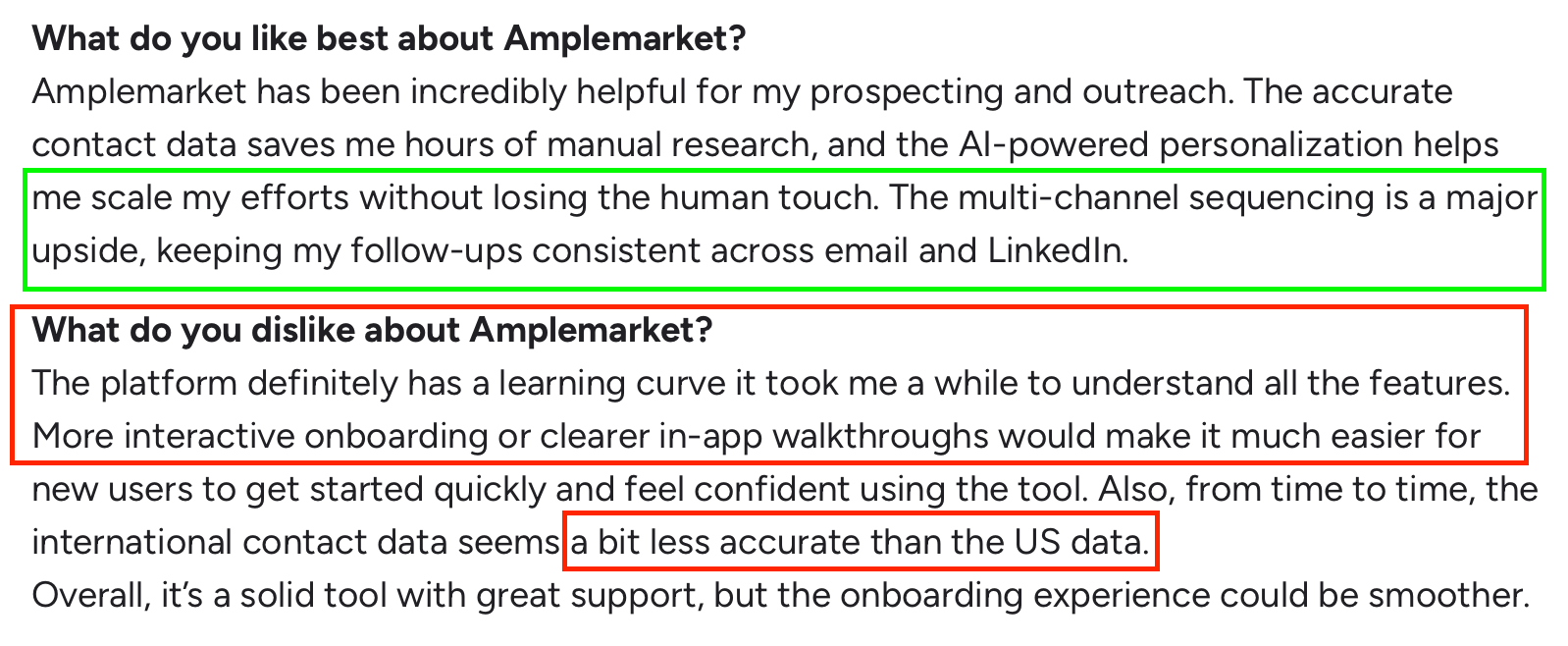
  • Noticeable learning curve
  • Cold email volume depends heavily on Amplemarket’s mailbox limits
  • Dialer and editing flexibility show friction at scale

Amplemarket works best for mid-market outbound teams that want consolidation.

It becomes less ideal when you scale heavily across many inboxes or rely on dialing.

What Is Amplemarket?

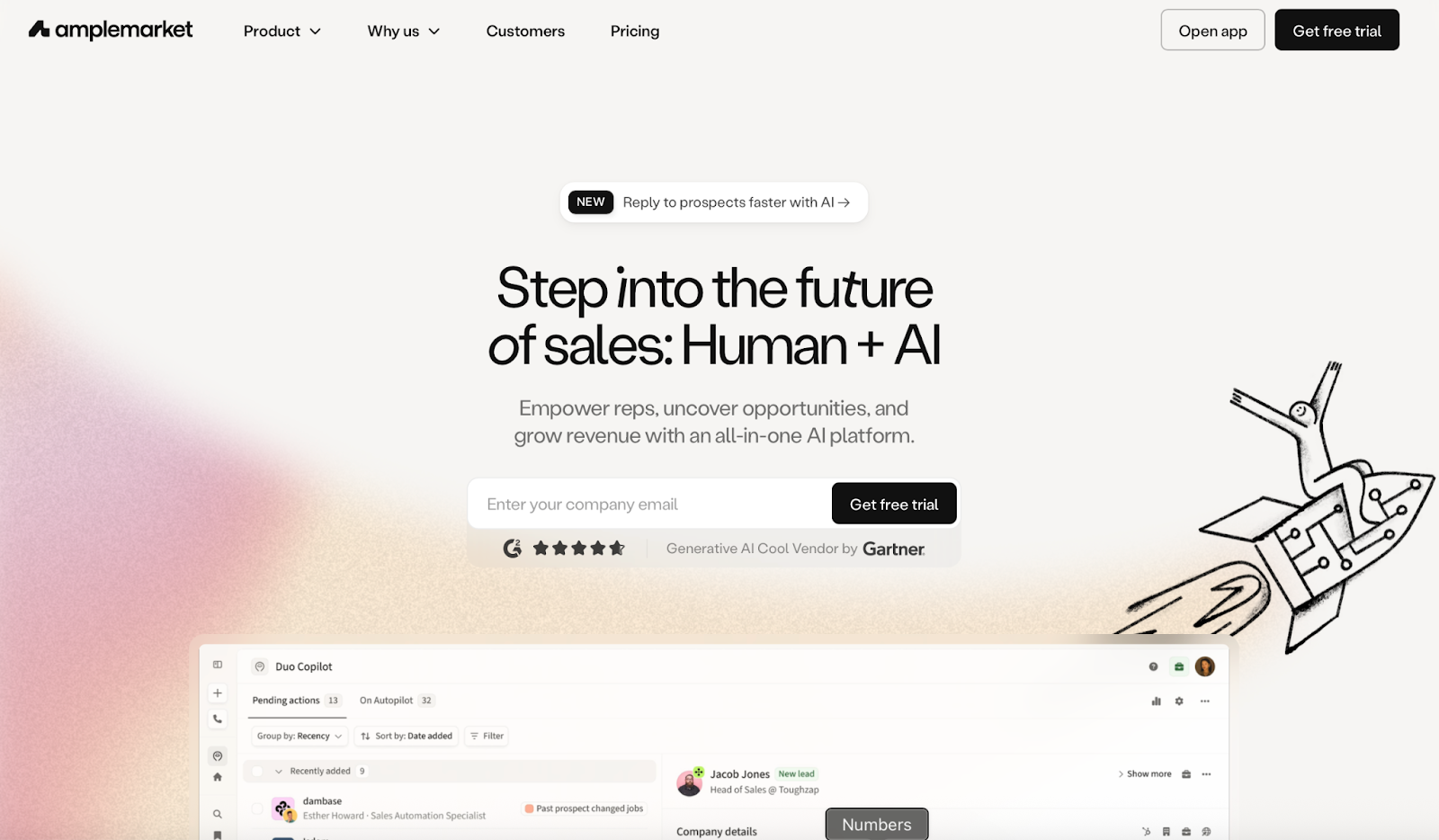
Amplemarket Homepage
This image shows the Amplemarket Homepage

Amplemarket is a sales engagement platform.

It combines:

  • Prospect discovery
  • Contact enrichment
  • Multi-channel sequences
  • LinkedIn automation
  • Built-in dialer
  • AI-assisted writing (Duo Copilot)

Most reviews describe it as a centralized outbound workspace.

Instead of using one tool for data, another for LinkedIn automation, and another for email, Amplemarket attempts to house everything under one roof.

That consolidation theme is the core reason teams adopt it.

How Amplemarket Works in a Real Outbound Workflow?

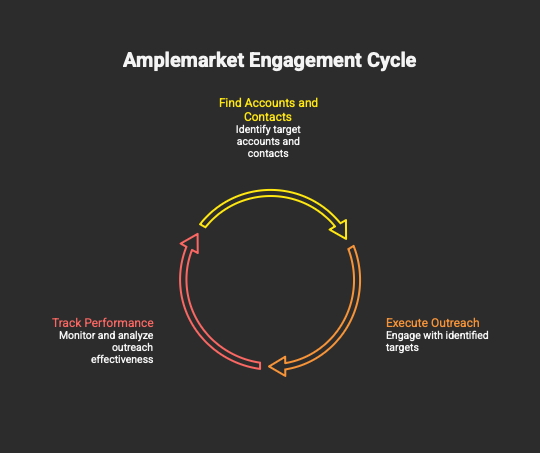
Based on reviews and my own outbound experience, Amplemarket spans three layers:

How Amplemarket Works
This image shows how Amplemarket Works

It sits across the full top-of-funnel process.

It does not deeply specialize in infrastructure or advanced deliverability control.

It focuses on operational efficiency.

For many mid-market teams, that tradeoff makes sense.

Amplemarket Features

Here are the top features:

  • Prospect Searcher helps you find leads by job title, company info, intent signals, and recent job changes.
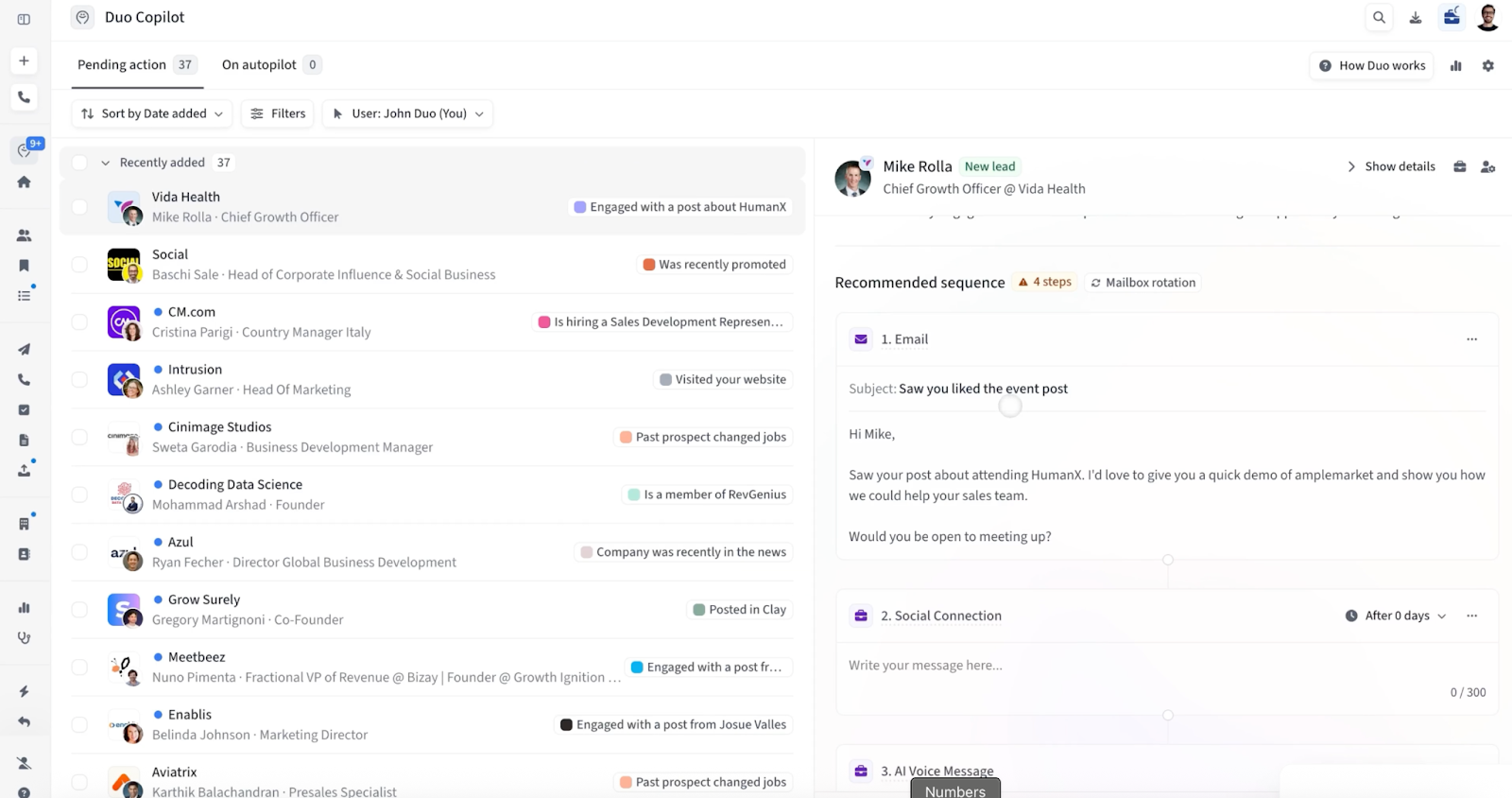
Duo Copilot dashboard showing pending leads, recommended email sequence, and personalized outreach preview for a new lead.
This image shows the Duo Copilot dashboard showing pending leads, recommended email sequence, and personalized outreach preview for a new lead.
  • Duo Copilot drafts first-touch emails and surfaces buying signals to speed up personalization.
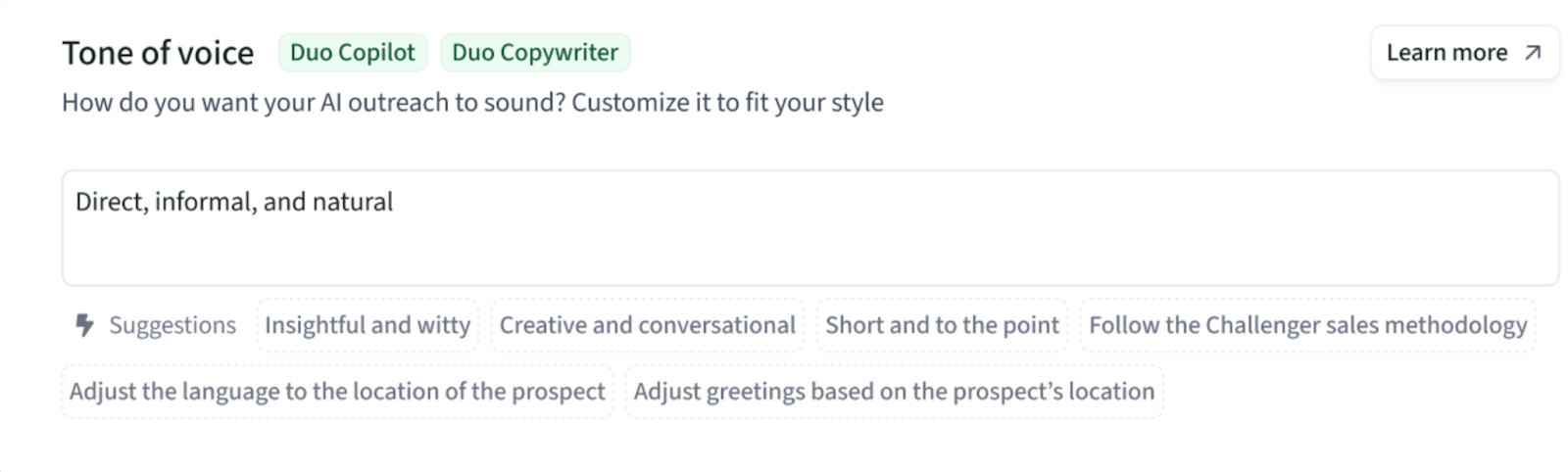
Tone of voice settings in Duo Copilot with style options and customization suggestions for AI outreach.
This image shows the Tone of voice settings in Duo Copilot with style options and customization suggestions for AI outreach.
  • Multi-channel sequences let you run email, LinkedIn, calls, WhatsApp, voice notes, and video steps in one flow.
  • The built-in dialer lets you make calls inside the platform, though some users say it feels slow.
  • Salesforce and HubSpot syncing keeps contacts and activity updated, depending on CRM hygiene.
  • Reporting shows opens, replies, and clicks so SDRs can track basic performance.
  • The “Request Fresh Info” feature helps reduce bounce rates when contact data feels outdated.

What Users Like About Amplemarket

  • Strong US data accuracy and fewer bounces with the “Request Fresh Info” button.
  • Faster personalization with Duo Copilot writing first drafts.
  • Helps SDRs stay organized with multi-channel steps in one cadence.
  • Workflow consolidation reduces daily tab switching.
  • AI signals make it easier to decide who to contact first.
Customer review highlighting Amplemarket pros (accurate data, AI personalization, multichannel) and cons (learning curve, weaker international data).
This image shows the Customer review highlighting Amplemarket pros (accurate data, AI personalization, multichannel) and cons (learning curve, weaker international data).

What Users Dislike About Amplemarket?

Here are the main issues that show up in reviews.

  • Some tasks require many clicks, especially editing live sequences.
  • The dialer can feel slow and lacks advanced features.
  • International data accuracy is mixed compared to US data.
  • CRM account matching struggles when the data is messy.
  • Reporting could be deeper for leadership-level insights.
  • Sequence editing during an active campaign can feel rigid.

Amplemarket Pricing

Amplemarket pricing
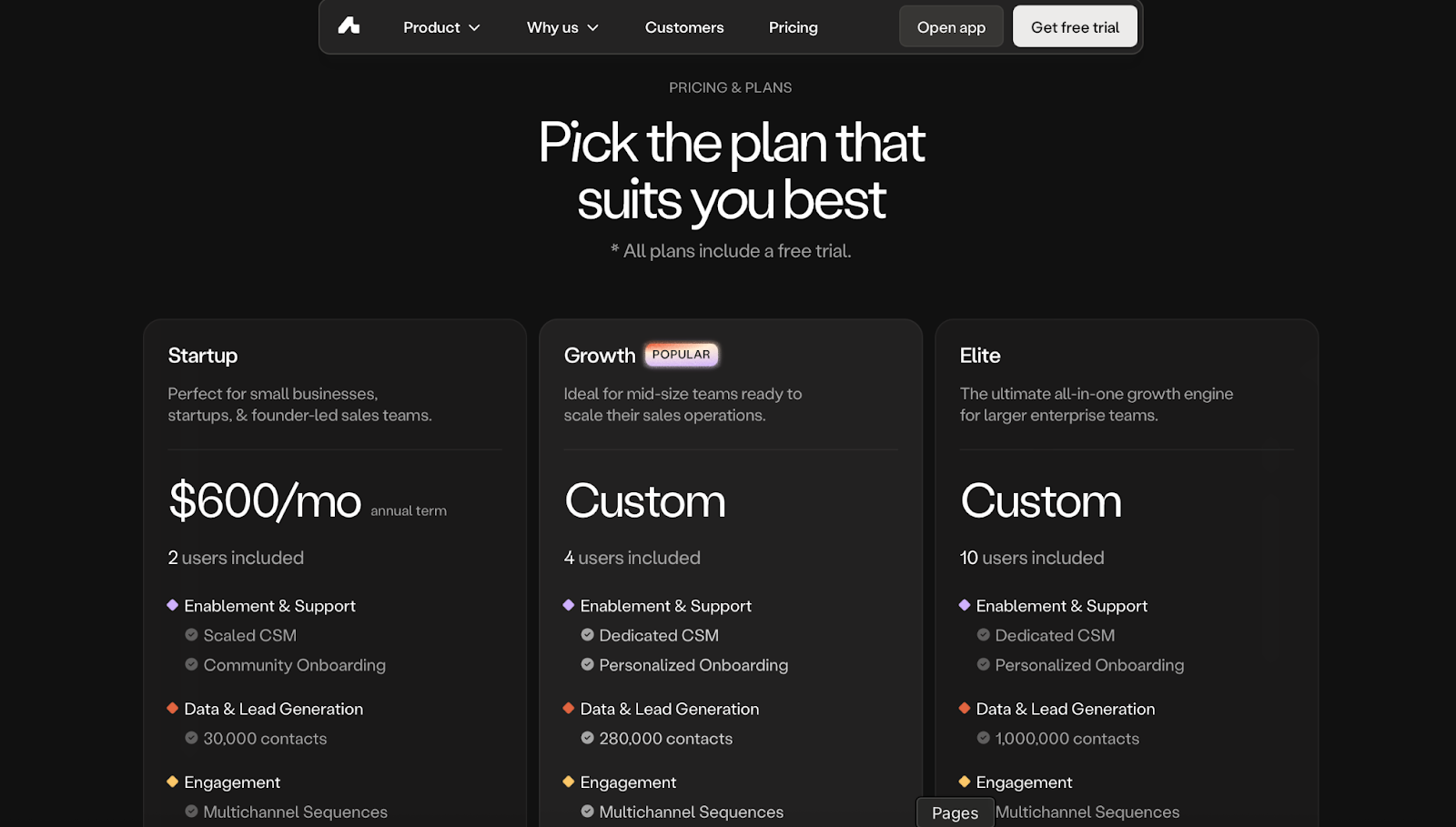
This image shows the Amplemarket pricing

Here’s the easiest way to understand how Amplemarket charges.

They sell three plans, and the price mostly depends on:

  • how many users you have
  • how many contacts you need
  • how much AI you want

That’s it.

Startup Plan - $600/month (yearly contract)

This is the “small team” plan.

You get:

  • 2 users
  • 30,000 contacts
  • Basic multichannel sequences
  • Duo Copilot (their AI writer)
  • AI intent signals
  • Standard support + group onboarding

This plan works if you’re early-stage and only need simple outreach with a small database.

Growth Plan - Custom Pricing

This is the plan most mid-size teams end up on.

You get:

  • 4 users
  • 280,000 contacts
  • All multichannel steps
  • Duo Copilot + Duo Voice (AI voice messages)
  • Dedicated CSM
  • Personal onboarding

This plan makes sense if you’re scaling and need more data + more AI.

Elite Plan - Custom Pricing

This is for large outbound teams.

You get:

  • 10 users
  • 1,000,000 contacts
  • All outreach channels
  • All AI tools: Copilot, Voice, Inbox
  • Dedicated support + custom training

This plan fits only if you operate like an SDR org with multiple senders and heavy outbound volume.

Who Should Use Amplemarket?

Amplemarket fits best when:

  • You want prospecting + sequencing in one platform
  • Your ICP is mostly US-based
  • You run structured SDR cadences
  • You value AI-assisted drafting
  • You prefer consolidation over stack complexity

Mid-market SDR teams appear most satisfied.

When Amplemarket May Not Be the Right Fit

It may feel limited if:

  • You rely heavily on power dialing
  • You need deep infrastructure control
  • You want unlimited sender scaling
  • You require enterprise-grade forecasting

At scale, execution flexibility becomes more important than consolidation.

5 Best AmpleMarket Alternatives & Competitors for Cold Email Outreach

Salesforge: A Better Fit When Teams Need Simpler Sending and Predictable Pricing

Salesforge Homepage
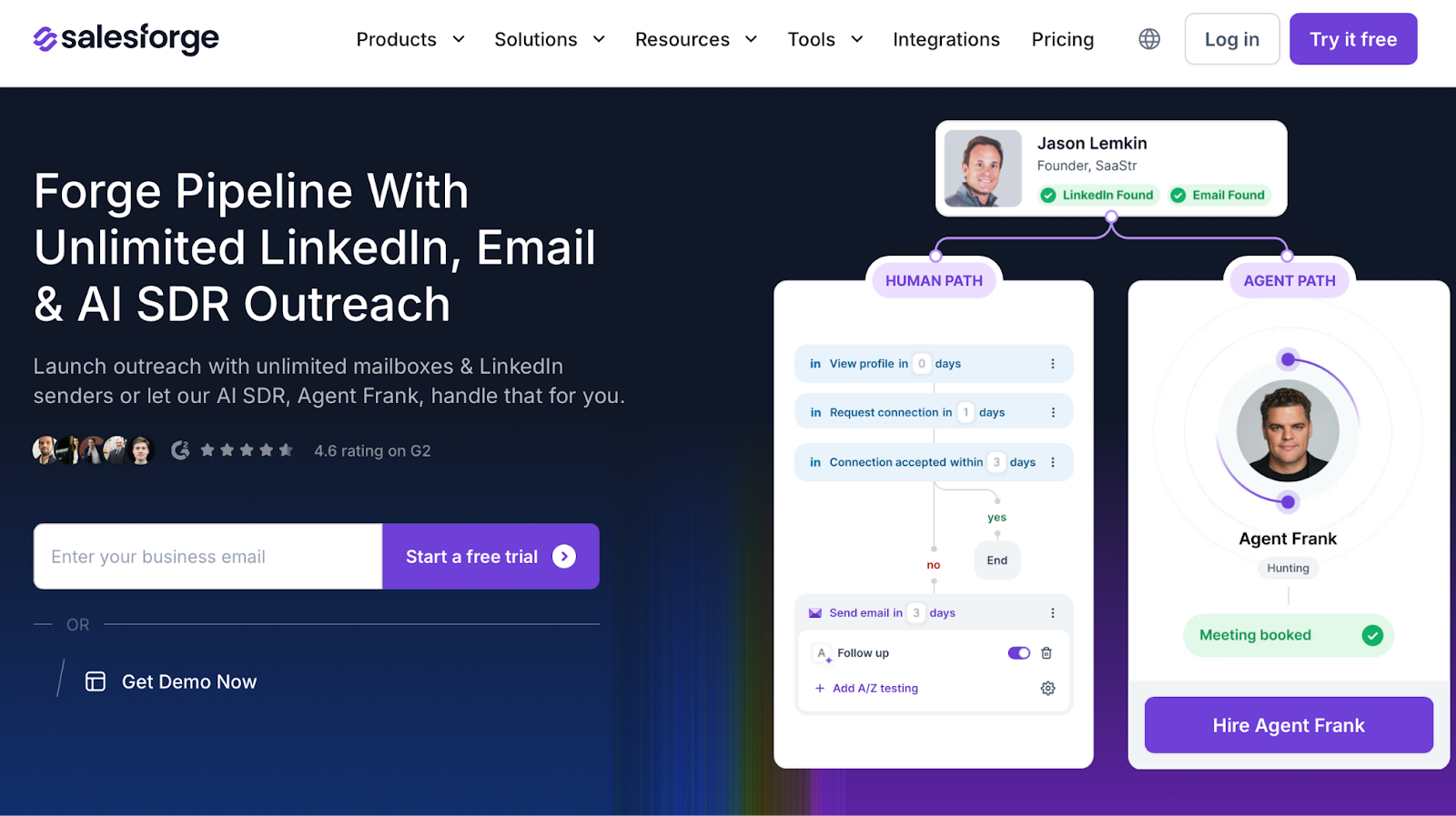
This image shows the Salesforge Homepage

When teams want fewer handoffs, they often choose a platform that focuses on the sending part of outbound.

Salesforge runs email and LinkedIn outreach together.

It supports unlimited mailboxes and unlimited LinkedIn senders.

This matters when your volume grows and you need predictable send limits.

I found it easier to act on account signals when everything lived inside one outreach platform.

No exporting lists.

No re-importing contacts.

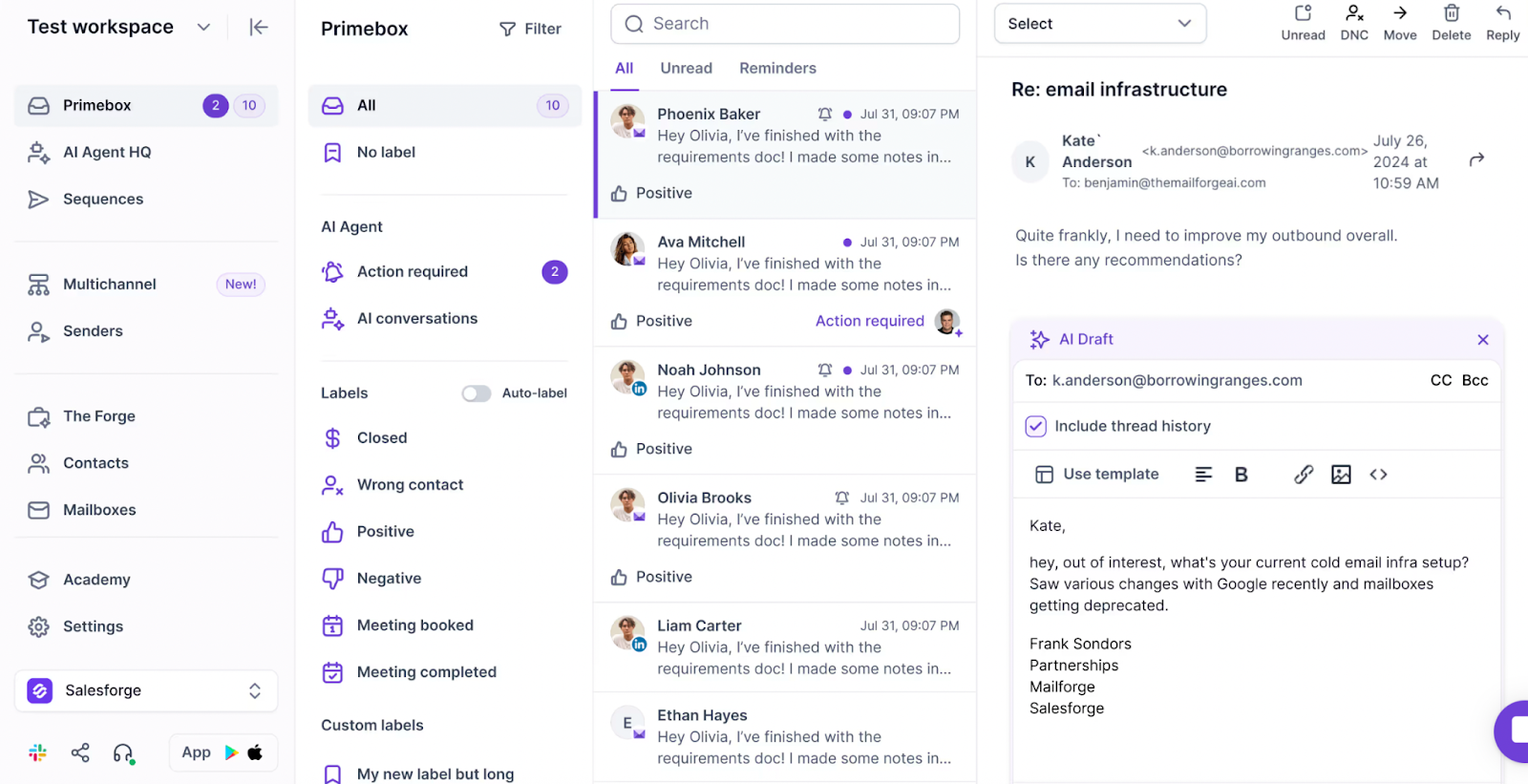
Primebox keeps all replies, email, and LinkedIn in one inbox.

Salesforge Primebox inbox showing email threads with labels and an AI draft reply panel open
This image shows the Salesforge Primebox inbox showing email threads with labels and an AI draft reply panel open

This becomes important when you manage many domains or several inboxes.

I set up domains in Mailforge before sending.

Then I warmed them in Warmforge, which kept deliverability steady as volume increased.

When I need new contact data, I pull it from Leadsforge.

When CRM lists are already good, I only enrich what I need.

This reduces friction between planning and execution.

Signals turn into live outreach faster because fewer tools sit between steps.

Salesforge also includes Agent Frank.

He helps when daily volume grows too big for one person.

I treat him like a teammate who handles repetitive prospecting and outreach tasks.

Pricing

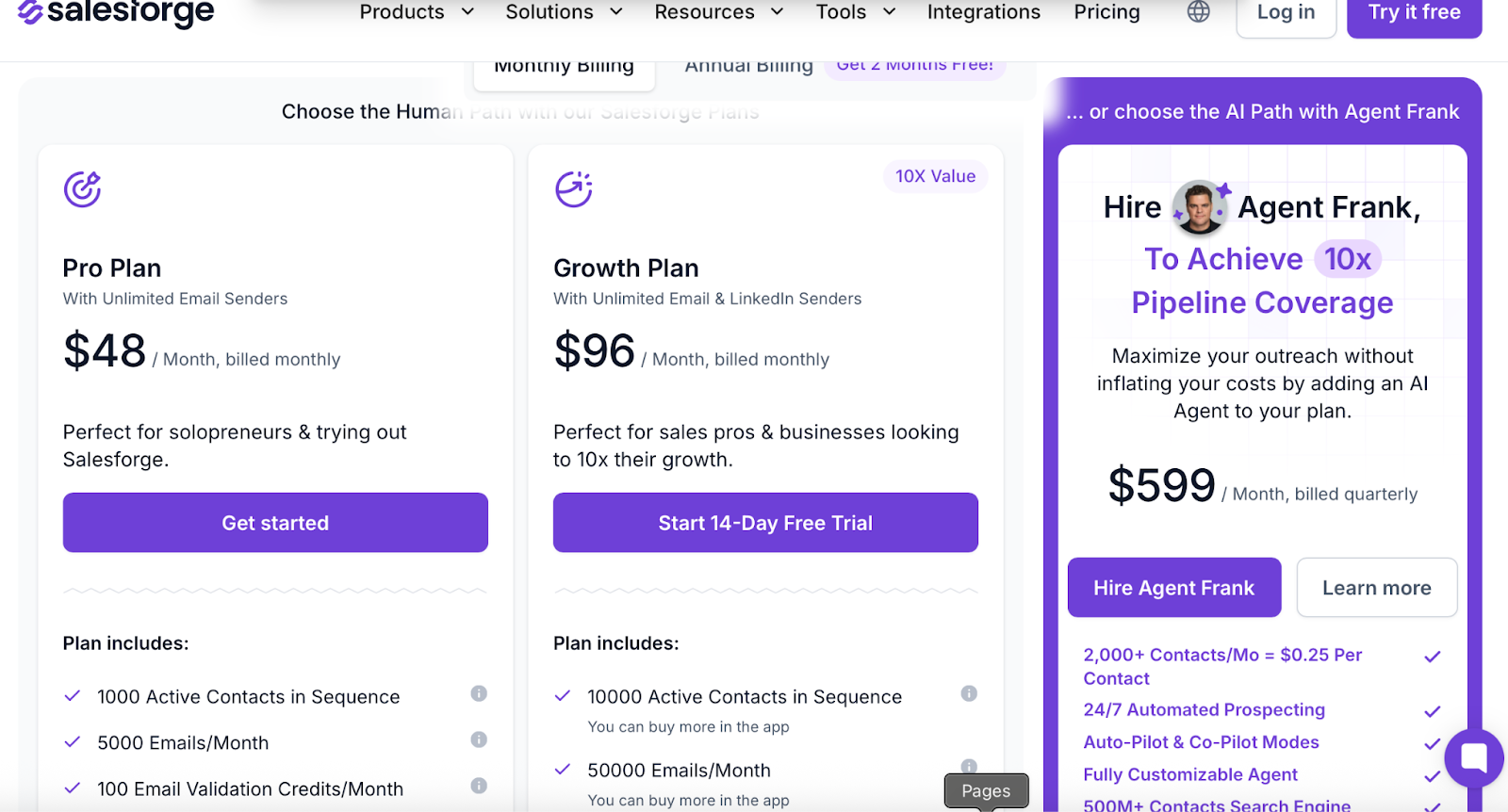
Salesforge Pricing
This image shows the Salesforge Pricing

Here’s how pricing works in real terms:

  • Pro Plan: $48/mo
  • Growth Plan: $96/mo
  • Agent Frank: $599/mo (billed quarterly)

Salesforge pricing stays predictable.

It isn’t tied to the number of mailboxes or LinkedIn senders.

That means you can scale outreach without seeing big cost jumps.

Amplemarket pricing, by contrast, grows with seats, data usage, workflows, and add-ons.

If your team has many inboxes, the different pricing approaches become easy to notice.

Amplemarket vs Salesforge

Feature Amplemarket Salesforge
Core Role Prospecting + enrichment + workflows Email + LinkedIn outreach + unified replies
Primary Output Leads, signals, sequences Live sending + conversations
Outreach Channels Email, LinkedIn, calls, WhatsApp, video Email + LinkedIn
Sending Scale Seat-based limits Unlimited mailboxes + LinkedIn senders
Reply Management Unibox Primebox unified inbox
Automation Focus Duo Copilot + Signals Agent Frank + sequence logic
Pricing $600 $48
Best For Teams wanting data + workflows Teams focused on sending and scaling
Personalized Outbound Strategy

Get The Right Outbound Strategy In Minutes

Enter your email to get a custom plan & stack recommendation for your business

It's being carefully crafted by AI

Please check your mailbox in 5 minutes

Conclusion

Amplemarket works best when you want fewer tools and strong US data.

But when your team needs sending scale, predictable pricing, and simpler reply handling, Salesforge feels lighter day to day.

If you want to try multi-channel outreach without unpredictable costs or limits, Salesforge makes sense to test too.

No matter which tool you choose, the key is how fast you can turn signals into live conversations.