If you’re searching for a Swan GTM review, you might want to see if Swan can really help your GTM team grow without hiring more people.
Swan AI for GTM is built to turn GTM ideas into automated workflows.
It can research leads, qualify them, enrich data, update HubSpot, send LinkedIn and email messages, and alert your team in Slack.
In this Swan GTM review, we’ll break down what Swan does, how it works in real GTM teams, what it costs, and where it falls short.
By the end, you’ll know if Swan AI for GTM is worth using in 2026 or if a simpler GTM tool would fit you better.
Swan AI Review: Key Takeaways
Swan AI is a GTM automation platform that helps sales and GTM teams scale without adding more headcount.
The tool turns GTM ideas into agentic workflows so teams can move from prompt to pipeline in seconds.
Swan researches and qualifies leads based on your ICP rules and deal-breakers without manual work.
It enriches contacts and accounts using third-party data and your own intent signals.
Swan updates HubSpot records, assigns owners, and keeps CRM data clean automatically.
It sends Slack alerts when high-intent leads or priority inbound prospects appear.
Swan creates and runs LinkedIn and email outreach sequences to help teams book more meetings.
What Is Swan AI?
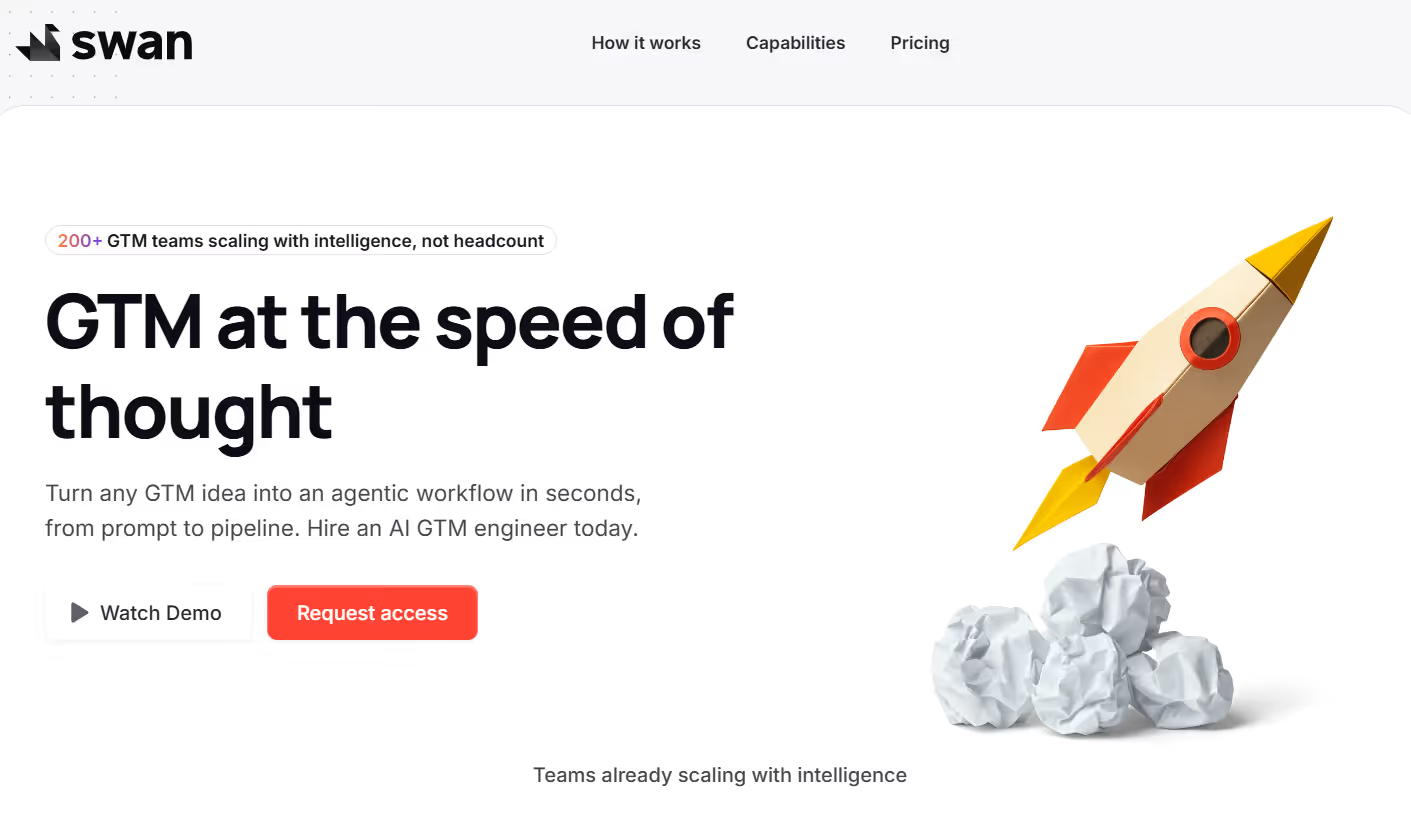
This image shows the Swan AI homepage
Swan AI is an AI GTM engineer that helps sales and GTM teams turn ideas into real workflows.
It is built to help teams scale without hiring more people by letting AI handle system work.
It lets you describe what you want to do in simple words, and it builds the GTM workflow for you.
You do not need to use automation tools, enrichment tables, or no-code platforms to set things up.
Swan can research leads, qualify them based on your ICP rules, and enrich contacts and accounts with more data.
It can also find intent signals like website visitors and people viewing your company on LinkedIn.
It connects with tools like HubSpot, Slack, email, and LinkedIn.
It can update CRM records, notify your team in Slack, and send LinkedIn and email messages so your team can focus on talking to people and closing deals.
Personalized Outbound Strategy
Get The Right Outbound Strategy In Minutes
Enter your email to get a custom plan & stack recommendation for your
business
It's being carefully crafted by AI
Please check your mailbox in 5 minutes
How Swan AI Works?
Swan AI works by turning simple GTM instructions into real actions across your sales tools, then using data to guide what happens next.
When you describe a GTM rule in plain words, Swan builds the workflow and sets the actions to run automatically.
When a new lead appears, Swan checks if the person matches your ICP and deal rules.
Swan researches the company and the contact using web data and data providers.
It enriches the lead with company details, contact data, and intent signals.
Swan identifies website visitors and people viewing your company on LinkedIn.
It updates HubSpot records and assigns the lead to the right owner.
Swan sends alerts to your team in Slack when a lead needs fast action.
It also drafts and sends LinkedIn messages and emails based on your playbooks.
Swan runs multi-step outreach sequences on LinkedIn and email automatically.
Top Features of Swan AI
Swan brings GTM planning, research, and outreach into one system so teams can turn ideas into actions and scale without adding more people.
These features work together to automate research, enrich data, trigger actions, and keep GTM teams focused on closing deals.
Feature
What It Does
AI GTM Workflows
Turns simple go-to-market ideas into automated workflows that run across connected tools.
Lead Research & Qualification
Researches accounts and qualifies leads based on your ICP and defined deal criteria.
Contact Enrichment
Finds and enriches contact details using third-party data providers.
Account Enrichment
Collects company data and business context to give teams a clearer account view.
Website Visitor Identification
Identifies anonymous website visitors and highlights high-intent activity.
Intent Signal Monitoring
Tracks LinkedIn engagement and other buying signals across monitored channels.
Web Research
Scans public sources for news, funding updates, and financial information.
HubSpot Automation
Automatically creates and updates contacts and companies inside HubSpot.
Slack Notifications
Sends real-time alerts in Slack when high-intent actions require follow-up.
Outreach Automation
Builds and runs LinkedIn and email outreach sequences.
AI-Written Messages
Generates personalised LinkedIn messages and cold emails.
Integrations
Connects with HubSpot, Slack, email systems, and LinkedIn tools.
Swan AI Pricing
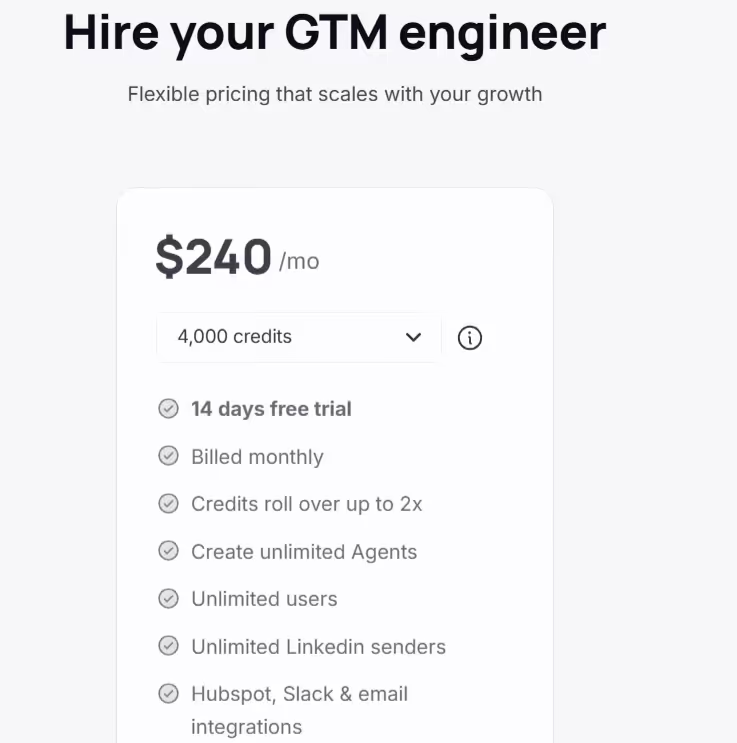
This image shows the Swan AI pricing
Swan offers simple pricing for GTM teams that want to scale without adding headcount.
Pricing depends mainly on how many credits you need for actions and data enrichment.
There is one main billing option:
I. Monthly Plan: $240/month.
This plan is good for teams that want to use Swan every month without long-term commitment.
It includes 4,000 credits, a 14-day free trial, and is billed monthly. Credits roll over up to 2× if unused.
The plan includes unlimited AI agents, unlimited users, and unlimited LinkedIn senders.
The plan also includes HubSpot, Slack, and email integrations.
Credits are used when Swan performs sales tasks or enriches data.
Each action Swan performs uses one credit, no matter how complex.
If you run out of credits, Swan pauses automations until you upgrade or buy more credits.
You can control when credits are used for data enrichment.
You can use your own data and signals without being charged credits.
Pros and Cons of Swan AI
Pros
Cons
Turns GTM ideas into automated workflows within seconds
Helps GTM teams scale without increasing headcount
Researches and qualifies leads using AI logic
Enriches contacts and accounts with external data
Updates HubSpot records automatically
Sends Slack alerts for high-intent leads
Runs LinkedIn and email outreach sequences
Credits may run out with heavy usage
Automations pause once credits are exhausted
Best performance requires clearly defined ICP rules
Enrichment quality depends on third-party data sources
Does not replace a full CRM system
Initial setup requires time to configure workflows
Human review remains necessary for optimal results
What Users Like About Swan AI
Users say Swan AI fits well into daily work and teams can start using it quickly without a steep learning curve.
This image shows the Swan AI G2 review about easy fit in daily workflows
Many users like that Swan AI turns complex customer data into clear, actionable guidance for marketing and loyalty teams.
This image shows the Swan AI G2 review about turning complex data into clear actions
Some users appreciate the smooth onboarding and fast integration with existing systems like POS, CRM, and ecommerce tools.
Users say the platform offers strong customer segmentation, audience targeting, and campaign execution features.
Many users like the helpful and responsive support team that assists during setup and ongoing use.
What Users Dislike About Swan AI Reviews
Some users say dashboard customization could be more flexible for different teams and workflows.
This image shows the Swan AI G2 review about dashboard customization
Some users say they want more ready-made templates, in-app guides, and tutorials to speed up onboarding.
Is Swan AI the Right Fit for You?
Swan AI is for GTM, marketing, and growth teams that want to automate research, qualification, enrichment, and outreach in one system.
It focuses on turning GTM ideas into automated workflows and taking actions across CRM, Slack, email, and LinkedIn.
I. Swan AI is a good fit if you:
Want to turn GTM ideas into automated workflows using simple prompts.
Need help with lead research, qualification, and enrichment in one tool.
Want Swan to update HubSpot, send Slack alerts, and run email and LinkedIn actions for you.
Use multiple tools and want Swan to take actions across them automatically.
Want to automate inbound routing and outbound steps based on rules like ICP, role, and deal size.
Need a flexible credit-based system where you pay per action Swan performs.
II. Swan AI may not be the right fit if you:
Only need simple email campaigns or basic CRM updates.
Do not want an AI system to take actions inside your tools.
Have very low GTM activity and do not need automation at scale.
Prefer fixed pricing without usage-based credits.
Best CloselyHQ Alternative for Multi-Channel Outreach – Salesforge
CloselyHQ is used for LinkedIn and email outreach with AI research and lead enrichment.
But if your goal is to scale cold outreach safely, protect deliverability, and book more meetings at higher volume, Salesforge is the stronger alternative.
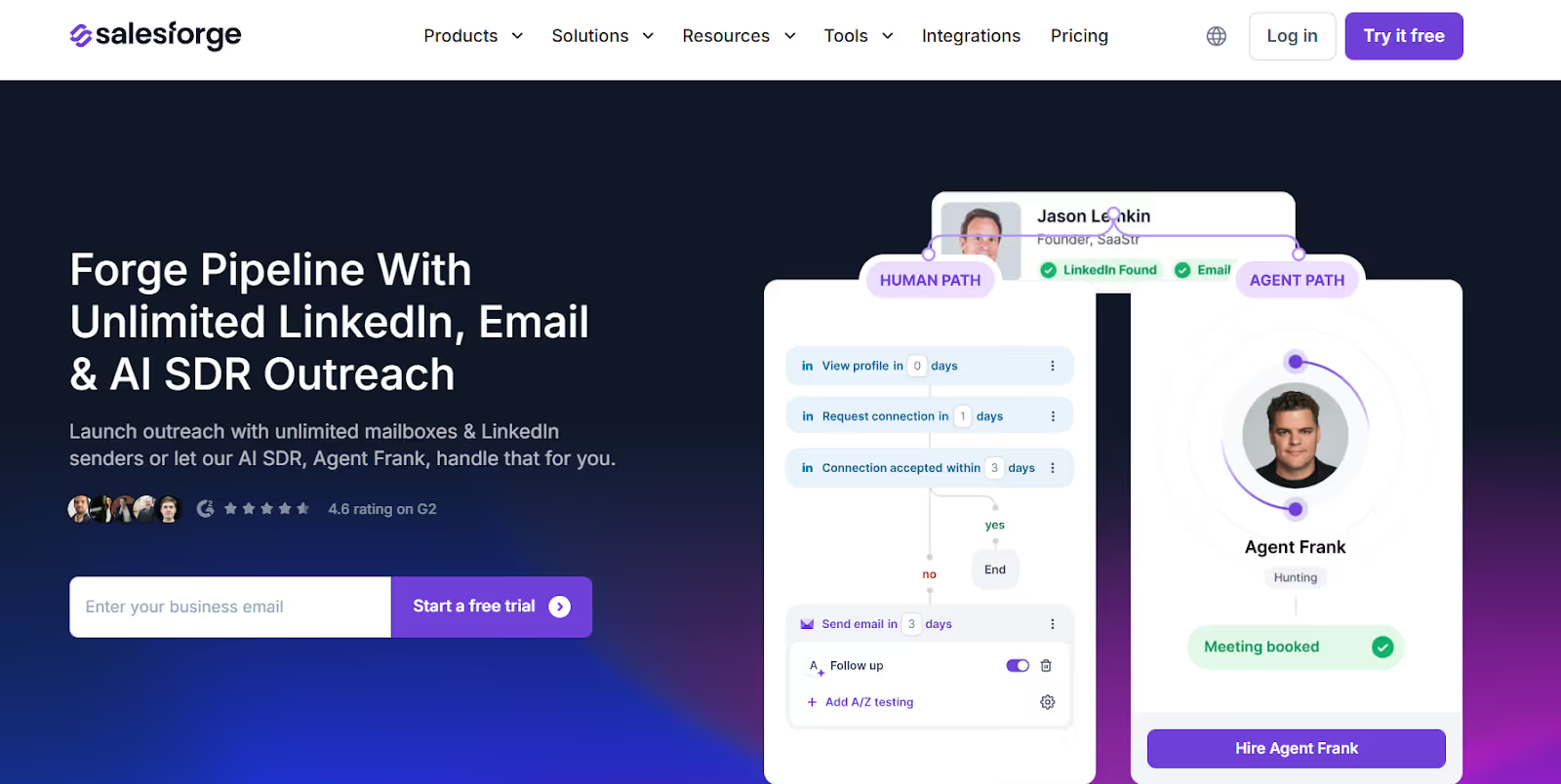
This image shows the Salesforge homepage
Salesforge is a cold outreach platform built for email and LinkedIn prospecting at scale.
Instead of being limited by LinkedIn accounts in your plan, Salesforge lets you spread sending across many inboxes and LinkedIn senders and manage all conversations in one place.
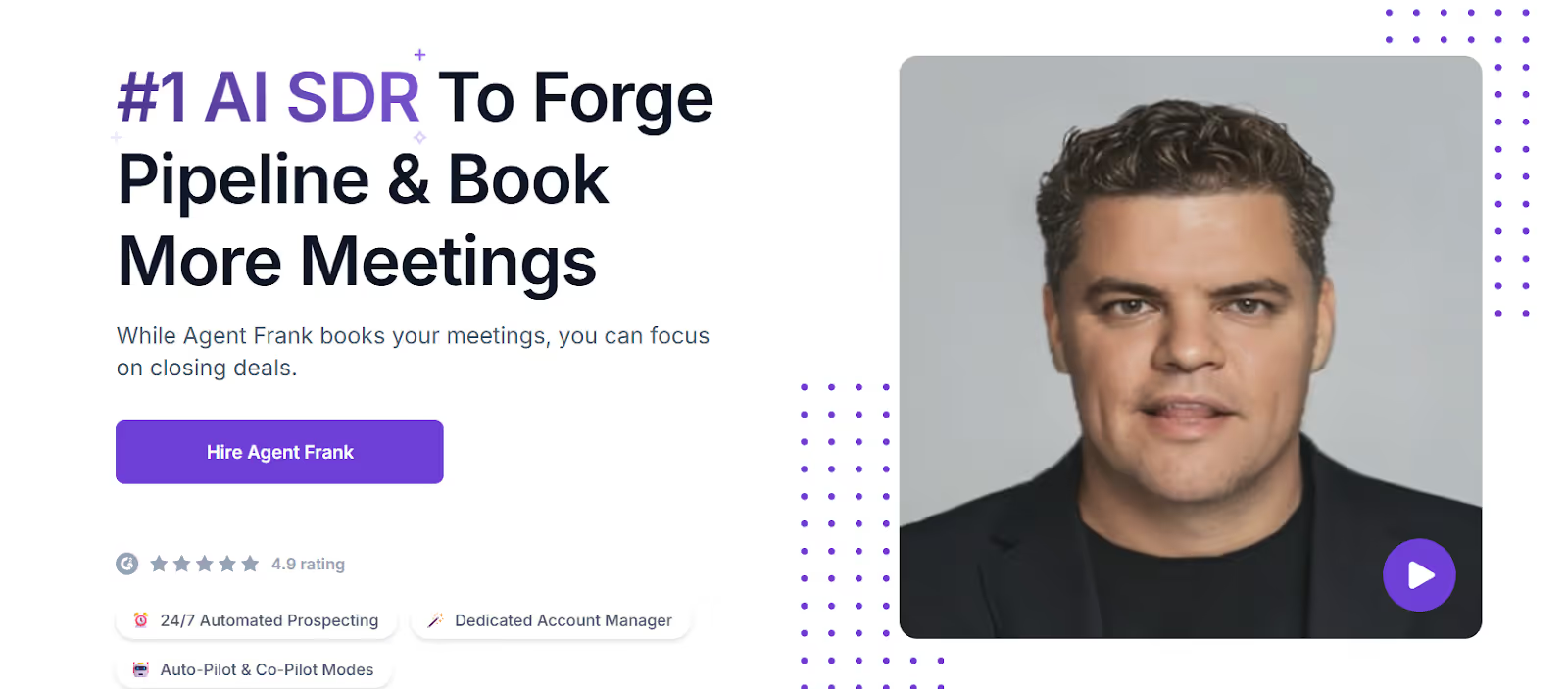
This image shows the AI SDR by Salesforge
Salesforge also includes an AI SDR called Agent Frank, who can:
Find prospects using a built-in B2B lead search engine (Leadsforge)
Write personalized emails using LinkedIn and web data
Follow up automatically in multi-step sequences
Book meetings for your team
Unlike tools focused mainly on LinkedIn actions and enrichment, Salesforge is built for active outbound and pipeline creation.
CloselyHQ vs Salesforge: Feature Comparison
Feature
CloselyHQ
Salesforge
Main Use
LinkedIn and email outreach with AI assistance
Cold outreach and pipeline generation
Outreach Channels
LinkedIn and Email
Email and LinkedIn outreach
New Prospecting
AI-based research and enrichment
Built-in prospecting via Leadsforge and Agent Frank
Sending Scale
Limited by number of LinkedIn accounts in plan
Unlimited mailboxes with rotation support
Reply Management
Unified inbox for LinkedIn and email
Unified inbox (Primebox™) for email and LinkedIn
AI SDR
AI agents focused on research
Agent Frank AI SDR
Pricing Style
Per-plan pricing based on LinkedIn accounts
Starts at $48 per month with free trial
If you mainly use CloselyHQ to automate LinkedIn actions with some email steps, it fits that use case.
If you want to find new prospects, send cold emails and LinkedIn messages at scale, and book meetings with strong deliverability, Salesforge fits better.
Personalized Outbound Strategy
Get The Right Outbound Strategy In Minutes
Enter your email to get a custom plan & stack recommendation for your
business
It's being carefully crafted by AI
Please check your mailbox in 5 minutes
Is Swan AI Worth It?
Yes, if your main goal is to automate GTM workflows, qualify leads, enrich data, and trigger actions across your sales and marketing tools, Swan AI is a strong choice.
But if you need to start new conversations, run cold email and LinkedIn outreach, and book meetings at scale, Swan AI is not built mainly for outbound.
For teams focused on outbound and daily pipeline generation, Salesforge is a better fit.
It helps you send LinkedIn and email outreach at scale, use AI to follow up, and manage all replies in one place.
I dug through Workflows.io's five services, its $4K to $12K pricing bands, ten published case studies, and how it stacks up against certified outbound alternatives.
I dug through corebits.io, the gtm.corebits.io subdomain, and every case study across their three engines to give you an honest read before you book the discovery call.
Read this Vantage Profiles review for a clear look at its LinkedIn account rental service, pricing, identity risks, customer feedback, and whether it is worth using.









.jpg)