If you’re searching for Kondo LinkedIn DM Management Tool reviews, you’re likely trying to figure out whether Kondo is the right tool to help you stay on top of LinkedIn messages.
Kondo is a LinkedIn DM management tool that helps you organize conversations, set reminders, and focus on important messages without using automation.
It’s mainly used by founders, sales reps, recruiters, and agencies who rely on LinkedIn every day and don’t want to miss leads or opportunities.
In this review, we break down how Kondo works, its key features, pricing, pros and cons, and whether it’s the right tool for your LinkedIn workflow.
By the end, you’ll know if Kondo is worth using or if you should consider an alternative.
Kondo Review: Key Takeaways
Kondo is a “Superhuman for LinkedIn DMs” designed to help users get through messages twice as fast
It uses Inbox Zero principles to treat LinkedIn DMs like a to-do list
Users can split inboxes using labels to prioritize leads, candidates, and important conversations
Kondo helps ensure zero missed follow-ups with snooze and reminder features
Kondo combines LinkedIn and Sales Navigator inboxes into one place (Business plan)
Conversation data, labels, and notes can sync to CRM tools like HubSpot, Salesforce, Notion, Clay, and Google Sheets
It does not automate outreach or send messages automatically, keeping LinkedIn usage safer
Pricing starts at $30/month, with higher plans offering integrations, analytics, and team features
What Is Kondo?
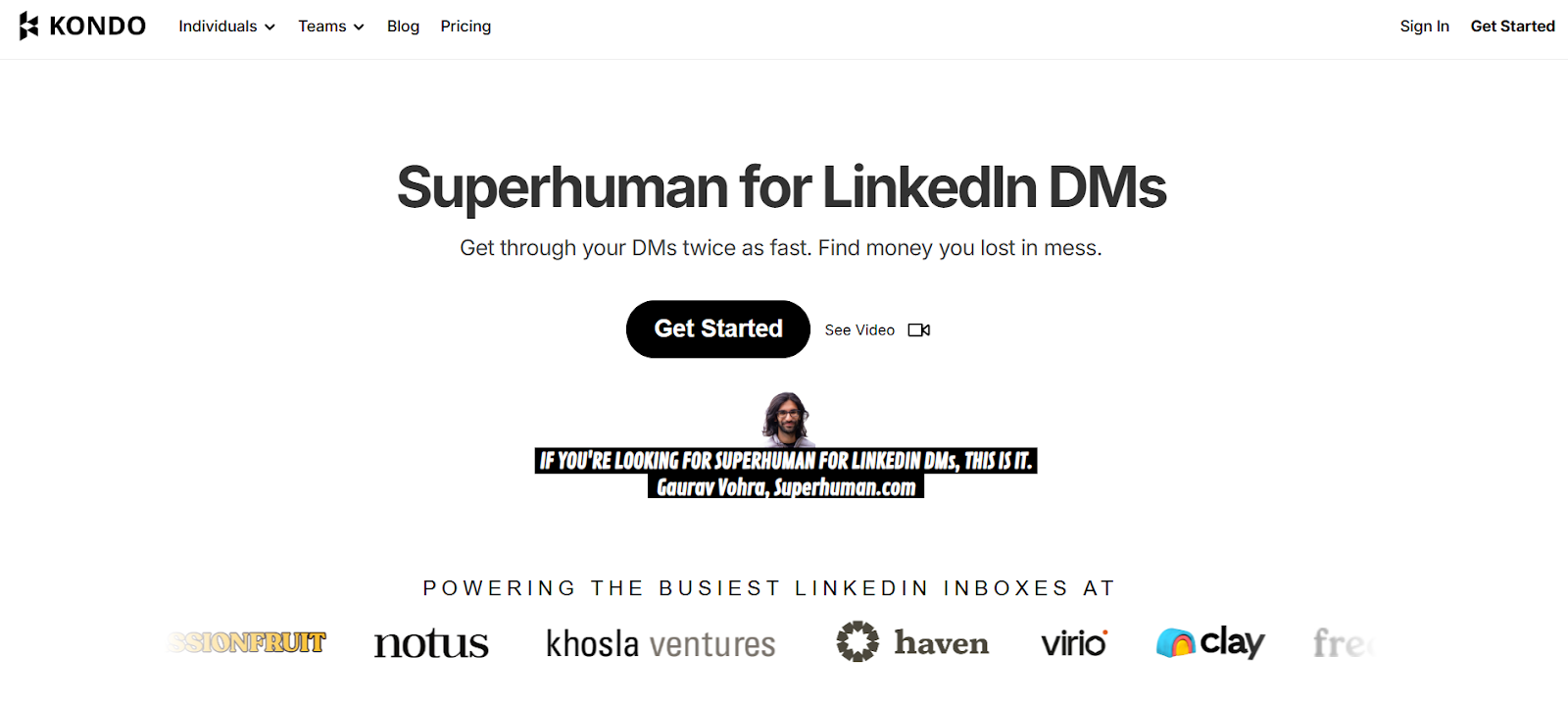
This image shows the Kondo homepage
Kondo is a LinkedIn DM management tool made to help users organize, prioritize, and respond to LinkedIn messages faster.
It works by turning your LinkedIn inbox into a structured system using labels, reminders, shortcuts, and split inboxes.
The goal is to help users reach Inbox Zero and avoid missing important messages.
Kondo does not automate outreach and does not send messages on your behalf.
All activity happens locally in your browser to reduce risk to your LinkedIn account.
The tool is often described as “Superhuman for LinkedIn DMs” because it focuses on speed, clarity, and keyboard-based workflows
In short, Kondo helps users manage busy LinkedIn inboxes with less effort and fewer missed opportunities.
How Does Kondo Work?
Kondo works by turning your LinkedIn inbox into a clear task system.
It follows an Inbox Zero workflow, where every message is either handled, scheduled, or organized.
Instead of scrolling through a long message list, Kondo helps you decide what action to take on each conversation.
Here is how it works:
Kondo connects to your LinkedIn inbox locally in your browser - It reads messages from your regular LinkedIn inbox and, on the Business plan, your Sales Navigator inbox. It does not store your LinkedIn data on its servers.
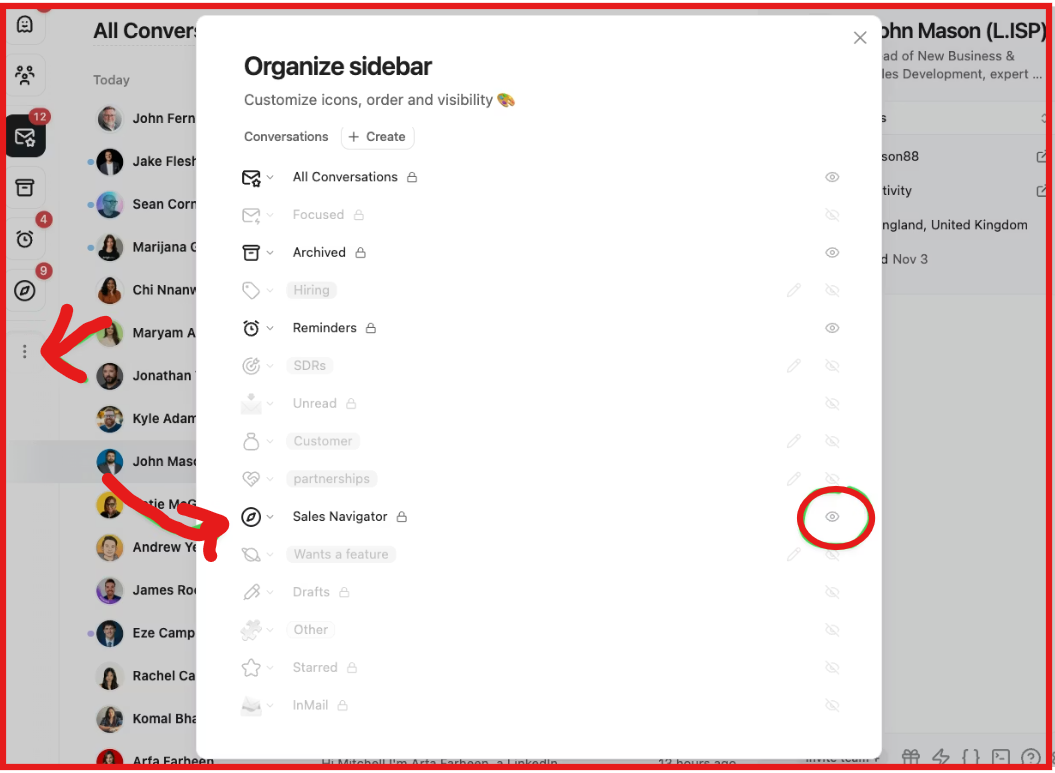
Organize conversations using labels and split inboxes - You can label conversations like Leads, Candidates, or Follow Up. Each label creates its own inbox so important messages are easy to find.
This image shows the Organize sidebar on Kondo
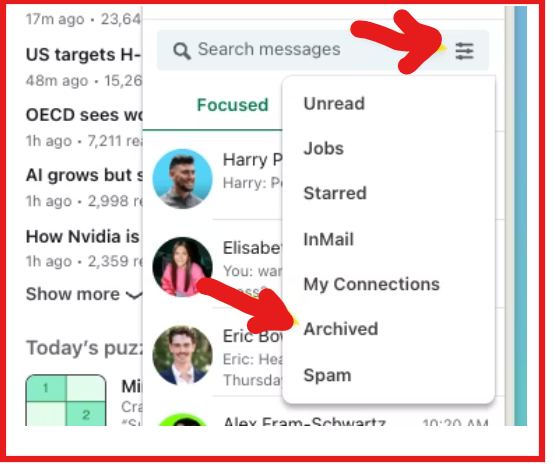
Archive conversations that need no action - Archived conversations are removed from your main inbox but are not deleted. They return automatically if a new message arrives.
This image shows the Archive conversations
Snooze conversations that need follow-up later - Snoozed messages come back to the top of your inbox at the time you choose, ensuring no follow-up is missed.
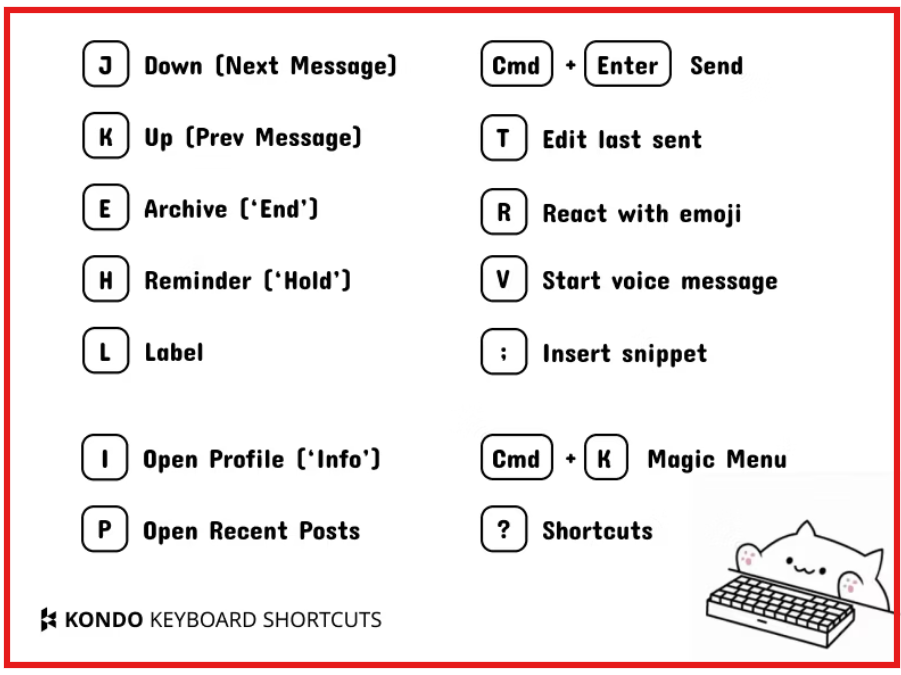
Use keyboard shortcuts to work faster - Kondo provides shortcuts for archiving, labeling, snoozing, replying, and navigating messages without using a mouse.
This image shows the Kondo keyboard shortcuts
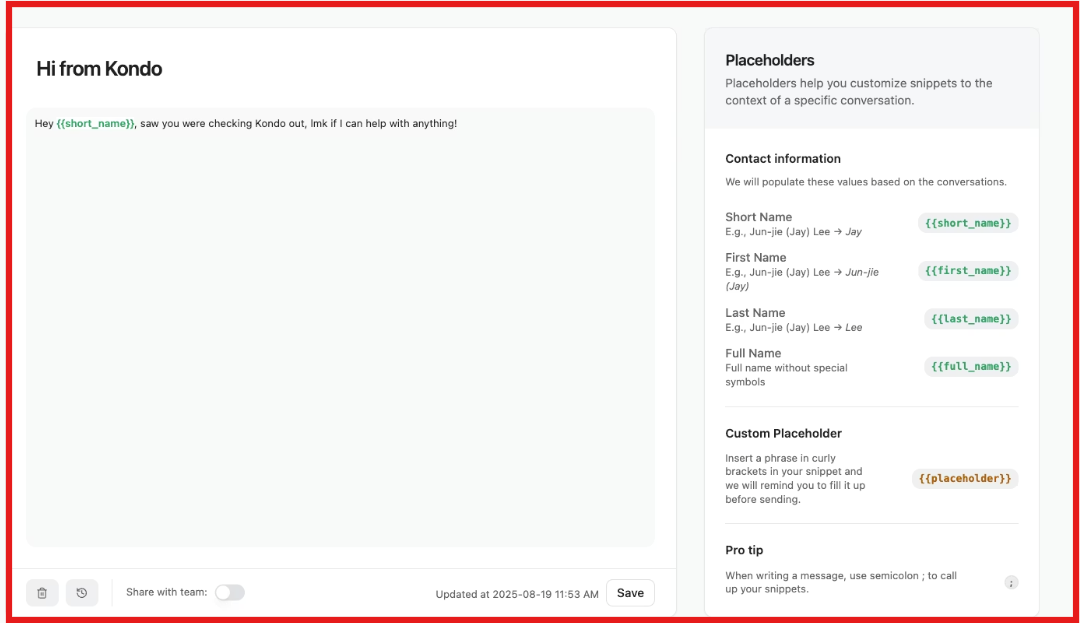
Reply faster using message snippets - Snippets let you save common replies and insert them instantly, with names filled in automatically.
This image shows the Reply faster using message snippets
Sync conversation data to other tools if needed - On higher plans, Kondo can sync LinkedIn messages, labels, and notes to tools like HubSpot, Salesforce, Notion, Google Sheets, and Clay.
In short, Kondo helps you process LinkedIn messages quickly, stay organized, and avoid missing important conversations.
Top Features of Kondo
Kondo focuses on a few core features that help users manage LinkedIn messages faster.
Instead of adding automation or outreach, it improves how you organize, reply to, and track LinkedIn DMs.
Here are the most useful Kondo features:
Features Overview
Feature
What It Does
Split Inboxes with Labels
Lets you label conversations and view them in separate inboxes (for example: Leads, Clients, Candidates) so important messages never get lost.
Inbox Zero Workflow
Helps you treat your LinkedIn inbox like a to-do list using three actions: archive, snooze, or label every conversation.
Snooze & Follow-up Reminders
Allows you to snooze conversations and bring them back to the top of your inbox at a chosen time so no follow-up is missed.
Keyboard Shortcuts
Enables fast actions like archive, label, snooze, reply, and search without using a mouse, saving time on every message.
Message Snippets
Lets you save reusable replies and insert them instantly, reducing repetitive typing and copy-pasting.
Snippet Variables
Automatically fills details like the recipient’s name inside saved snippets for faster, more personal replies.
Sales Navigator Inbox Sync
Combines LinkedIn inbox and Sales Navigator inbox into one view (available on the Business plan).
Live & Manual Data Sync
Supports live streaming sync or manual sync so conversation data stays up to date in connected tools.
Voice Notes on Desktop
Lets you send LinkedIn voice notes from desktop using a shortcut, not just the mobile app.
Clean Up My Inbox
Bulk archives old, inactive conversations to quickly reduce inbox clutter without deleting anything.
Kondo Pricing
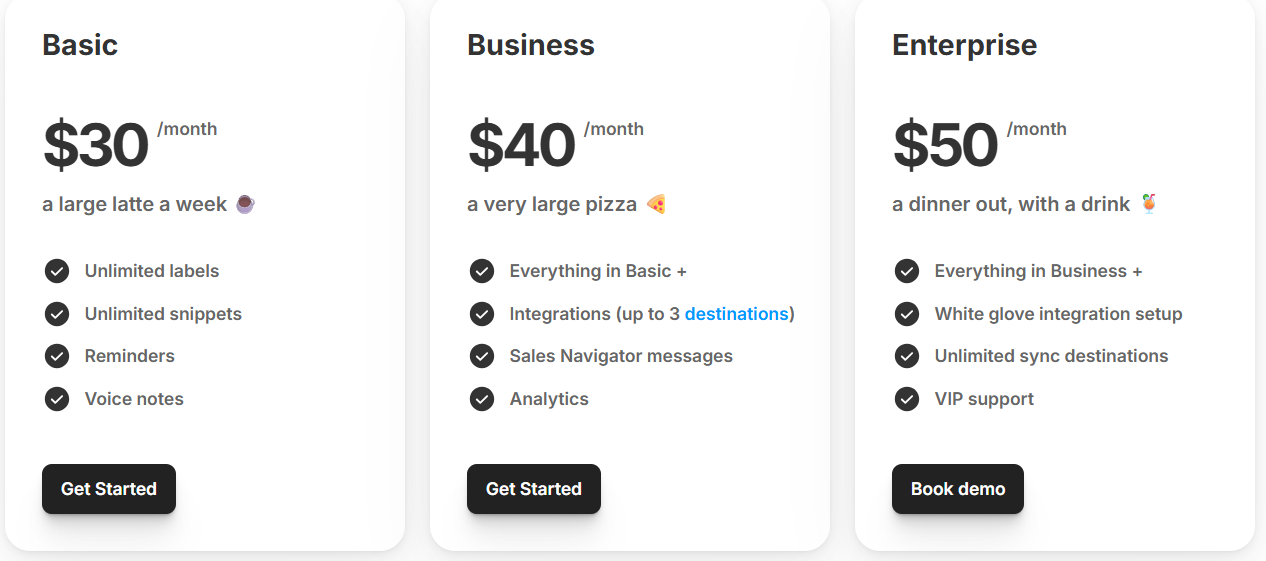
This image shows the Kondo pricing
Kondo offers three simple pricing plans.
All plans are billed monthly and include a 14-day money-back guarantee.
Pricing Plans
Plan
Price (per user / month)
What’s Included
Basic
$30
Unlimited labels, unlimited snippets, reminders, and voice notes.
Business
$40
Everything in Basic, plus integrations (up to 3 destinations), Sales Navigator messages, and analytics.
Enterprise
$50
Everything in Business, plus white-glove integration setup, unlimited sync destinations, and VIP support.
Top 5 Pros and Cons of Kondo
Pros & Cons of Kondo
Pros of Kondo
Cons of Kondo
Inbox Zero workflow using archive, snooze, and labels to ensure no message is missed
Split inboxes with labels to clearly separate leads, candidates, and conversations
Snooze and reminder system for zero missed follow-ups
Fast keyboard shortcuts that reduce time spent on LinkedIn DMs
CRM and tool integrations with Notion, Google Sheets, HubSpot, Salesforce (via Zapier/Make), and webhooks
No single unified inbox for multiple LinkedIn accounts
Managing multiple accounts requires separate Chrome profiles
Sales Navigator inbox access is only available on the Business plan
Keyboard-first design may take time to learn for new users
Advanced integrations and analytics are not included in the Basic plan
Is Kondo Right for You?
Kondo is a good fit for you if:
You get a lot of LinkedIn DMs and struggle to keep track of them
You often forget follow-ups and need reminders to stay on track
You want to label and split conversations into separate inboxes
Kondo may not be right for you if:
You manage many LinkedIn accounts in one inbox (not supported)
You want a tool for mass outreach or automation
You only get a few LinkedIn messages and don’t need advanced organization
In short, Kondo is best for people who live in LinkedIn DMs and want speed, structure, and zero missed follow-ups.
Best Kondo Alternative for LinkedIn Outreach – Salesforge
Kondo is useful if your main goal is to organize and reply to LinkedIn DMs.
But if you want to run outbound LinkedIn outreach, scale conversations, and book meetings, Salesforge is a stronger alternative.
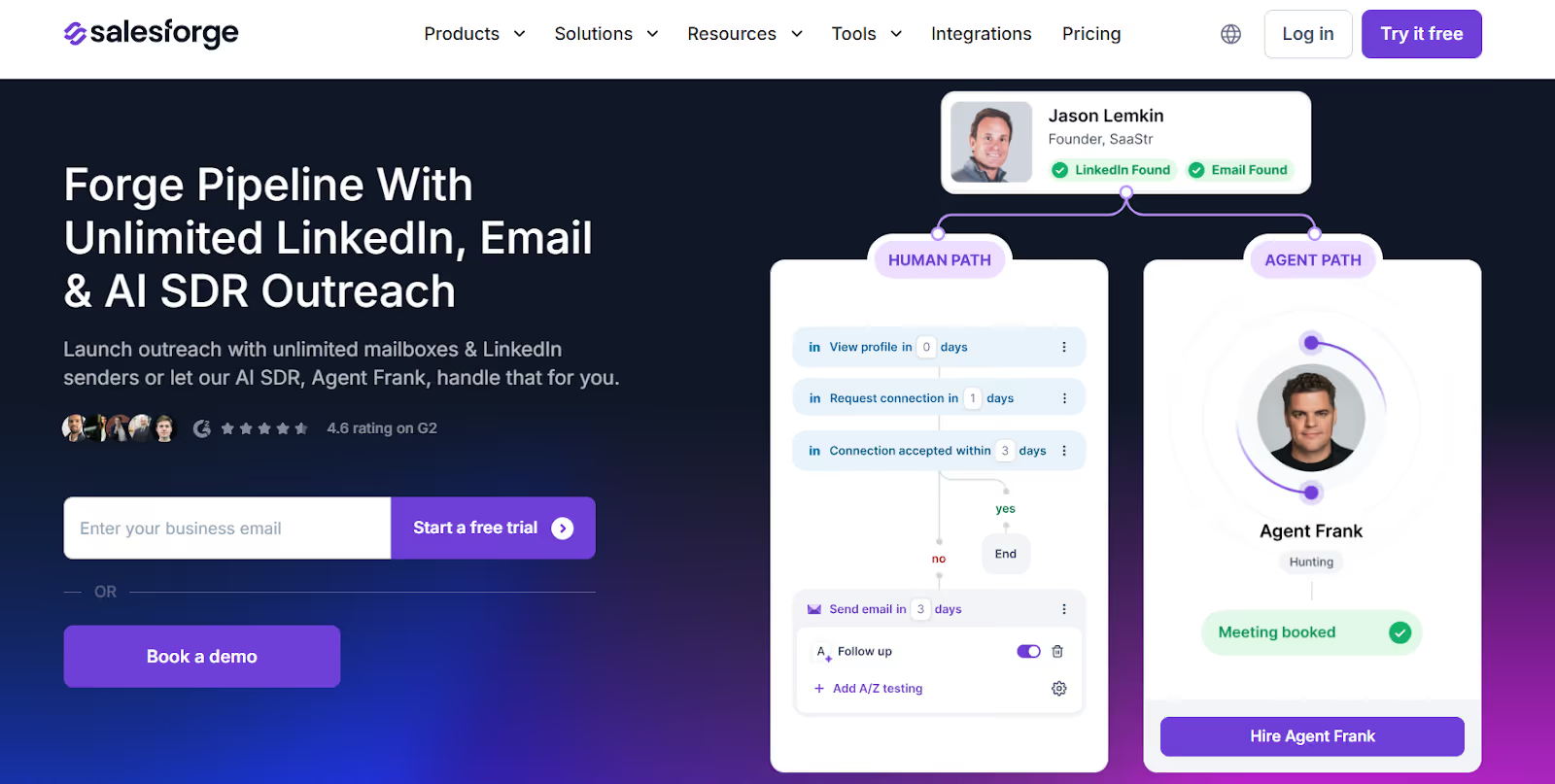
This image shows the Salesforge homepage
Salesforge is a multi-channel outbound platform built for LinkedIn and cold email outreach.
Instead of just managing inbound DMs, Salesforge helps you start conversations at scale and manage replies in one place.
Salesforge allows you to:
Send LinkedIn + email outreach from one platform
Use unlimited LinkedIn senders and mailboxes (no seat-based limits)
Manage all replies in a unified inbox called Primebox™
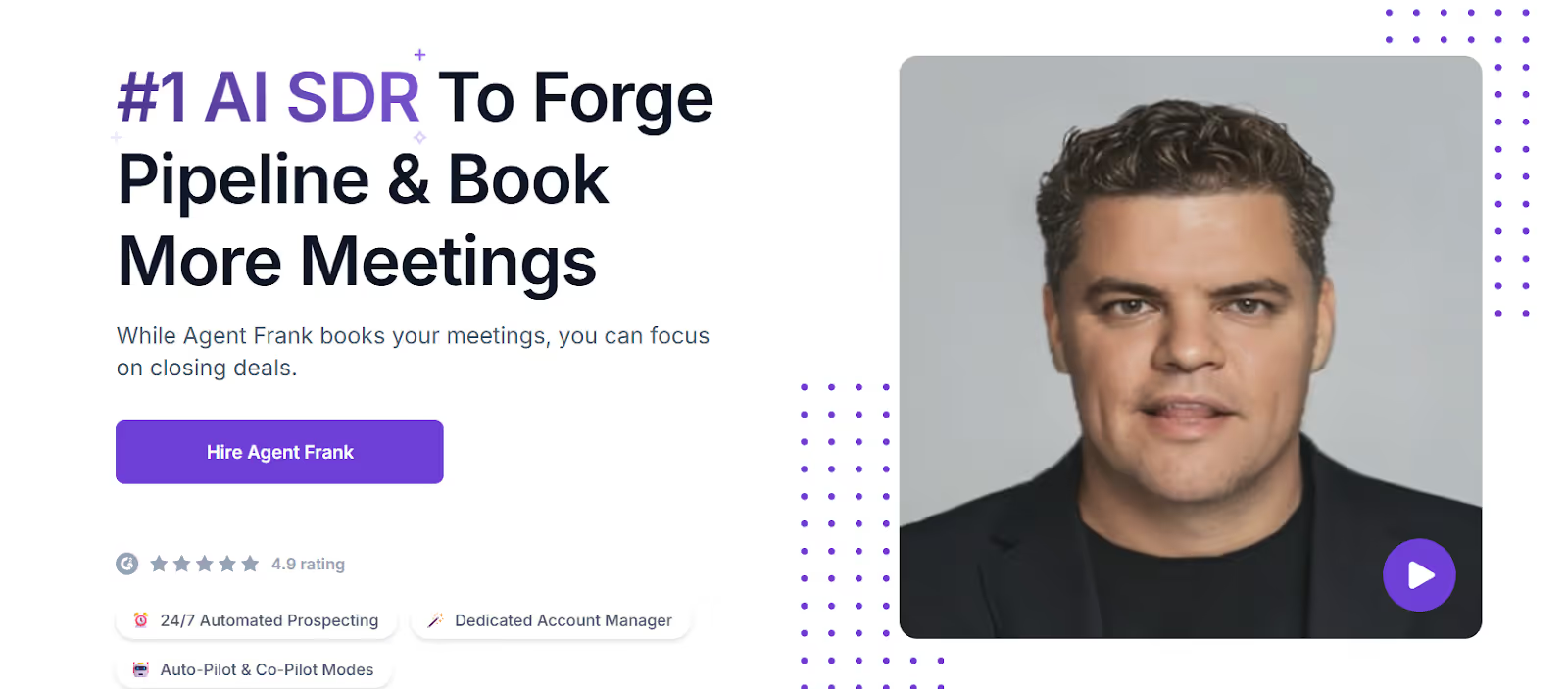
Salesforge also offers an AI SDR called Agent Frank, who can:
This image shows the AI SDR by Salesforge
Find prospects
Write personalized messages
Follow up automatically
Book meetings on your behalf
Unlike Kondo, Salesforge is built for pipeline generation, not inbox cleanup.
Kondo vs Salesforge: Feature Comparison
Kondo vs Salesforge — Feature Comparison
Feature
Kondo
Salesforge
Platform Type
LinkedIn DM management tool
Multi-channel outreach platform
Core Function
Organize & reply to LinkedIn DMs
Run LinkedIn + email outreach
LinkedIn Outreach
❌ No outbound automation
✅ Automated outreach
AI SDR
❌ No
✅ Agent Frank
Inbox Management
LinkedIn only
LinkedIn + Email (Primebox™)
Best For
Inbox Zero & follow-ups
Pipeline & meeting generation
Starting Price
$30/month
$48/month
If your goal is to stay organized and never miss a reply, Kondo is a solid tool.
But if your goal is to generate leads, automate outreach, and scale LinkedIn prospecting, Salesforge is the better alternative.
Is Kondo the Right LinkedIn DM Management Tool?
Yes, if your main goal is to organize LinkedIn DMs, stay on top of follow-ups, and work faster inside your inbox, Kondo is a solid choice.
But if you need to start new conversations, automate LinkedIn outreach, and book meetings, Kondo isn’t built for that.
For teams focused on outbound,Salesforge is a better fit.
It helps you send LinkedIn + email outreach at scale, use AI to follow up, and manage replies.
.jpg)

.jpg)

.jpg)

