Summarize this article
Table of contents
Get insights delivered straight into your inbox every week!

Ultimate Growbots Review: Is it really worth it?

Can Growbots actually help you find leads, automate outreach, and book more meetings?

Does its AI prospecting work as promised?

Is the email deliverability strong enough?

And does the platform justify the price?

In this review, we break down what Growbots offers, how the main features perform, and whether it’s truly worth using 
What Is Growbots?

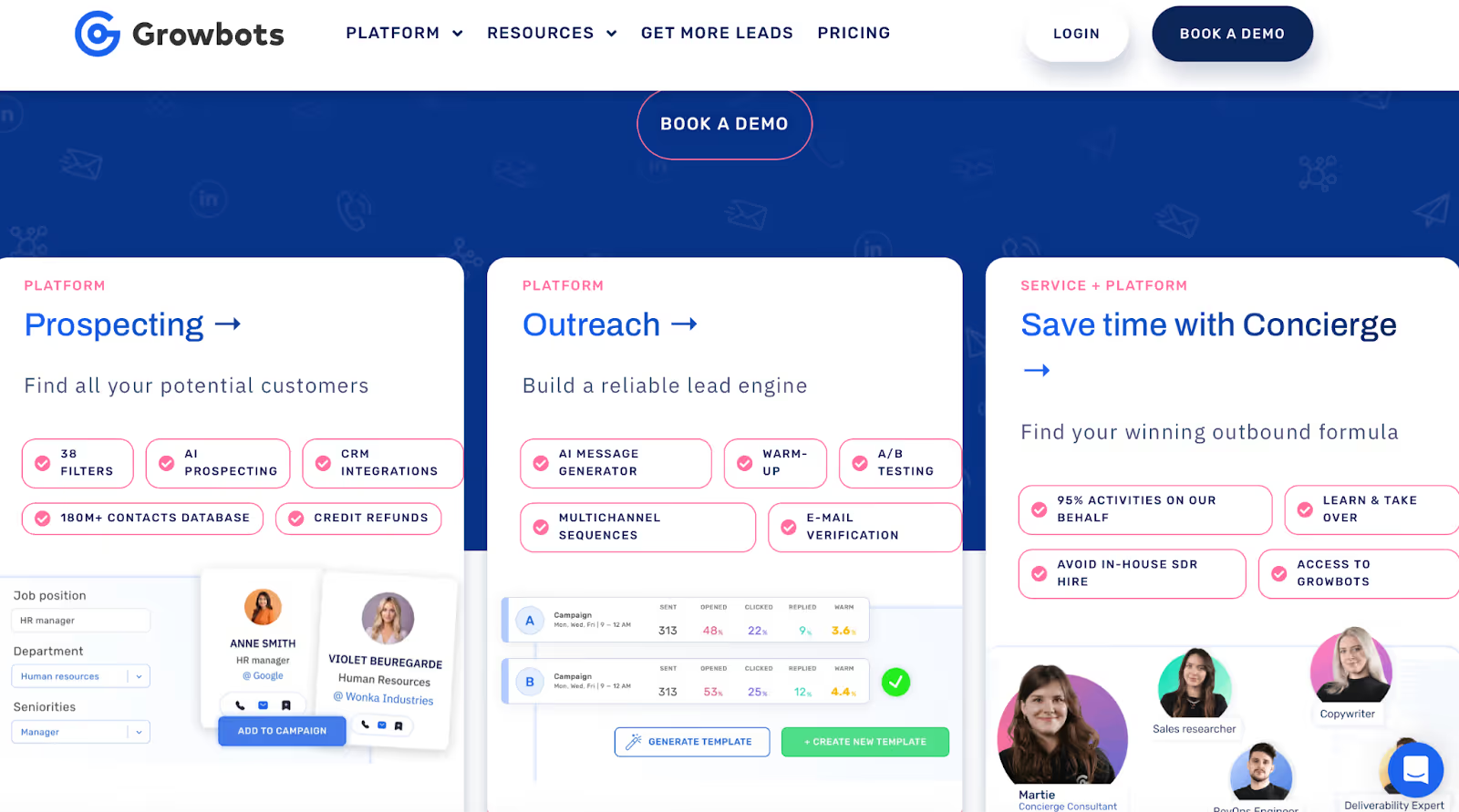
Growbots Homepage
This image shows the Growbots Homepage

Growbots is an outbound sales platform that helps you find prospects and contact them automatically.

It combines three main tools in one place:

  • A database of 180M+ B2B contacts
  • AI-powered prospecting and targeting
  • Automated email sequences with deliverability support

You can search for companies, pick decision-makers, create campaigns, and send emails from the same dashboard.

Growbots also includes warm-up tools, A/B testing, inbox management, and CRM integrations.

How Growbots Works?

Growbots works by helping you set up your outbound system step by step before sending your first campaign.

Here’s the basic workflow:

1. Choose Your Email Accounts

You start by picking the email accounts you want to use for outreach.

These accounts will be connected directly to Growbots.
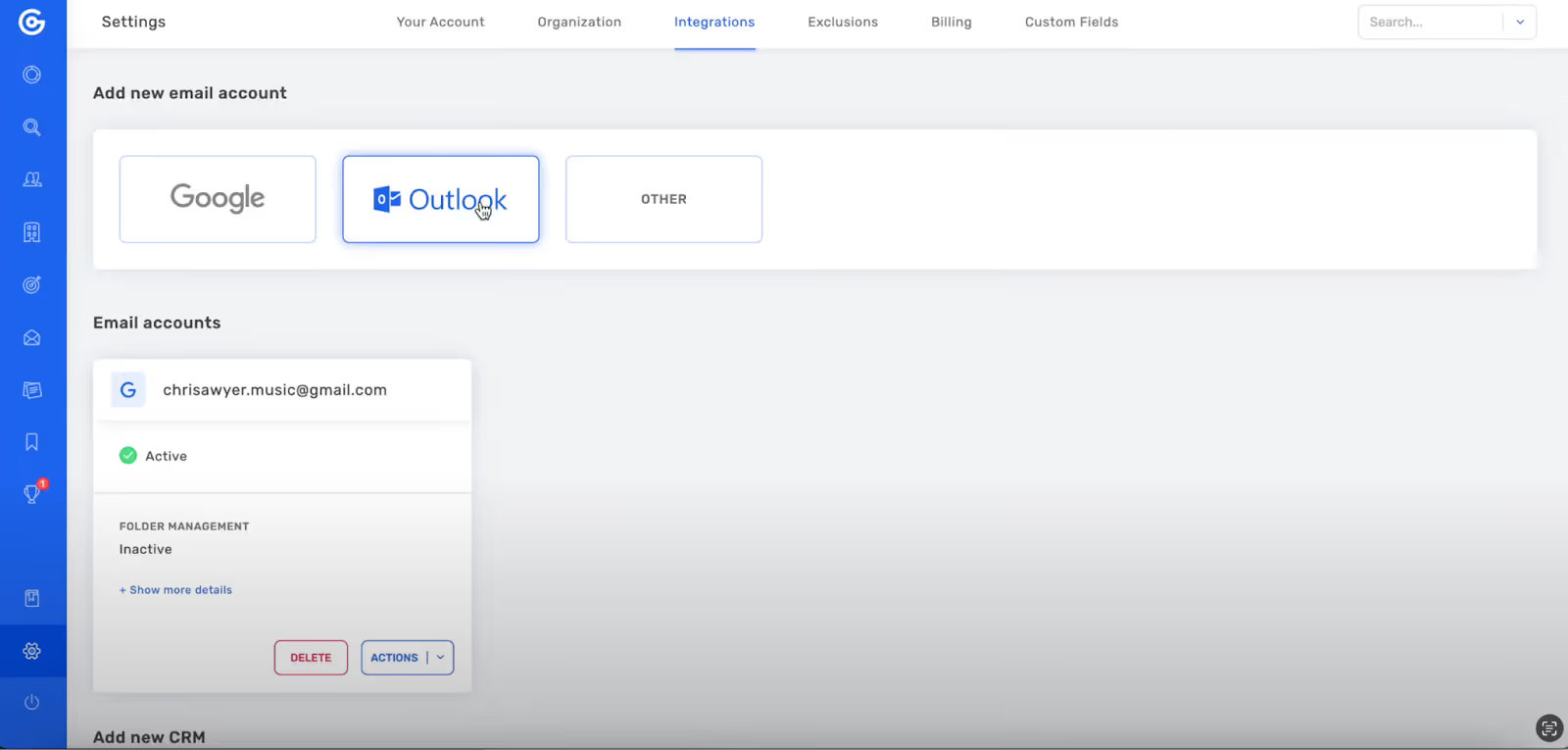
2. Connect Your Emails to Growbots

Growbots Dashboard displaying Google, Outlook, and other email integration options
This image shows the Growbots Dashboard displaying Google, Outlook, and other email integration options

Growbots lets you integrate Gmail, Outlook, or any major email provider.

Once connected, the platform can send and track your outbound messages.
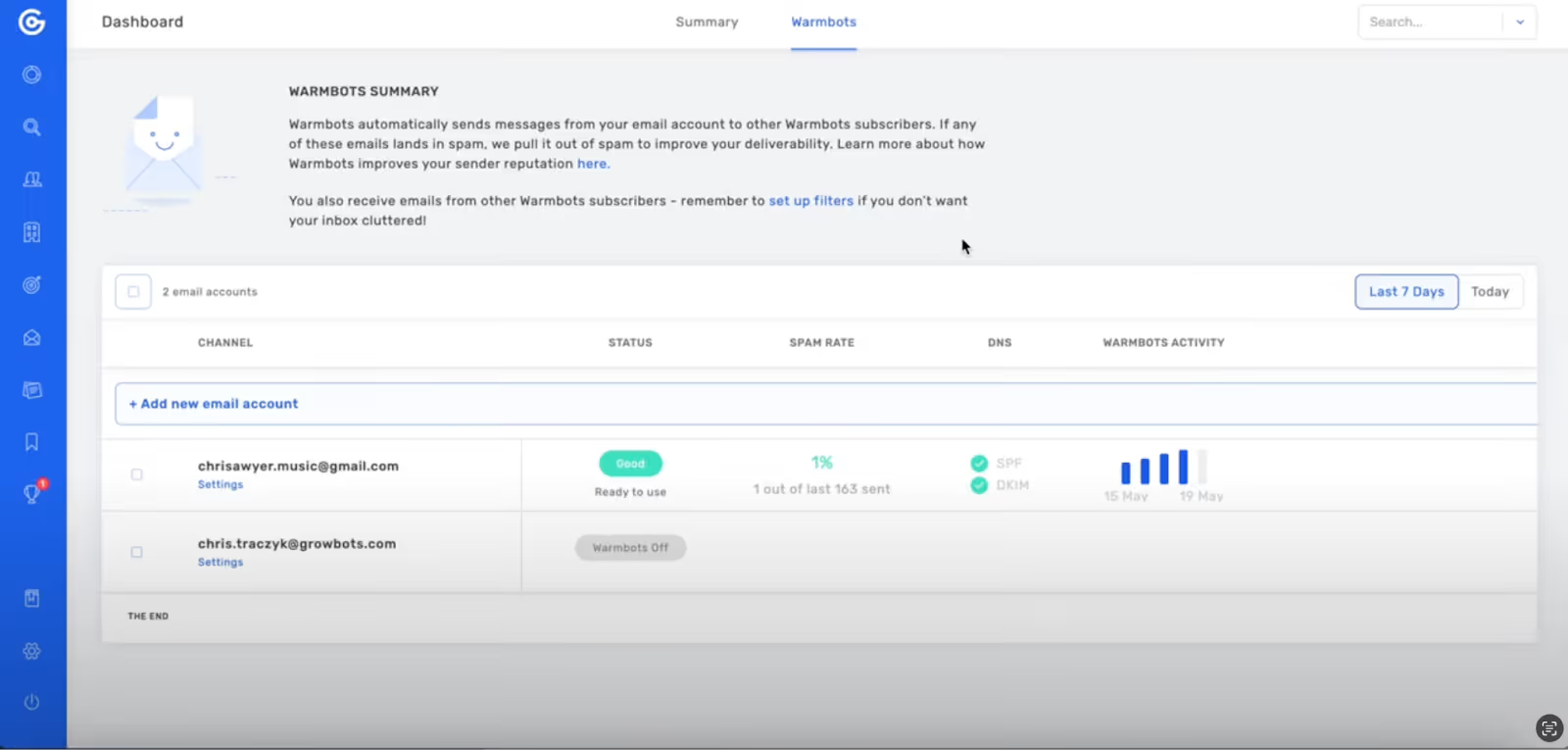
3. Warm Up Your Emails

Warmbots activity dashboard with two email accounts listed
This image shows the Warmbots activity dashboard with two email accounts listed

Before sending campaigns, Growbots uses Warmbots to slowly warm up your inbox.

This helps protect your domain and improves deliverability.
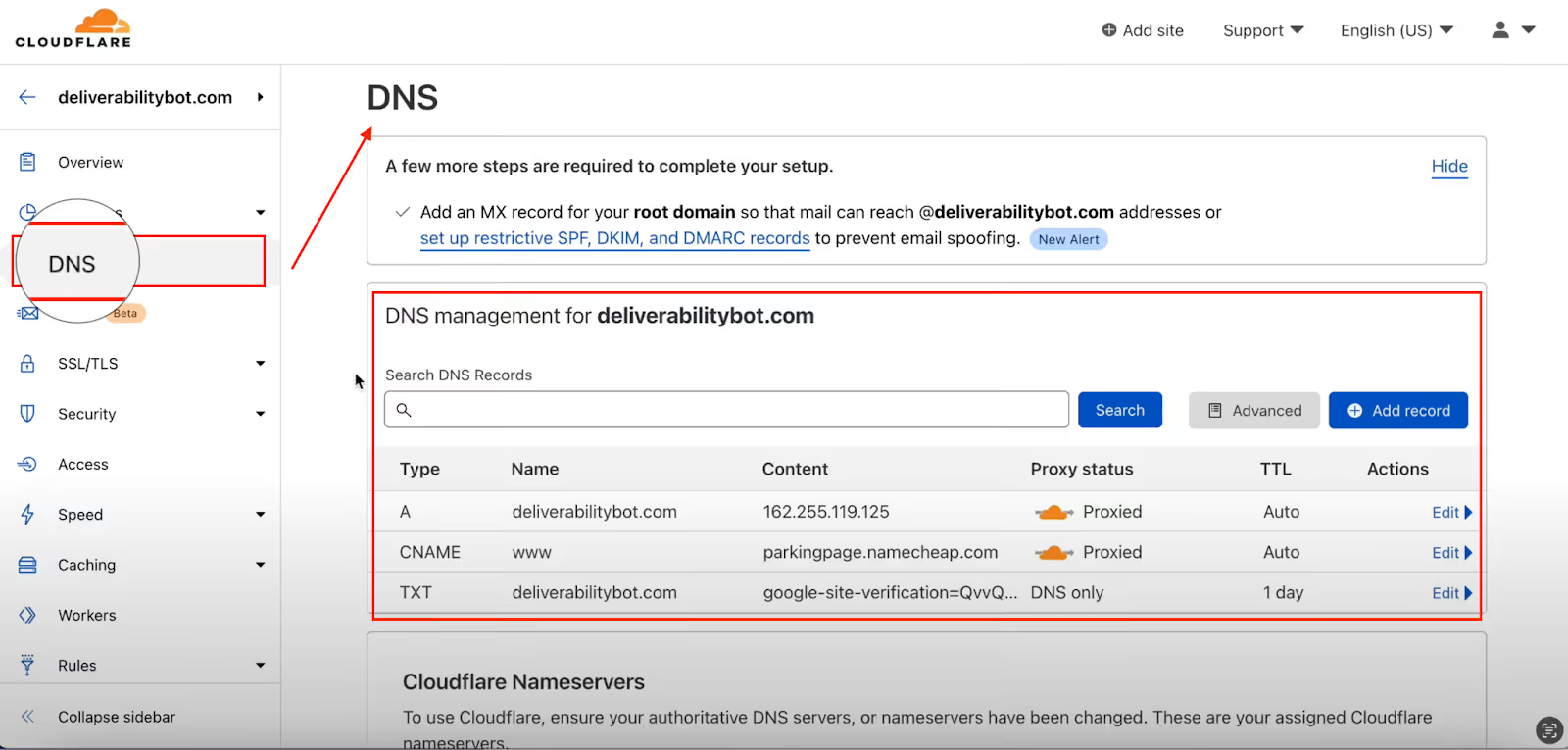
4. Set Up DNS Records

DNS settings in Growbots 
This image shows the DNS settings in Growbots 

You add records like SPF, DKIM, and DMARC to your domain.

This is important for avoiding spam folders and keeping your sender reputation strong.
5. Upload an Exclusions List

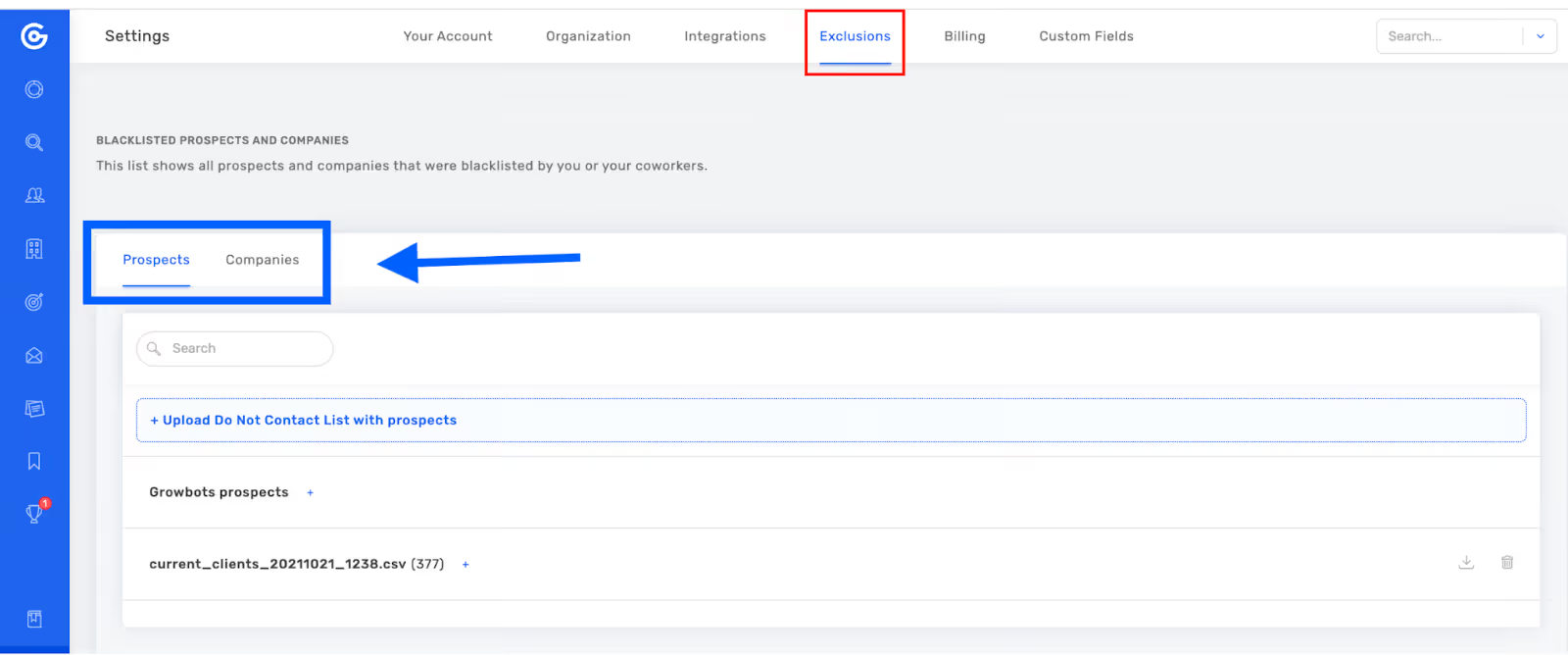
Exclusions page with options to view and upload do-not-contact prospects in Growbots
This image shows the Exclusions page with options to view and upload do-not-contact prospects in Growbots

Growbots lets you upload contacts or domains you don’t want to email.

This prevents duplicates and protects existing relationships.
6. Integrate Your CRM

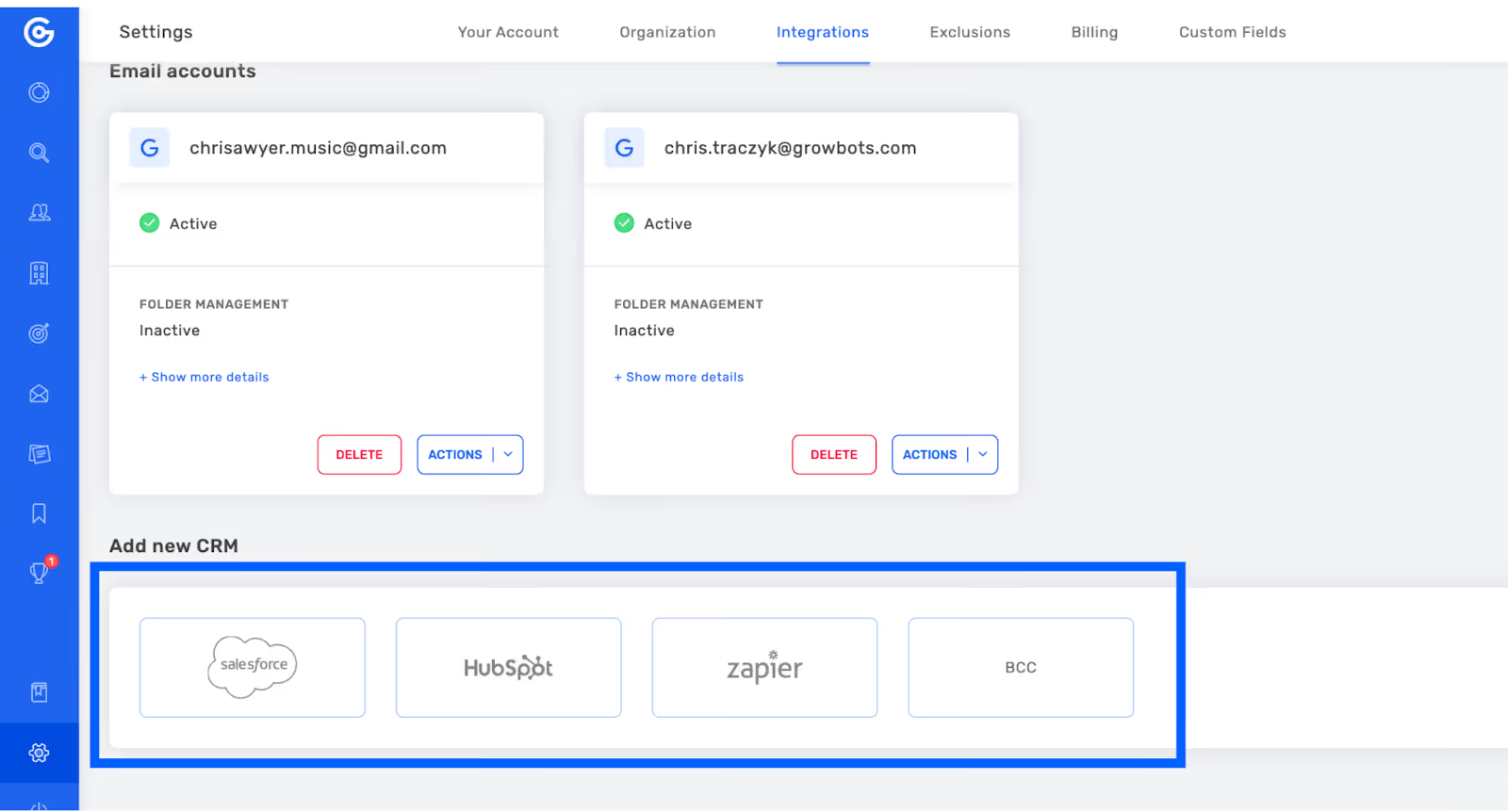
Growbots Integrations
This image shows the Growbots Integrations

If you use HubSpot or Salesforce, you can sync data automatically.

Prospects, replies, and campaign activity flow straight into your CRM.

Growbots Features

Here are the features Growbots offer: 

Prospecting

Growbots lets you find your ideal prospects in seconds using a 180M+ contact database, AI suggestions, and simple filters that help you narrow down exactly who you want to reach.
Outreach

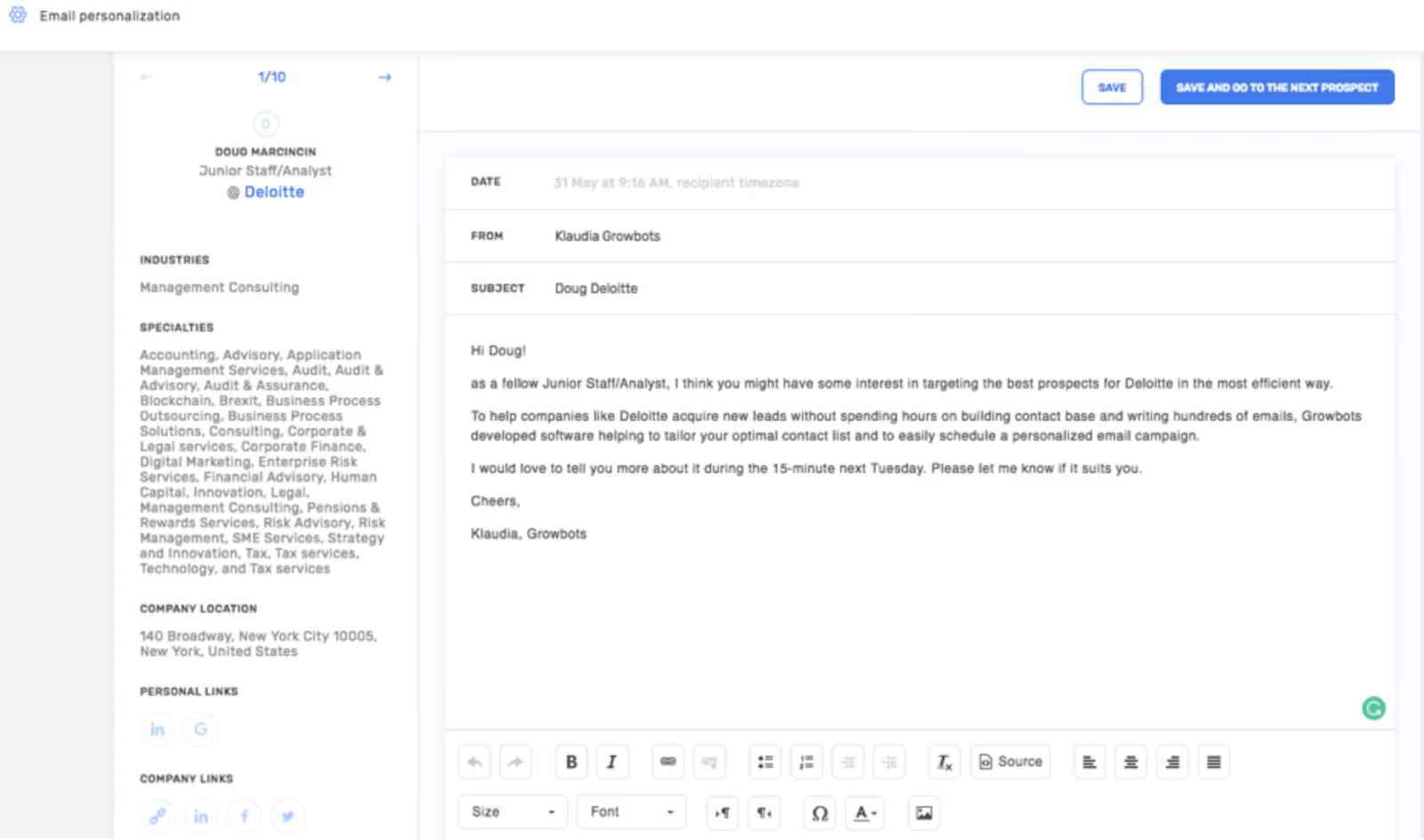
Email Personalisation in Growbots
This image shows the Email Personalisation in Growbots

Growbots helps you send cold emails easily with AI-written messages, automated sequences, warm-up tools, and simple tracking so you always know how your emails are performing.
Deliverability

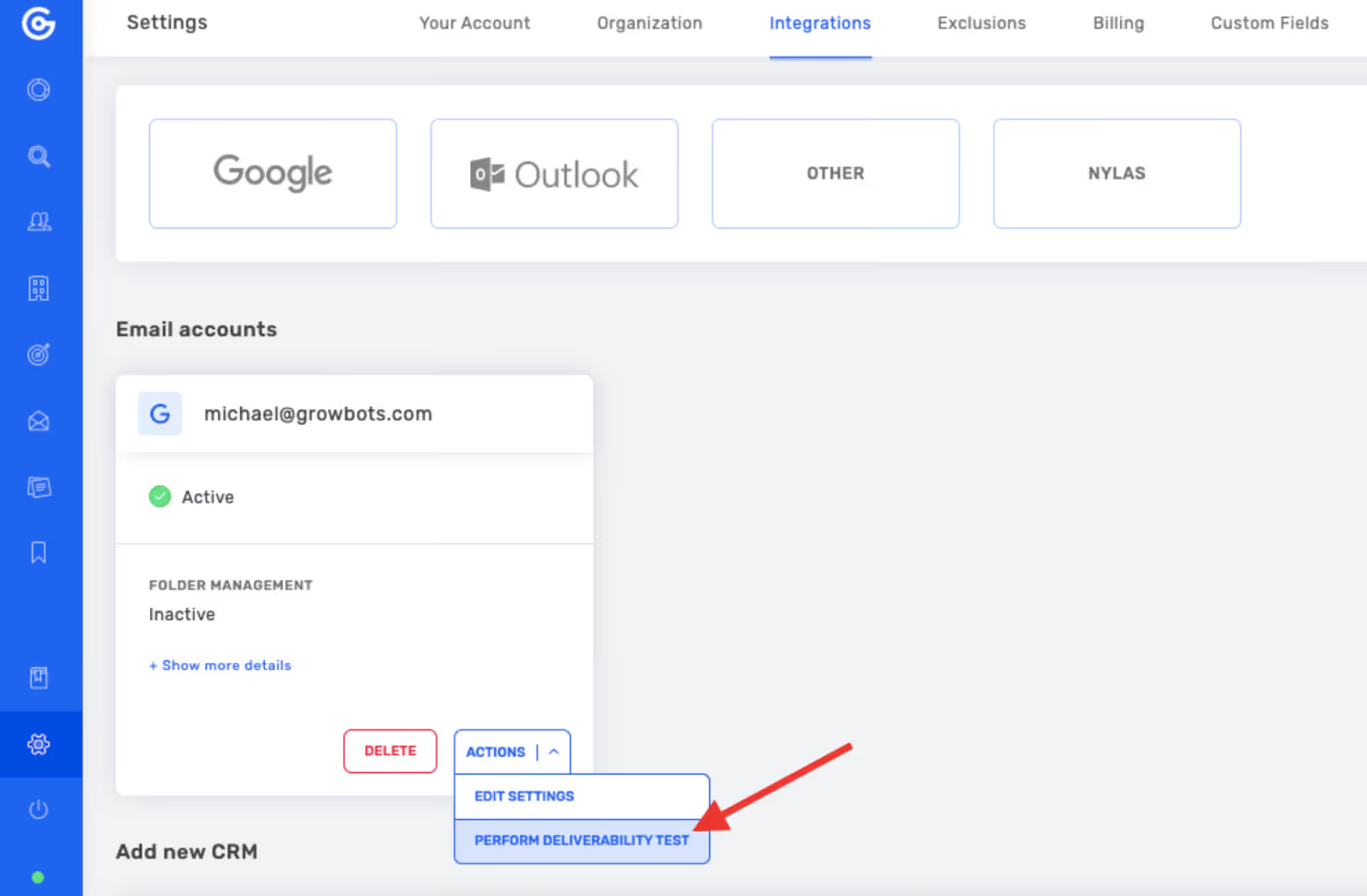
Email settings menu with option to run a deliverability test in Growbots
This image shows the Email settings menu with option to run a deliverability test in Growbots

Growbots protects your sender reputation with automatic warm-up, deliverability checks, and SPF/DKIM/DMARC setup so your emails have a better chance of landing in the inbox.

Intelligence

Growbots uses built-in AI to detect warm replies, suggest new targets, and generate email templates or variations to help you improve results without extra effort.
Integrations

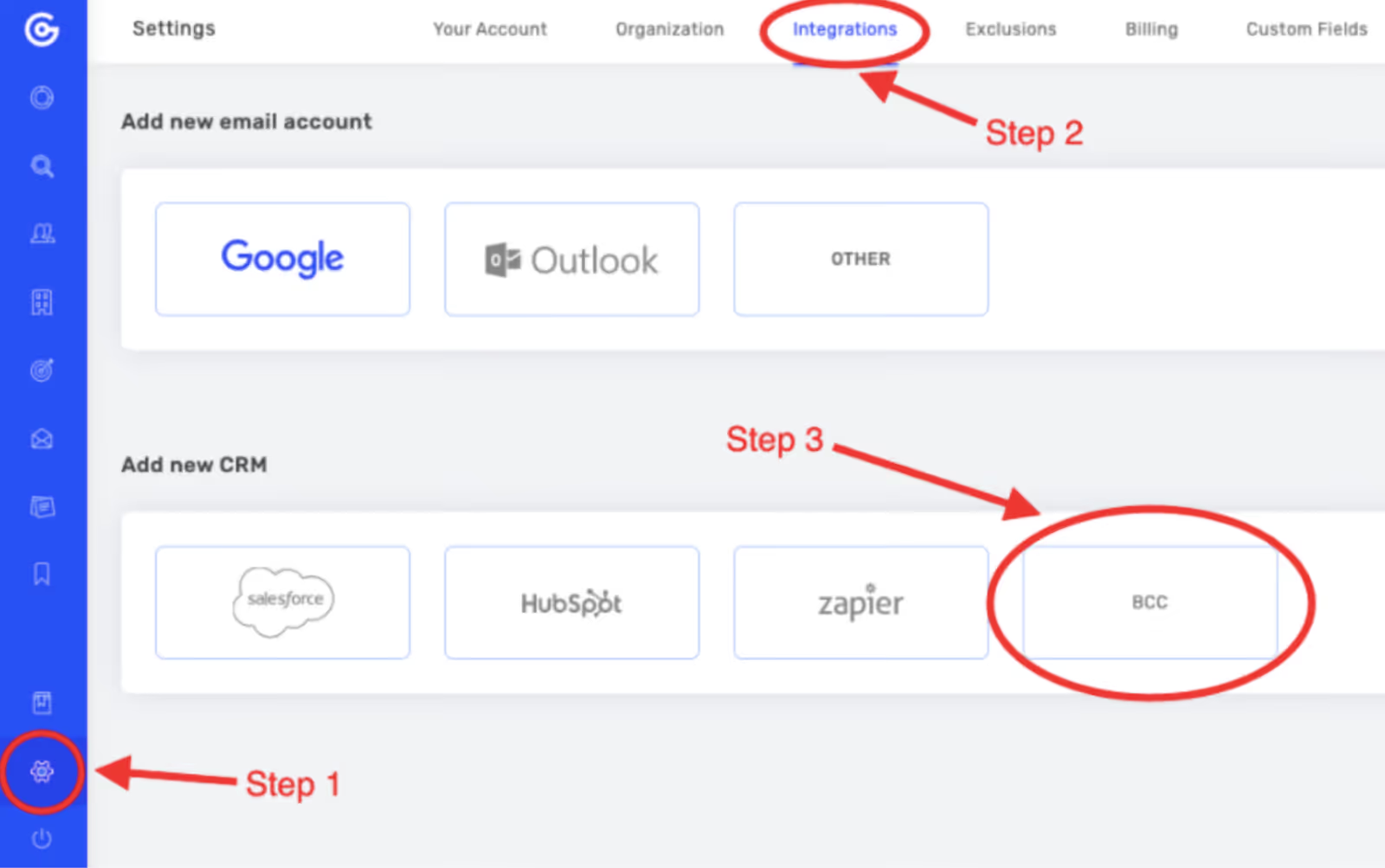
Steps to access Integrations and select the BCC CRM option in Growbots
This image shows the Steps to access Integrations and select the BCC CRM option in Growbots

Growbots connects smoothly with tools like Zapier, Salesforce, HubSpot, and BCC sync so your data stays organized without manual work.

Concierge

Growbots offers a done-for-you outreach option where their team handles almost the entire outbound process for you, so you don’t need to hire an SDR or set everything up yourself.
Pros and Cons of using Growbots

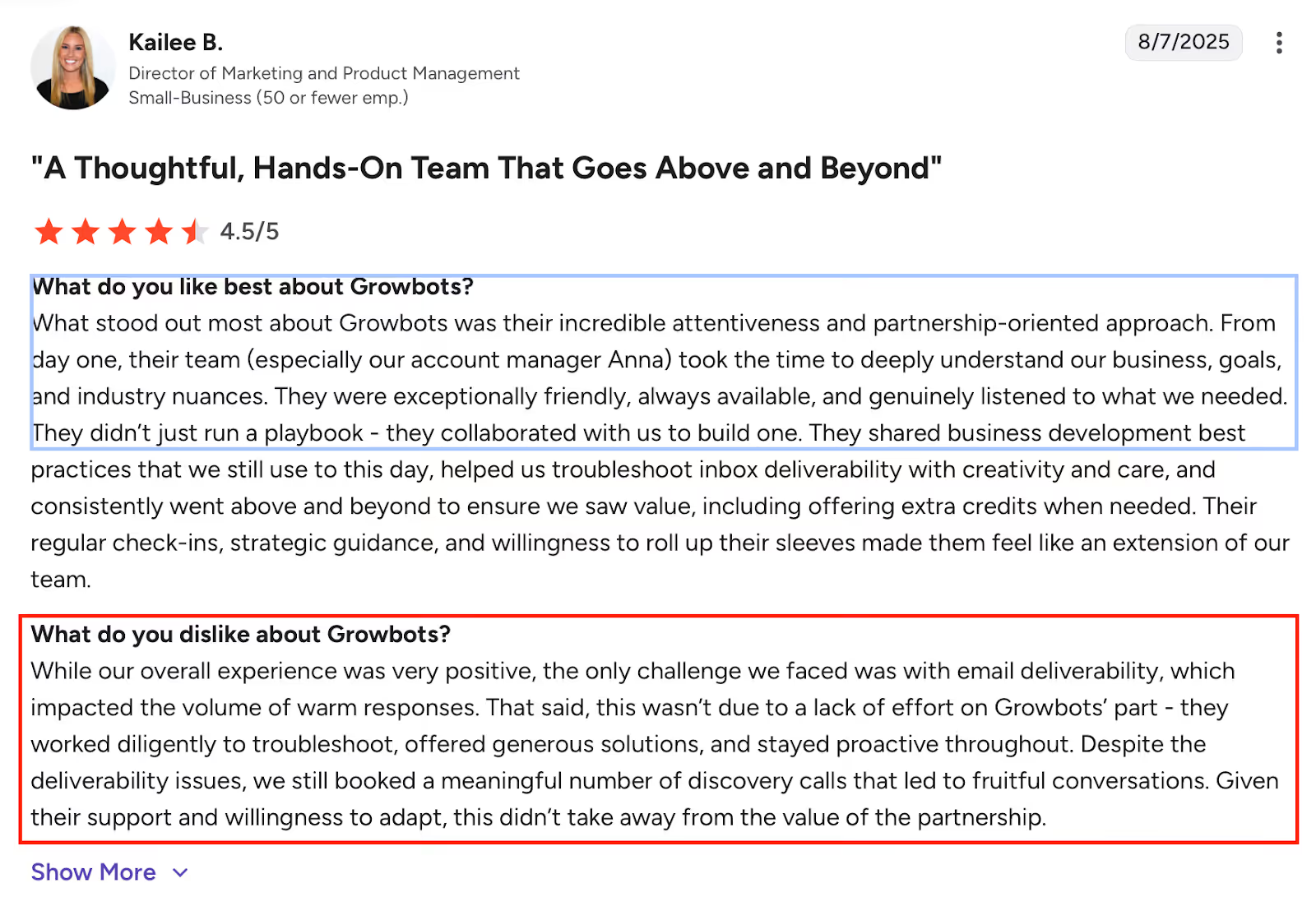
A screenshot of a feedback emphasizing Growbots’ supportive team and mentioning email deliverability as the main drawback
This image shows the A screenshot of a feedback emphasizing Growbots’ supportive team and mentioning email deliverability as the main drawback
Pros & Cons
Pros Cons
  • The support team helps with setup and deliverability issues
  • Easy to create profiles and start campaigns
  • Prospecting and email outreach are in one platform
  • Simple to send bulk emails
  • Funding/series filters help refine targeting
  • Warm-up tools help keep bounce rates low
  • Automated sequences allow multiple campaigns at once
  • Automated emails can still be personalized
  • Deliverability problems can reduce replies
  • Targeting filters can feel too basic for detailed searches
  • The interface can be confusing and lacks full training videos
  • Adding more email accounts increases the cost quickly
  • The database may feel smaller than other tools
  • Pricing isn’t flexible for users wanting monthly options
  • Tech filters don't show backend or BI tools companies use
  • Some analytics aren’t always accurate
  • The platform can feel overwhelming because of many features

Growbots Pricing

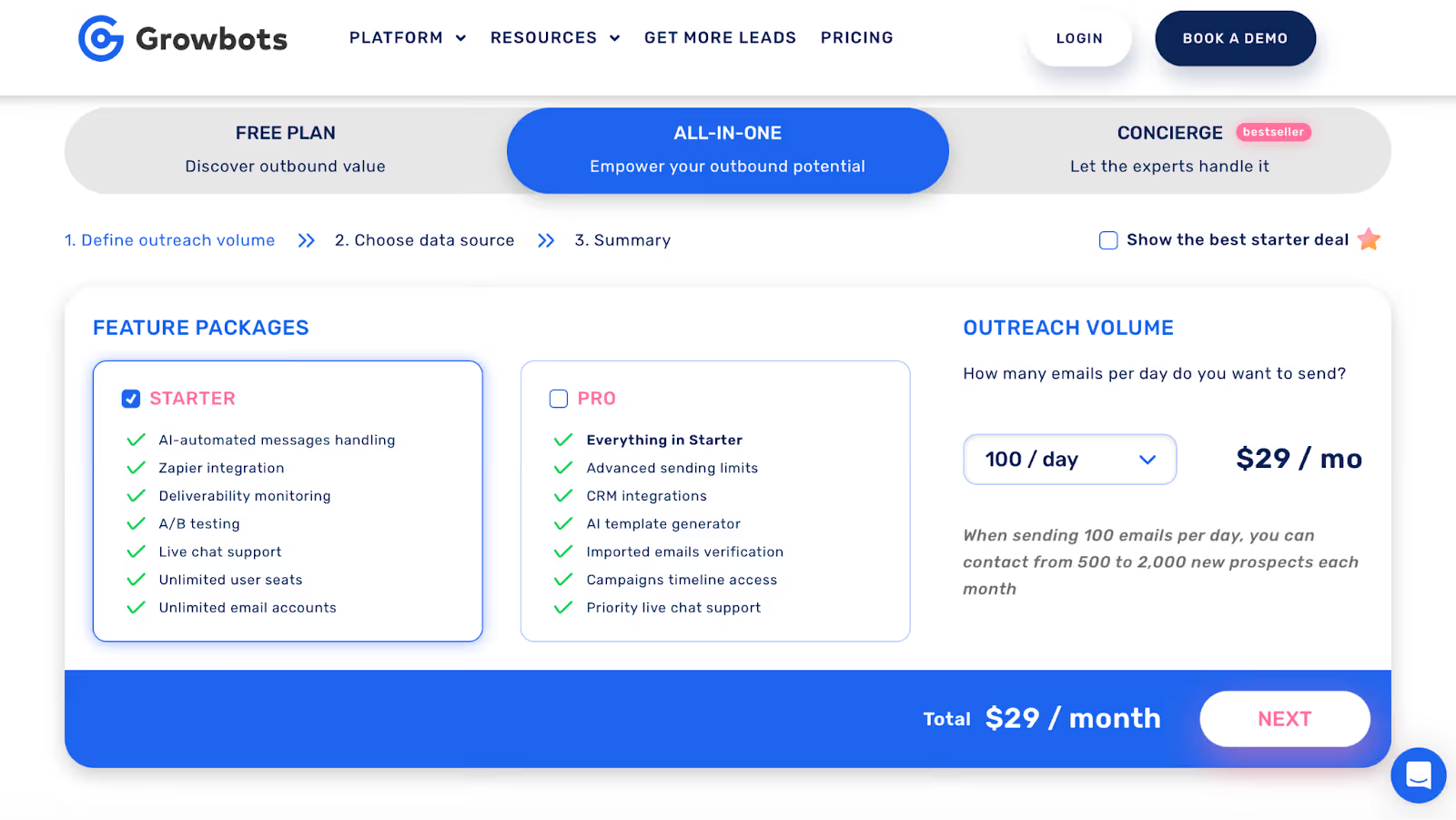
Growbots has three main ways to use it:

  1. Free plan
  2. Paid “All-in-one” plans (Starter and Pro)
  3. Concierge (done-for-you service)

1. Free Plan

  • You can start with a free plan.
  • You get limited access to the features and database.
  • It’s mainly for testing outbound and seeing how the tool works.

2. All-in-One Paid Plans (Starter & Pro)

  • These are the main subscription plans.
  • There are two levels: Starter and Pro.
  • The price depends on how many emails per day you want to send.
  • In your research, sending 100 emails per day shows a price starting around $29–$39 per month.
  • Starter includes things like:

    • Email sending
    • Zapier integration
    • Deliverability monitoring
    • A/B testing
    • Live chat support
    • Unlimited user seats and email accounts
  • Pro adds extra things like:

    • Higher sending limits
    • CRM integrations (e.g., Salesforce, HubSpot)
    • AI template generator
    • Better support and more control over campaigns

So, the more emails you send per day and the more features you want, the higher the price.

3. Concierge Plan

  • Concierge is a done-for-you service on top of the platform.
  • Their team handles about 95% of the outbound work for you.
  • You choose how many emails per day and the data source, and they set it up and run it.
  • Pricing here is custom (not shown clearly in your research), and will depend on your volume and needs.

Extra Costs

  • You pay for prospect credits (per contact), starting at about $0.13 per prospect.
  • Some extra data features (like enrichment and intent data) are paid add-ons.

Who Should Use Growbots?

Growbots is a good option if you want an easy way to find leads and send simple cold email campaigns.

It works well if you prefer a tool that handles prospecting, email sequences, and warmup for you in one place.

It’s also fine if your outreach volume is moderate and you don’t need very advanced targeting or complex workflows.

But if you plan to scale your outreach or need more control over deliverability, you may want to look at another option.
Salesforge: A Better Choice If You Need Higher Sending Power and Stronger Deliverability

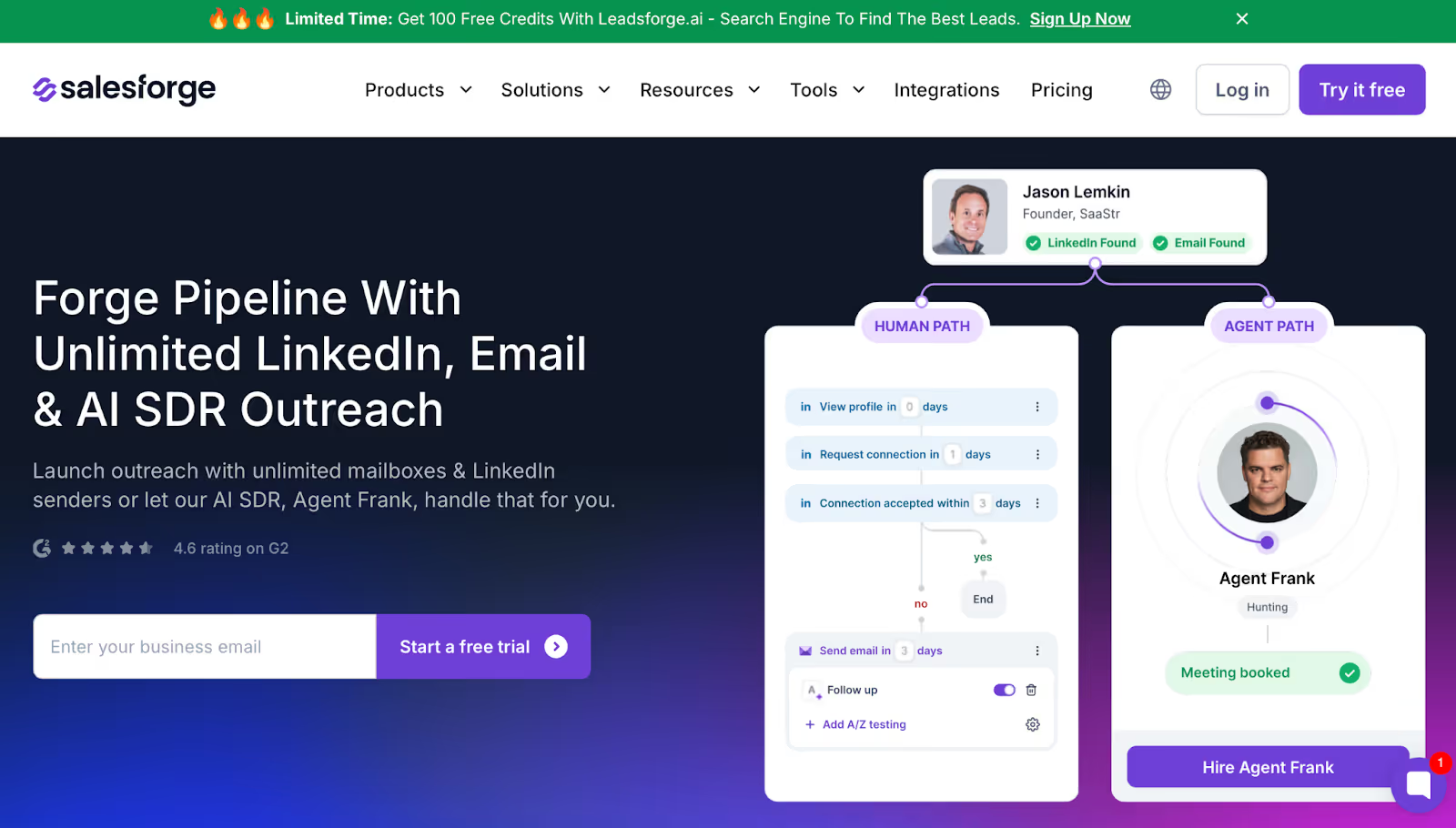
Salesforge Homepage
This image shows the Salesforge Homepage

If your outreach needs go beyond what Growbots can handle, Salesforge is often the tool teams switch to.

Growbots works well for simple email campaigns, but Salesforge is built for higher volume, multi-channel outreach, and stronger deliverability control.
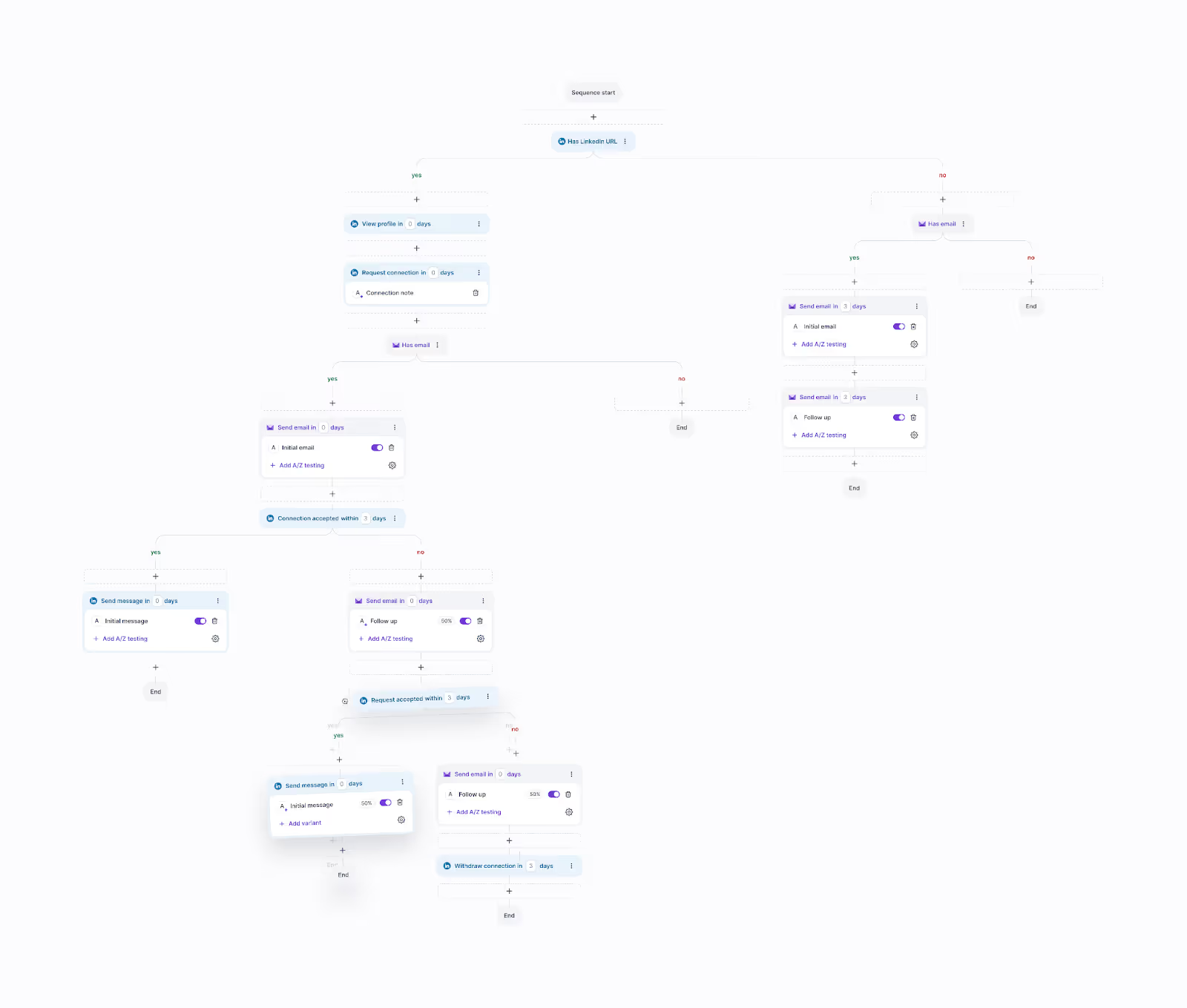
Running Multi-channel Campaign in Salesforge
This image shows the Running Multi-channel Campaign in Salesforge

Unlike Growbots, which limits how many emails you can send per inbox, Salesforge lets you connect unlimited mailboxes and send at a much larger scale. 

It also includes LinkedIn outreach, so you’re not restricted to email only.

You can manage all replies from email and LinkedIn in one place, use advanced warmup tools, and rely on a dedicated deliverability network to help your emails stay out of spam. 

For teams that want an extra boost, Salesforge also offers an AI SDR (Agent Frank) that handles prospecting and outreach automatically.

Here’s a simple comparison of both the tools:

Growbots vs Salesforge
Feature Growbots Salesforge
Outreach Channels Email only Email + LinkedIn
Sending Volume Limited per inbox Unlimited mailboxes, higher scale
Warmup Tools Basic warmup Free, unlimited warmup with premium pool
Deliverability Standard Advanced deliverability infrastructure
AI Features Templates + message help Full AI SDR (Agent Frank)
Best For Simple outbound setups High-volume, multi-channel outreach

In short, Growbots is a good fit for basic email outreach, but if you need more sending power, better deliverability, or multi-channel campaigns, Salesforge gives you more flexibility and room to scale.

Conclusion

To sum it up, Growbots is a good choice if you want a simple way to find leads, warm up your email, and run basic outreach without switching between different tools. 

It keeps everything in one place, which makes outbound easier if your volume is low to moderate.

But as we covered, its limits become noticeable when you need deeper targeting, stronger deliverability, or larger sending capacity.

Here’s a quick recap:

  • Great for straightforward email campaigns
  • Works well for moderate outreach
  • Not ideal for high-volume or multi-channel setups

If you want a quick gut check, ask yourself:

“Do I only need basic email outreach, or will I need more sending power and channels as I grow?”

And if you ever reach that point, Salesforge is a natural next step. 

It gives you more room to scale without complicating your workflow, something helpful when your outbound starts growing faster than expected.


