Freckle is worth testing if your CRM records are incomplete and your team does not want to become a Clay shop just to clean data.
That is the real buyer's question.
Freckle looks simpler than Clay. The question is whether simpler means weaker or just easier to use.
My read: Freckle is easier on purpose. That is good if the bottleneck is CRM enrichment, account research, field cleanup, scoring, and sync back into HubSpot or Salesforce.
It is weaker if the job is advanced workflow control, agency-grade Clay builds, or outbound execution after the records are enriched.
Use this split:
Need
Freckle fit
Why
Better option if not
Note
CRM enrichment
Strong
Built around CRM records, CSVs, webhooks, and synced tables
Clay for deeper controls
Good for HubSpot and Salesforce teams
Plain-English research
Strong
Users can ask for account data without building provider logic
Clay for custom tables
Good for non-technical users
Complex GTM builds
Limited
Freckle gives up control for adoption speed
Clay
This is Clay’s home turf
Outbound execution
Limited
Freckle prepares records, but does not run the full sending system
Salesforge
Data is not pipeline until it is sent
One-time CRM cleanup
Strong
Credit pricing and unlimited users fit project work
A direct vendor if the scope is narrow
Test 100 records first
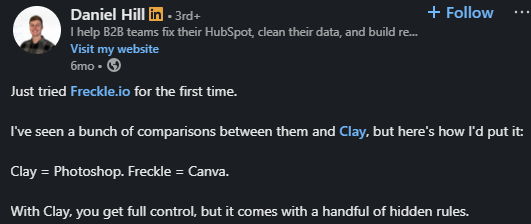
Daniel Hill described the tradeoff well in a LinkedIn post: “Clay = Photoshop. Freckle = Canva.”
Alt Text: Daniel Hill
That is the whole review in one line. Freckle is not trying to win every builder.
It is trying to make CRM enrichment usable for the person who owns the pipeline but does not want to spend weeks learning provider logic.
Freckle CRM enrichment homepage
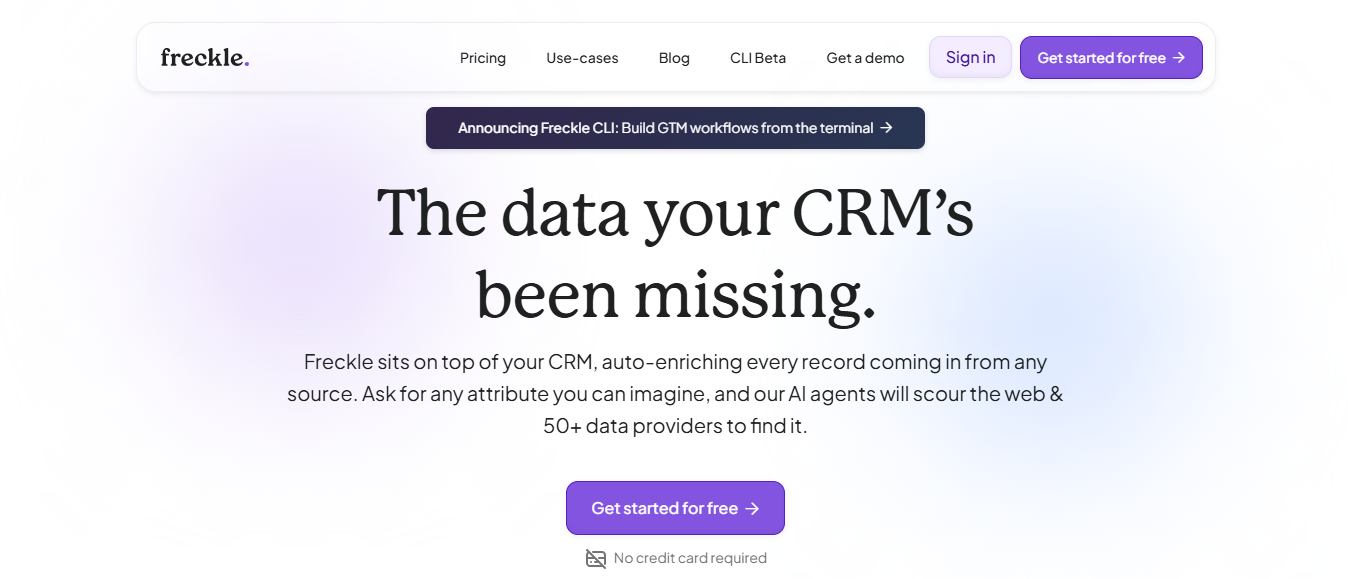
Freckle is a CRM enrichment and GTM data tool. It sits on top of your CRM, works with incomplete records, and enriches those records through web research and data providers.
In simple terms, Freckle helps you with the messy middle before outreach:
It is not a sequencer or an email infrastructure product or an AI SDR.
It is the data-prep layer.
I evaluated Freckle by one question:
Can it turn messy CRM and GTM data into usable outbound inputs without forcing the team to become enrichment engineers?
The criteria:
Freckle wins when the work is specific, repetitive, and stuck inside the CRM.
The strongest user evidence points to adoption speed.
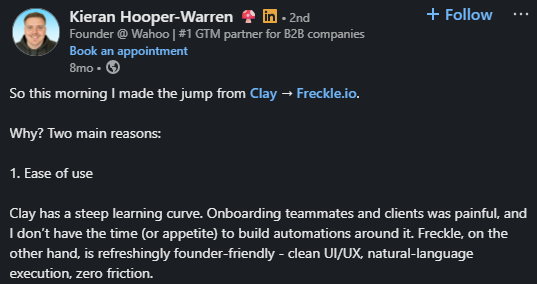
Kieran Hooper-Warren shares her experience that he moved from Clay to Freckle for two reasons: ease of use and pricing.
Alt Text: Kieran Hooper
He also said “80%+” of his clients already use HubSpot, which explains why a CRM-native tool landed for him.

Alt Text: Kieran Hooper
So, if your team lives in HubSpot, Freckle’s value is not just enrichment It’s fewer handoffs before the record is useful.
Daniel Hill made the same point from a different angle.
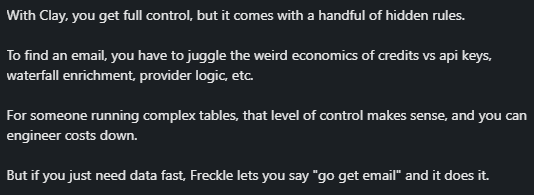
He said Freckle lets you say “go get email,” and the tool does it. His caveat is useful too: for complex tables.
Alt Text: Daniel Hill
That is the correct Freckle pitch. Not more knobs. Fewer dead ends.
Similarly, Amrita Gurney shares that Freckle is useful when you do not need as many signals and need something simpler.
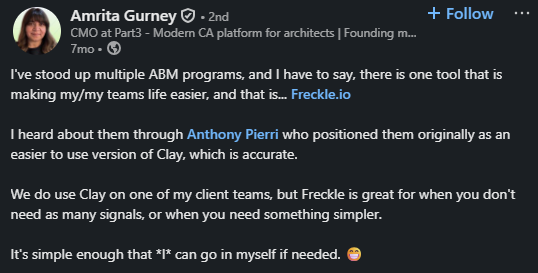
Alt Text: Amrita Gurney
That is exactly how ABM data work often looks. You do not always need a 14-step enrichment machine.
Sometimes you need cleaner accounts, enough context to segment them, and a route back into the CRM.
Sam McCann’s workflow described how he scraped Google Maps data, enriched 270 accounts from one city, tiered review ratings, created messaging, and synced the data into HubSpot for sales activity.
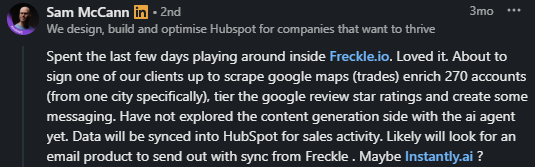
Alt Text: Sam McCann
That example shows where Freckle is strongest:
Freckle’s limit is the same thing that makes it easy: it gives up some control.
It is intentionally built for non-technical users who find Clay hard, making it not the best choice for outbound agencies or large RevOps teams that need deep workflow rules and a dedicated Clay admin.
That honesty should make buyers trust the tool more, not less.
Clay wins when the team has a GTM engineer, an agency, or a RevOps admin who wants custom provider order, branching logic, and deep workflow rules.
If that is you, Freckle will feel too contained.
Data quality also needs testing against your ICP.
Tony Valderrama raised the right concern: if the first source returns bad data, a waterfall can break everything downstream.
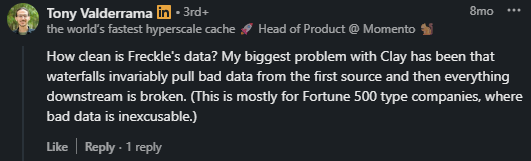
Alt Text: Tony Valderrama
Ensure provider order should vary by field, CRM overwrite rules matter, and teams need source traceability.
Run a sample. Check the source. Compare outputs against known accounts. Then scale.
Freckle also does not solve outbound execution.
It can enrich and research records, but it does not replace domains, mailboxes, warmup, sender rotation, sequences, LinkedIn touches, reply handling, or an SDR motion.
Clean data is the third step.
Infrastructure first. Warm-up second. Clean list third. Personalized copy fourth. Volume last.
Freckle gives you a bunch of capabilities, but only a few parts matter in day-to-day GTM work.
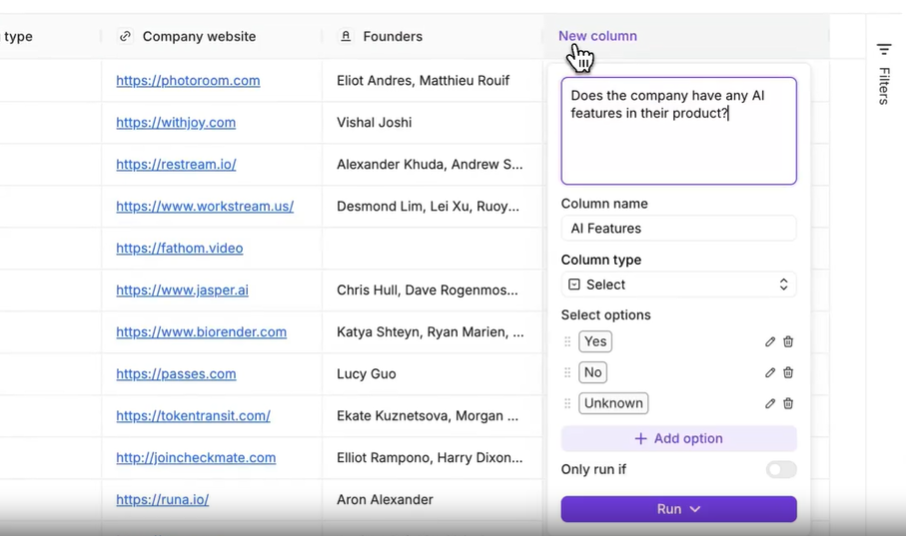
Alt Text: Natural-language enrichment
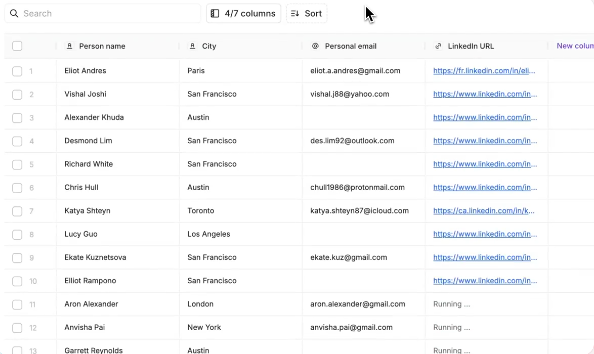
The homepage says Freckle lets users ask for specific attributes in natural language and uses web research plus 50+ data providers. That matters when the field is not standard, like “does this company have a self-serve plan?” or “who do they sell to?”
Alt Text: Waterfall Enrichment
Freckle uses waterfall logic to fill gaps across multiple providers. The useful part is field-level matching. Work emails, phones, LinkedIn URLs, firmographics, and account signals should not all use the same source order.
Alt Text: Integrations
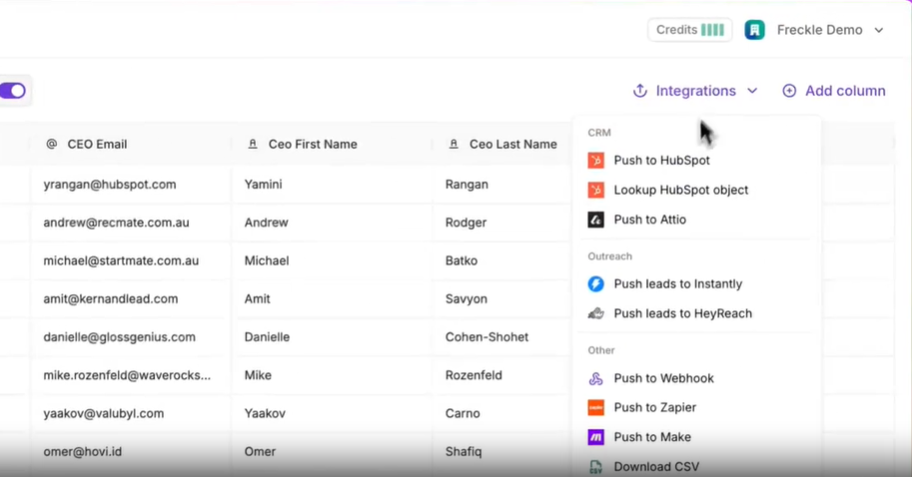
Freckle is built around HubSpot and Salesforce workflows.
Import records from CRM integrations, webhooks, or CSV uploads, and enriched data can sync back into the CRM.
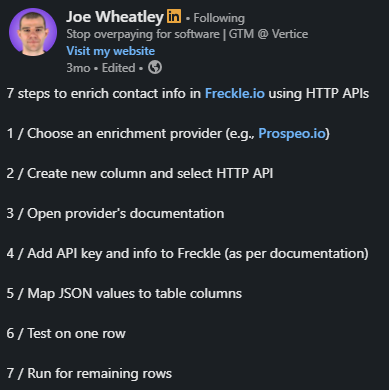
Templates cover data cleanup, enrichment, and research so users do not need to know prompt engineering, formulas, or provider selection.
Alt Text: Joe Wheatley
If your team wants Freckle inside a broader internal workflow, API access and bring-your-own keys are the plan line to inspect.
Scale plans add dynamic ad audiences and stronger support options. That makes sense when enrichment feeds more than outbound, like paid audience sync and account segmentation.
Freckle pricing and credit tiers
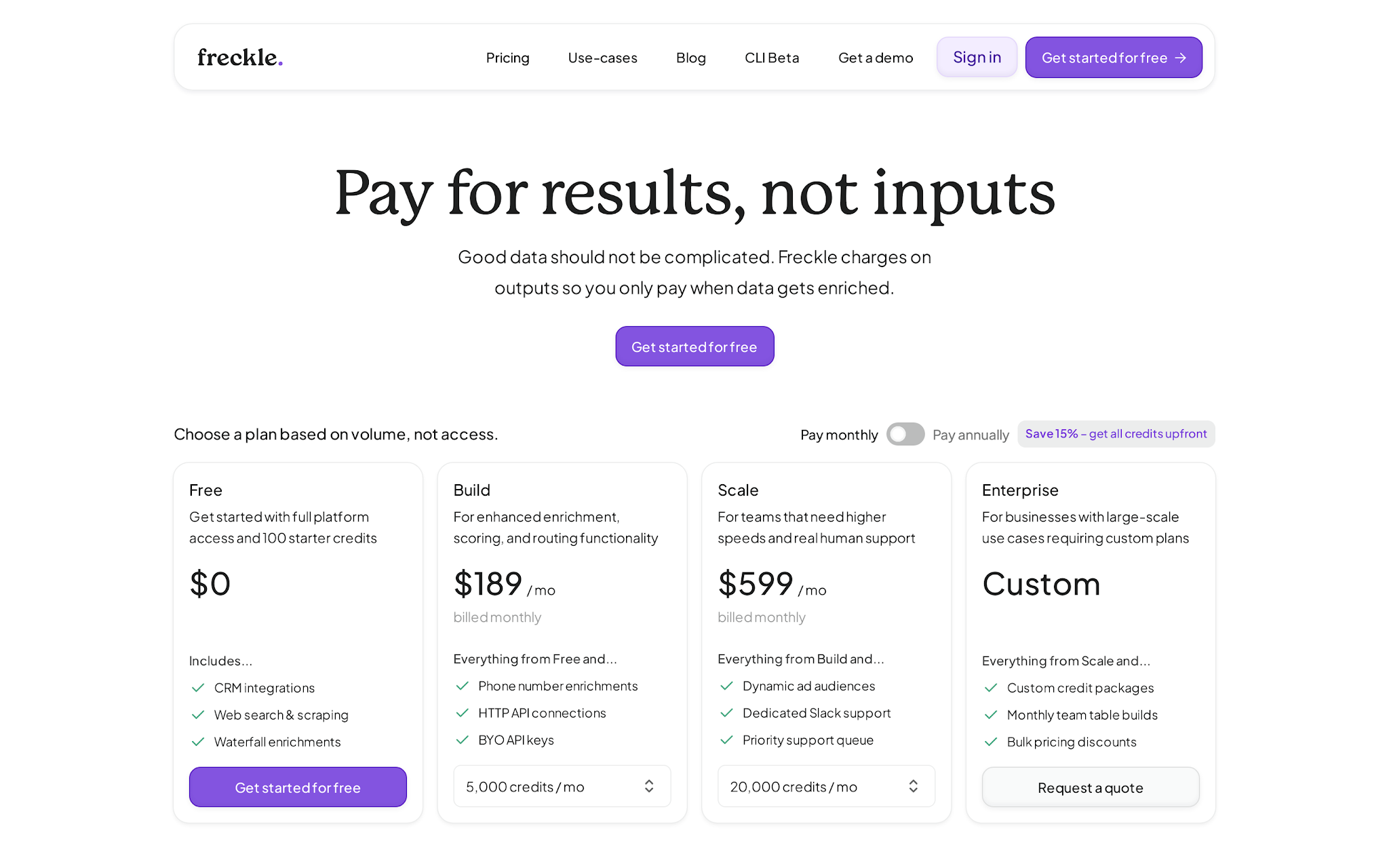
Pricing as of 2026-05-31: Freckle charges by credits, not seats.
That is the right model for this category, but only if you understand what burns credits.
Plan
Starting price
Credits
Good fit
Watch-out
Free
$0
100 credits/month
Small test
No phones, API, BYO keys, rollover, or top-ups
Build
$99/month
5,000 credits/month
Regular CRM enrichment
Phone enrichment starts here
Scale
$599/month
20,000 credits/month
Higher-volume teams
Buy for speed and support, not vanity volume
Enterprise
Custom
Custom packages
Large data programs
Needs a quote
Most enriched data points cost 1 credit, phone number enrichments cost 5 credits, annual plans get a 15% discount, paid-plan unused credits roll over up to 2x the monthly limit, and paid top-ups cost 1.25x the plan’s per-credit rate.
The takeaway: a “5,000 record” project is not one number.
Example:
Freckle, Clay, and Salesforge are not three versions of the same product.
Tool
Main job
Where it wins
Where it loses
Buy it when
Freckle
CRM enrichment and research
Ease, CRM fit, plain-English fields
Less control than Clay
Data prep is the bottleneck
Clay
Custom GTM workflows
Advanced builder control
Learning curve and setup time
You have a GTM builder
Salesforge
Outbound execution
Sending, warmup, LinkedIn plus email, AI SDR
Not a one-time CRM cleanup tool
Clean records need to become a pipeline
Freckle prepares records.
Clay builds custom data machines.
Salesforge turns ready contacts into an outbound pipeline.
That is where the Forge Stack enters the conversation.
If Freckle gives you clean contacts, Mailforge and Infraforge handle the mailbox and infrastructure side, and Warmforge protects sender reputation before real sending.
Salesforge runs the email and LinkedIn sequence.

Alt Text: Email and LinkedIn in Salesforge Sequence
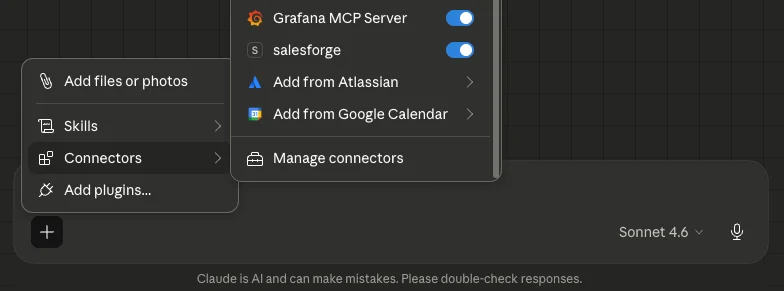
Forge MCP server lets your stack talk to Salesforge directly, so enriched records move into active sequences without manual imports or copy-paste handoffs.
Alt Text: Salesforge MCP in Claude
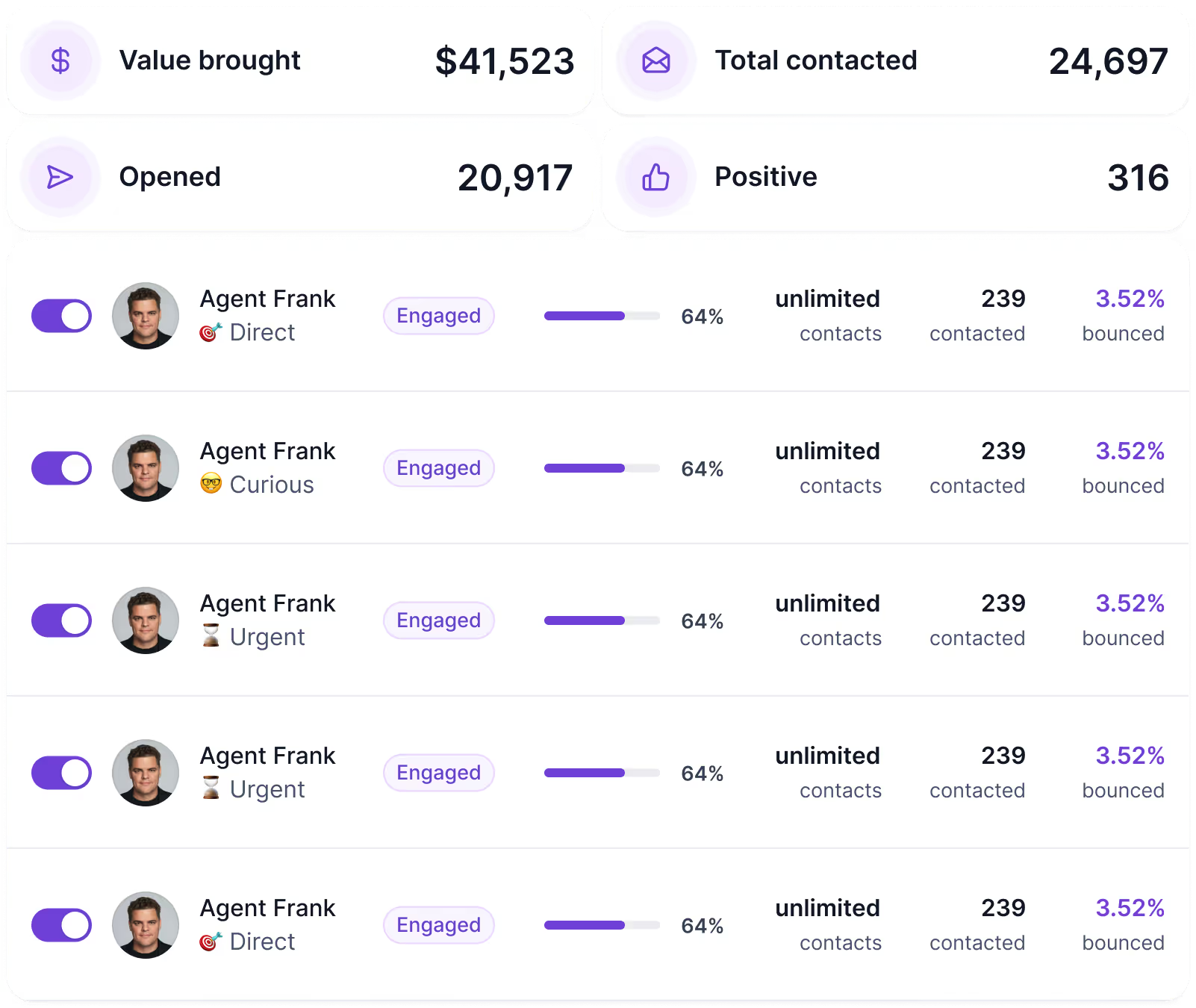
Agent Frank takes it from there: processing contacts, sending outreach, monitoring replies, and booking meetings while your team focuses on closing.
Alt Text: This image shows Salesforge’s Agent Frank Workflow
Clean data does not become a pipeline by itself. Salesforge is where it does.



.jpg)

