If you run LinkedIn outreach and want to reach more leads without doing everything manually, Aimfox might be the tool you’re looking for.
Aimfox helps sales teams and lead-gen agencies scale LinkedIn outreach using multiple accounts, automated campaigns, and human-sounding messages—all from one platform.
You can launch outbound campaigns, follow up automatically, manage replies in one inbox, and scale outreach using your own or rented LinkedIn profiles.
In this Aimfox review, we’ll explain how it works, what it does best, where it falls short, and whether it’s a good fit for your outreach team.
Let’s get into it.
Aimfox Review: Key Takeaways
Aimfox is a LinkedIn outreach tool built to help sales teams and lead-gen agencies scale outbound outreach.
It allows you to run LinkedIn campaigns using multiple accounts from one dashboard.
Aimfox lets you rent LinkedIn profiles directly, making it easier to scale outreach safely.
You can create different campaign types, including search, list, event, group, and post-based outreach.
Messages can be personalized using AI variables so they sound more human.
Aimfox automatically follows up and stops messages when a lead replies.
All replies from all LinkedIn accounts are managed in one unified inbox called Unibox.
The platform includes a built-in Leads CRM to label, track, and export prospects.
Pricing starts at $39 per month per outreach seat, with extra cost for rented profiles.
What is Aimfox?
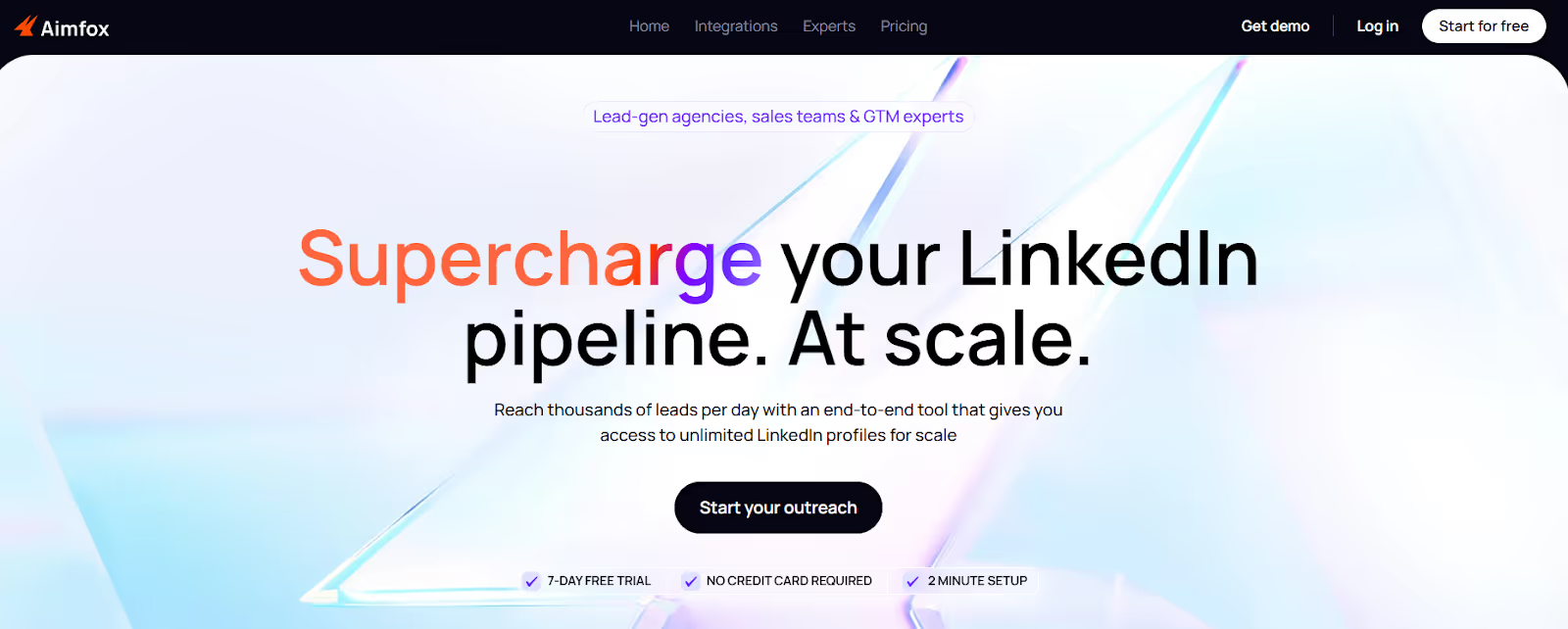
This image shows the Aimfox homepage
Aimfox is a LinkedIn outreach automation tool built for lead-gen agencies, sales teams, and GTM experts.
It helps you find leads, send LinkedIn messages at scale, and manage replies from one dashboard.
With Aimfox, you can run outreach using your own LinkedIn accounts or rented LinkedIn profiles.
This makes it easier to scale LinkedIn outreach without hitting daily limits too fast.
The platform lets you create different types of LinkedIn campaigns, including Search, List (CSV), Event, Group, Post, and Sales Navigator campaigns.
You can send connection requests, message requests, and free InMails, all on autopilot.
Aimfox also includes a Unified Inbox (Unibox) and a built-in Leads CRM.
This allows you to reply to messages, add notes, label leads, and track conversations across all LinkedIn accounts in one place.
How Does Aimfox Work?
Aimfox works by turning LinkedIn outreach into a clear and repeatable system.
Instead of sending messages manually, you always know who you are reaching out to, what message goes out next, and when to follow up.
Here is how Aimfox works:
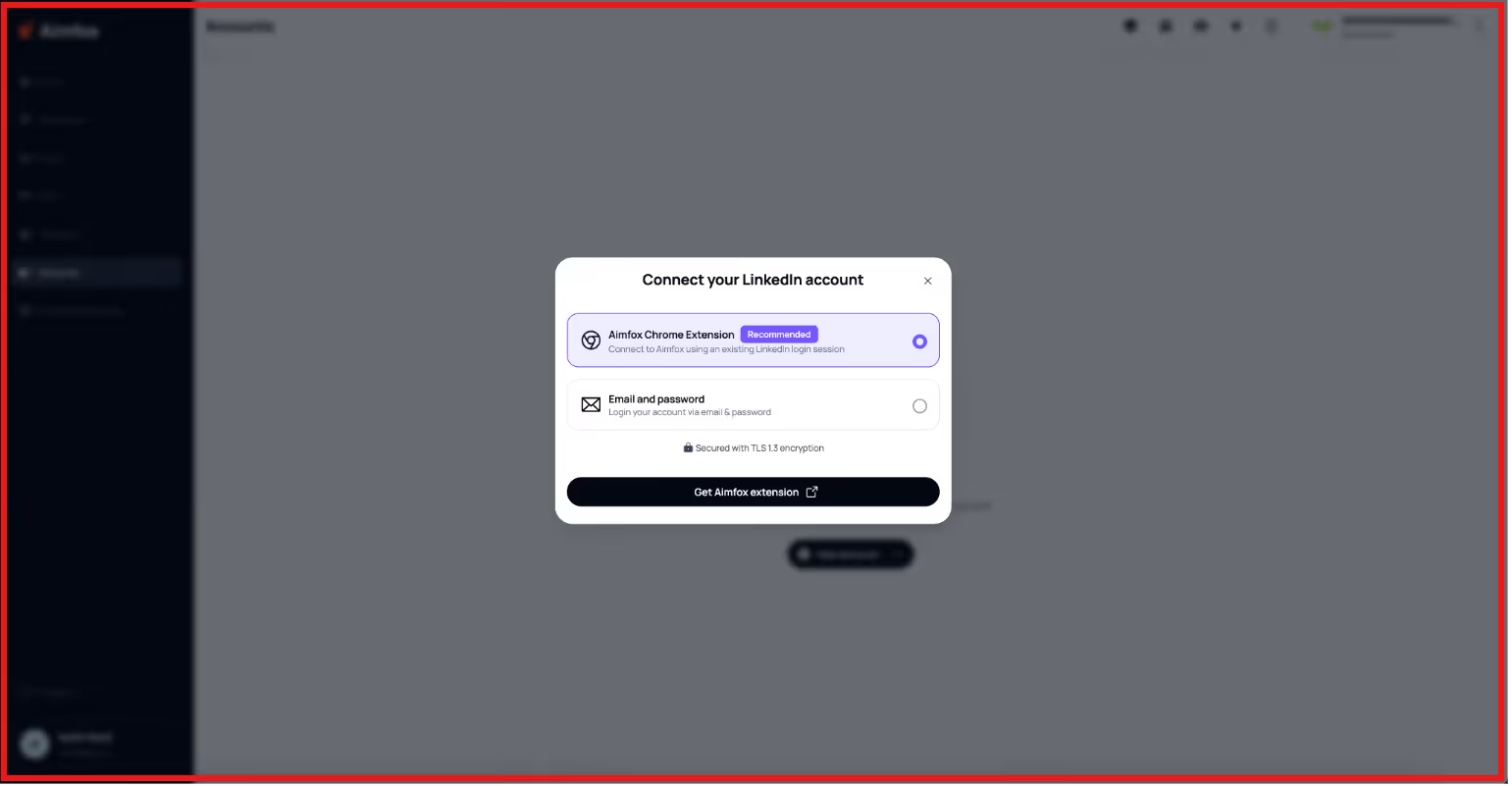
Aimfox connects your LinkedIn accounts and lets you manage all outreach from one dashboard.
This image shows the Connect your LinkedIn account on Aimfox
You can use your own LinkedIn accounts or rented LinkedIn profiles to scale outreach safely.
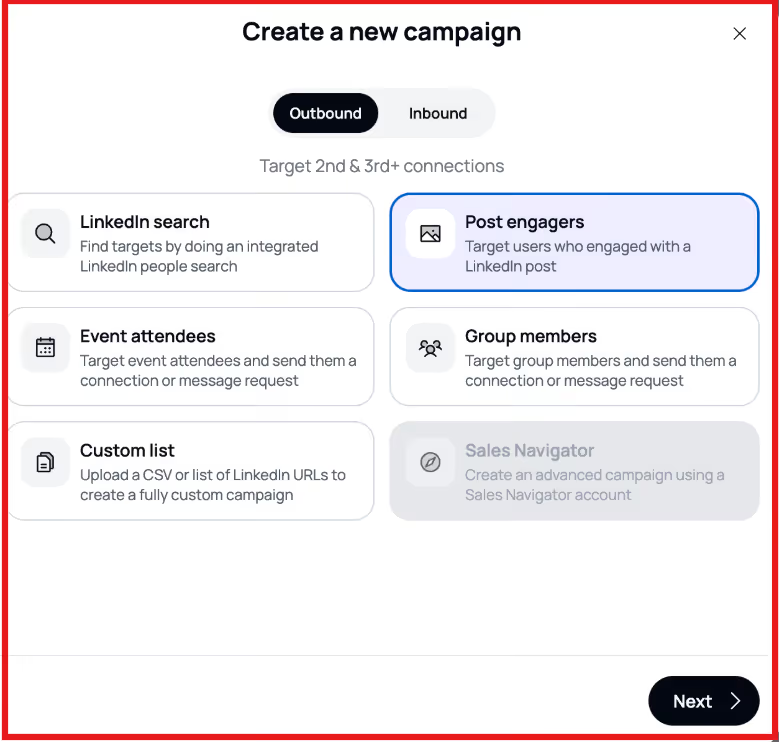
Aimfox lets you choose different campaign types, such as LinkedIn search, list uploads, events, groups, post engagement, and Sales Navigator.
This image shows the Create a new campaign on Aimfox
You set up message sequences that include connection requests, message requests, InMails, and follow-ups.
Messages are personalized using profile data and AI variables so they feel more human.
Aimfox sends messages automatically based on safe schedules and timezones.
Follow-ups stop automatically as soon as a prospect replies.
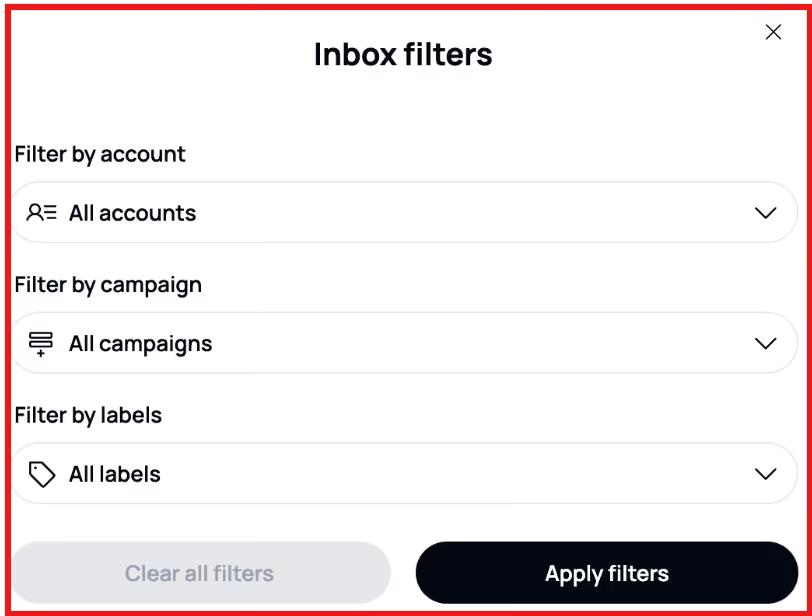
Every reply from all LinkedIn accounts appears in one unified inbox called Unibox.
This image shows the Unibox by Aimfox
You can label leads, add notes, and track conversations using the built-in Leads CRM.
Aimfox helps you stay organized and scale LinkedIn outreach without switching between tools.
Top Features of Aimfox
Aimfox focuses on helping teams scale LinkedIn outreach while keeping everything organized in one place.
These features are designed for high-volume outbound without losing control or personalization.
Aimfox — Key Features (What They Do)
Feature
What It Does
LinkedIn Profile Rental
Lets you rent LinkedIn profiles directly inside Aimfox to scale outreach faster without relying only on your own accounts.
Multi-Account Outreach
Allows you to run campaigns from one, multiple, or all LinkedIn accounts in a workspace at the same time.
Multiple Campaign Types
Supports Search, List (CSV), Event, Group, Post Engagers, and Sales Navigator campaigns for different outreach goals.
Automated Message Sequences
Sends connection requests, message requests, InMails, and follow-ups automatically based on your campaign flow.
AI Variables for Personalization
Uses LinkedIn profile data and custom variables to personalize messages so they sound more human.
Auto-Translate Messages
Detects a prospect’s LinkedIn language and automatically translates messages for global outreach.
Global
Free InMail Optimization
Uses free InMails for open profiles to bypass LinkedIn connection limits without using paid credits.
Smart Scheduling & Timezones
Sends messages only during working hours and can match the recipient’s local timezone.
Unified Inbox (Unibox)
Shows all LinkedIn replies from all connected accounts in one inbox so no conversation is missed.
Unified Inbox
Leads CRM
Stores all LinkedIn leads in one place with labels, notes, filters, and easy exports.
A/B Testing
Lets you test different message flows to see what performs better and optimize results.
Aimfox Pricing
Aimfox uses flexible pricing based on how you scale outreach.
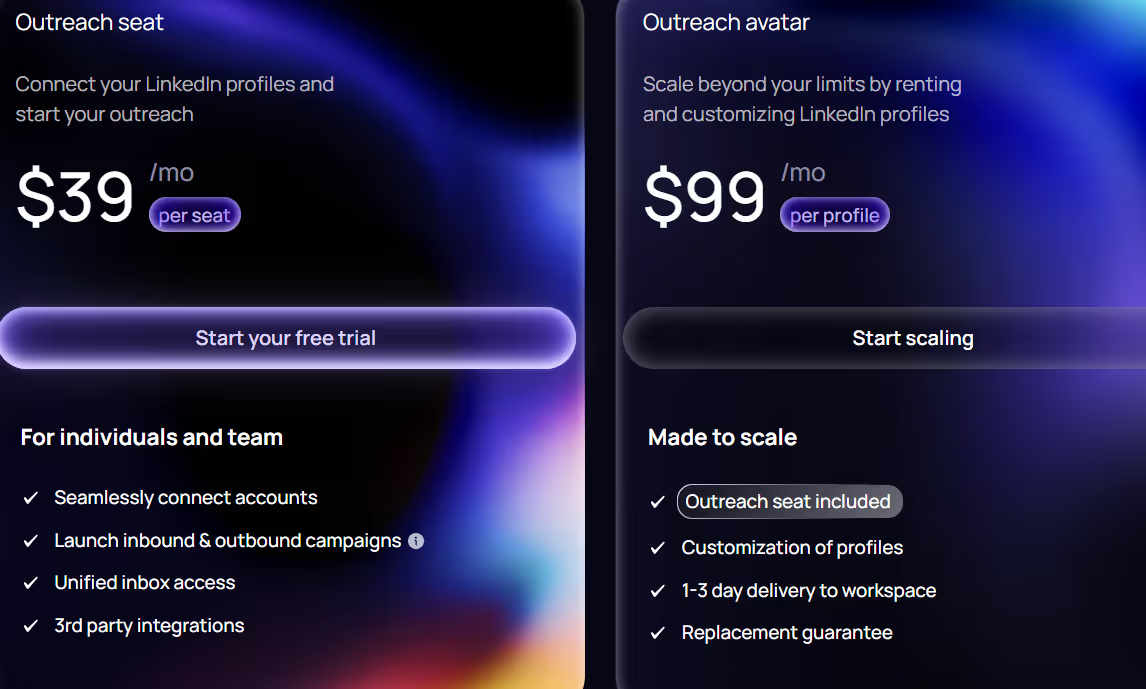
This image shows the Aimfox pricing
Outreach Seat: $39/month per seat, lets one LinkedIn account run outreach campaigns. Includes a 7-day free trial.
Rented LinkedIn Profile: $99/month per profile, optional add-on for scaling outreach with ready-to-use LinkedIn accounts.
Agency Plan: Starts at $499/month for 20 seats, built for agencies managing multiple clients and teams.
Free CRM Plan: $0 forever, includes Unibox, Leads CRM, analytics, and exports (no outreach automation).
You only pay for seats or profiles you actively use, and both can be added or removed anytime.
Top Pros and Cons of Aimfox
Aimfox — Pros & Cons
Pros Strengths
Cons Limitations
Allows you to scale LinkedIn outreach using your own or rented LinkedIn profiles.
Supports high-volume LinkedIn outreach with multiple accounts.
Offers multiple campaign types like Search, List, Event, Group, Post, and Sales Navigator.
Unified Inbox (Unibox) shows all LinkedIn replies in one place.
Uses AI variables and auto-translate to personalize messages.
Free InMail optimization helps reach open profiles without paid credits.
Focuses only on LinkedIn and does not support native email outreach.
Rented LinkedIn profiles add extra monthly cost.
Can feel complex for first-time users.
Full white-labeling is not available yet.
Some actions, like connection notes, require LinkedIn Premium.
Each LinkedIn account running campaigns needs an Outreach Seat.
Is Aimfox Right for You?
Aimfox is a good fit for you if:
You use LinkedIn as your main channel for outbound outreach.
You want to scale LinkedIn outreach without sending messages manually.
You work in a sales team, lead-gen agency, or GTM role.
You need to run outreach from multiple LinkedIn accounts.
You want a tool that handles follow-ups automatically.
You want to manage all LinkedIn replies in one inbox.
Aimfox may not be right for you if:
You do not run outbound LinkedIn outreach.
You only handle inbound leads.
You want to send cold emails from the same tool.
You send very low outreach volume.
You prefer a very simple tool with minimal setup.
Best Aimfox Alternative for Outreach Teams – Salesforge
If Aimfox helps you automate LinkedIn outreach but feels limited when it comes to multi-channel outreach, email deliverability, or full pipeline generation, Salesforge is a stronger alternative.
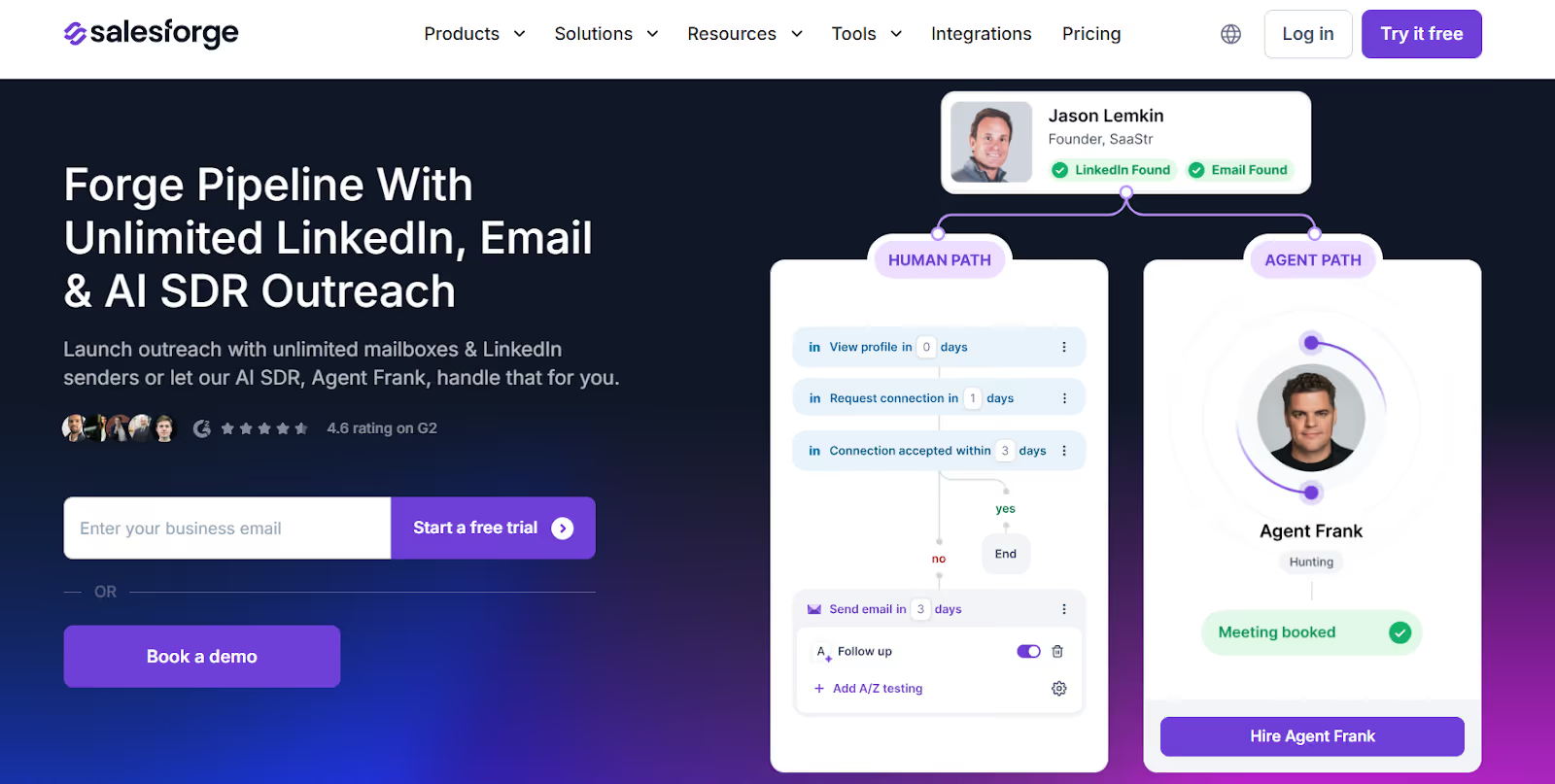
This image shows the Salesforge homepage
Salesforge is a multi-channel outbound sales platform made for LinkedIn and cold email outreach.
Instead of focusing only on LinkedIn automation, Salesforge helps you launch outreach campaigns, automate follow-ups, and book meetings from one platform.
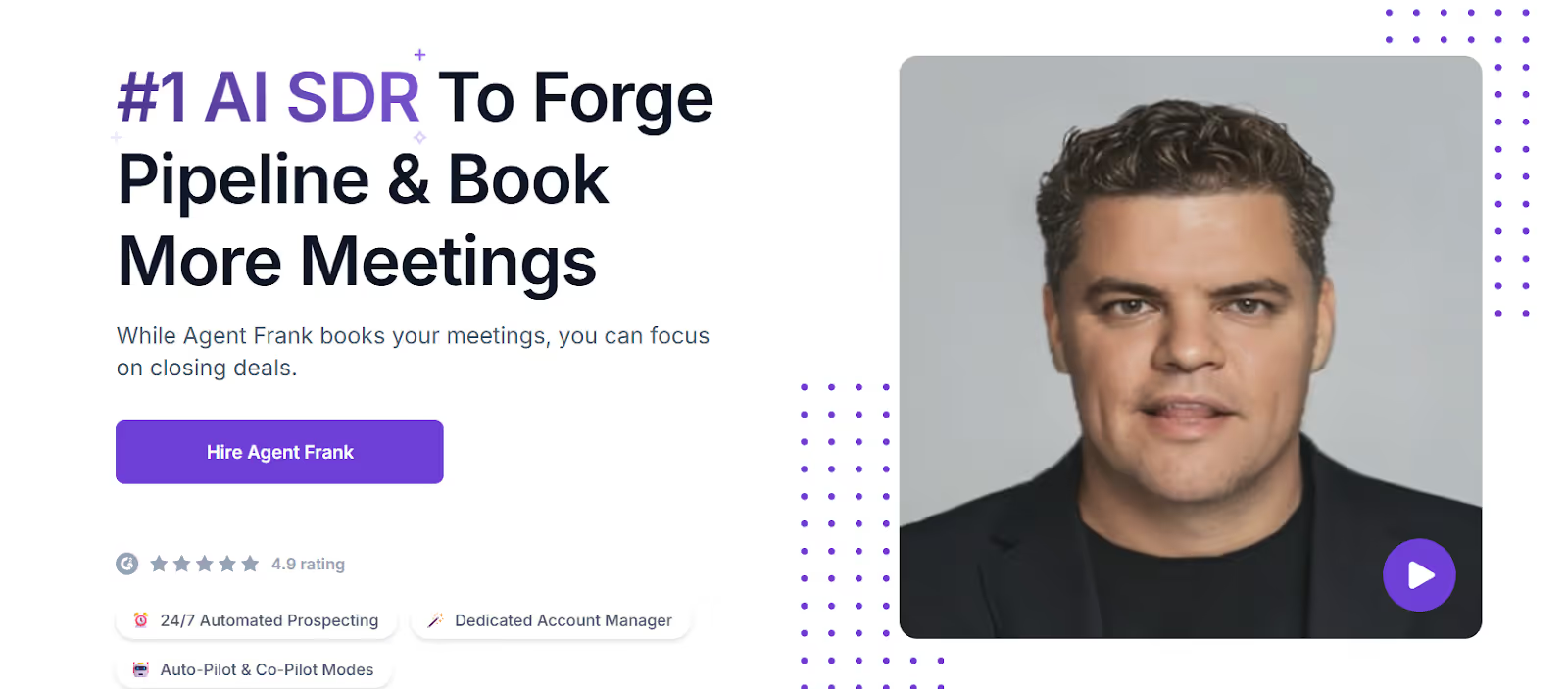
This image shows the AI SDR by Salesforge
It also includes an AI SDR called Agent Frank, who can handle prospecting, message writing, follow-ups, and meeting booking automatically.
Aimfox vs Salesforge: Feature Comparison
Aimfox vs Salesforge — Comparison
Feature
Aimfox
Salesforge
Platform Type
LinkedIn outreach automation tool
Multi-channel outreach platform
Email + LinkedIn
Core Function
Scale LinkedIn outreach
Generate pipeline and book meetings
Pipeline
LinkedIn Outreach
Automated LinkedIn outreach
Automated LinkedIn outreach
Email Outreach
Not supported
Built-in cold email
Built-in
Unified Inbox
Yes (Unibox)
Yes (Primebox™)
AI SDR
No
Agent Frank
AI SDR
Scaling Outreach
Limited by seats and profiles
Unlimited senders & mailboxes
Unlimited
Email Deliverability Tools
Not available
Built-in warm-up (Warmforge)
Best For
LinkedIn-only outreach
Full outbound pipeline generation
If your main goal is to scale LinkedIn outreach only, Aimfox can be a good fit.
But if you want to start conversations across LinkedIn and email, scale outreach without limits, and generate consistent pipeline, Salesforge is the better Aimfox alternative.
Is Aimfox Worth It?
Aimfox is worth using if your main goal is to scale LinkedIn outreach only.
It works well for teams that rely heavily on LinkedIn and want to automate connection requests, messages, and follow-ups.
However, if you want to reach prospects on LinkedIn and email, manage all replies in one place, and generate more pipeline at scale, Aimfox may feel limited.
Salesforge is a better choice for outreach teams that want more flexibility and growth.
It lets you run LinkedIn and cold email outreach together, use unlimited senders and mailboxes, and even automate outreach with an AI SDR.
If your goal is not just to send messages but to book meetings and grow revenue, Salesforge is the stronger option.
I dug through Workflows.io's five services, its $4K to $12K pricing bands, ten published case studies, and how it stacks up against certified outbound alternatives.
I dug through corebits.io, the gtm.corebits.io subdomain, and every case study across their three engines to give you an honest read before you book the discovery call.
Read this Vantage Profiles review for a clear look at its LinkedIn account rental service, pricing, identity risks, customer feedback, and whether it is worth using.



.jpg)

