LinkedIn growth has changed from a manual activity into a connected workflow. A team may start with a LinkedIn profile, but the real work usually continues across enrichment tools, outbound platforms, CRMs, spreadsheets, content systems, and reporting dashboards.
MCP servers matter because they let AI assistants work across those systems with structured tool access. Instead of asking an AI assistant to only write a LinkedIn message, a user can ask it to research a prospect, enrich the account, prepare a LinkedIn touchpoint, draft an email follow-up, update a CRM field, and summarize the next action.
This guide focuses on practical LinkedIn growth, not MCP novelty. The goal is to help you understand what each tool actually offers through MCP or MCP-style workflows, where it fits in the LinkedIn growth stack, what it does not solve, and which option makes sense for your use case.
The best MCP server for LinkedIn depends on what you mean by growth. Some tools help you grow through outbound sales. Some help with LinkedIn content and engagement. Others help AI agents collect LinkedIn data, enrich leads, or automate research workflows.
For most growth teams, the strongest stack is not one tool. It is usually Clay or Bright Data for research, Salesforge, HeyReach, or Apollo for execution, and Taplio for content-led growth.
I evaluated each MCP Server based on how useful it is for a real LinkedIn growth workflow. A tool scored higher when it helped with more than one isolated action and could connect LinkedIn activity to research, enrichment, personalization, outreach, content, or CRM execution.
The most useful LinkedIn MCP tools are not always the most technical ones. For growth teams, the best tool is usually the one that creates a clearer handoff between prospect data, AI reasoning, human approval, and campaign execution.
This table shows what each tool contributes specifically from an MCP or AI-agent workflow perspective. Use it to decide whether you need research, enrichment, outreach execution, content growth, data extraction, or developer control.
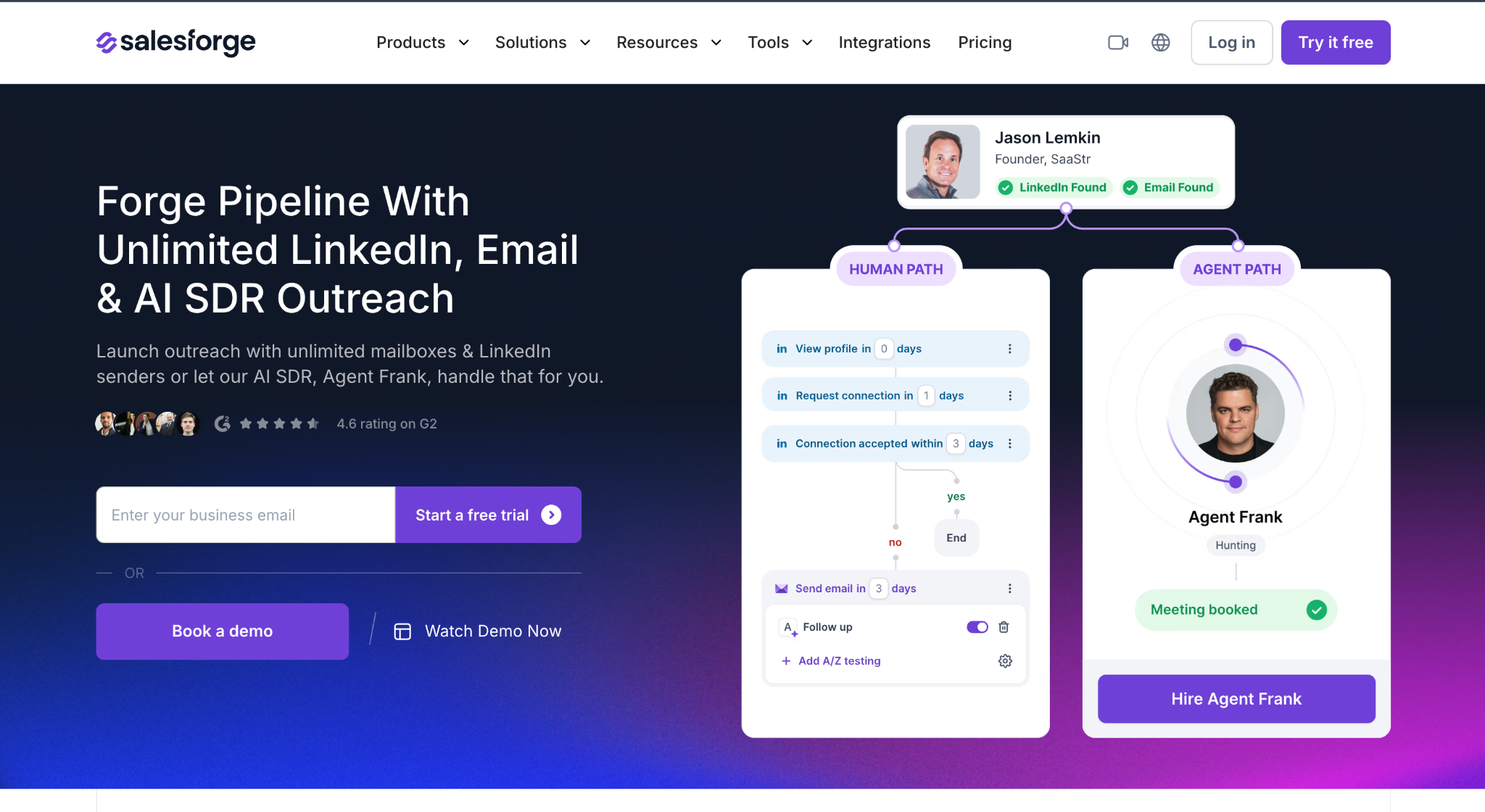
Salesforge MCP Server, also called Forge MCP Server, connects the Salesforge ecosystem with AI assistants that support Model Context Protocol. It is built for outbound teams that want to manage prospecting, LinkedIn outreach, cold email, mailbox infrastructure, warmup, and campaign analytics from one AI-assisted workflow.
The main advantage is that it does not treat LinkedIn as a separate activity. It connects LinkedIn-style prospecting with email outreach, lead enrichment, sending infrastructure, and campaign execution.
Setup clarity: Salesforge has native MCP documentation, so this is one of the clearest tools on the list to connect.
The MCP server itself is free to connect. You pay for the underlying Forge products. Public pricing signals include Salesforge free trial availability, Mailforge around $2-$3 per mailbox/month, Infraforge around $3-$4 per mailbox/month, Primeforge around $3.50-$4.50 per mailbox/month, Leadsforge credit-based usage, and Warmforge free warmup/placement-test allowances depending on setup.
Salesforge MCP Server is one of the strongest options if your LinkedIn growth goal is pipeline, not just visibility. It works best for sales teams, agencies, and founders who want LinkedIn and email to work together in one outbound motion.
Best for lead generation inside the Forge stack
Leadsforge is the lead generation and enrichment layer of the Forge ecosystem. Through Forge MCP, users can ask an AI assistant to find, enrich, and prepare leads for outbound workflows.
For LinkedIn growth, Leadsforge is useful when the problem is not what to post, but who to target.

Setup clarity: Leadsforge is connected through the Forge MCP setup rather than as a completely separate standalone MCP server.
Leadsforge is credit-based. The MCP connection is part of the Forge MCP setup, but actual lead generation and enrichment consume Leadsforge credits. Free credits may be available on signup.
Leadsforge MCP Server is best for teams that need lead discovery before outreach. It is especially useful when paired with Salesforge because the workflow can move from prospecting to campaign execution without switching systems.
Best for enrichment and GTM workflows
Clay MCP connects Clay workspaces to AI tools like ChatGPT and Claude. Clay is popular for enrichment waterfalls, account research, data workflows, and GTM automation. MCP makes those workflows easier to trigger from a conversational AI assistant.
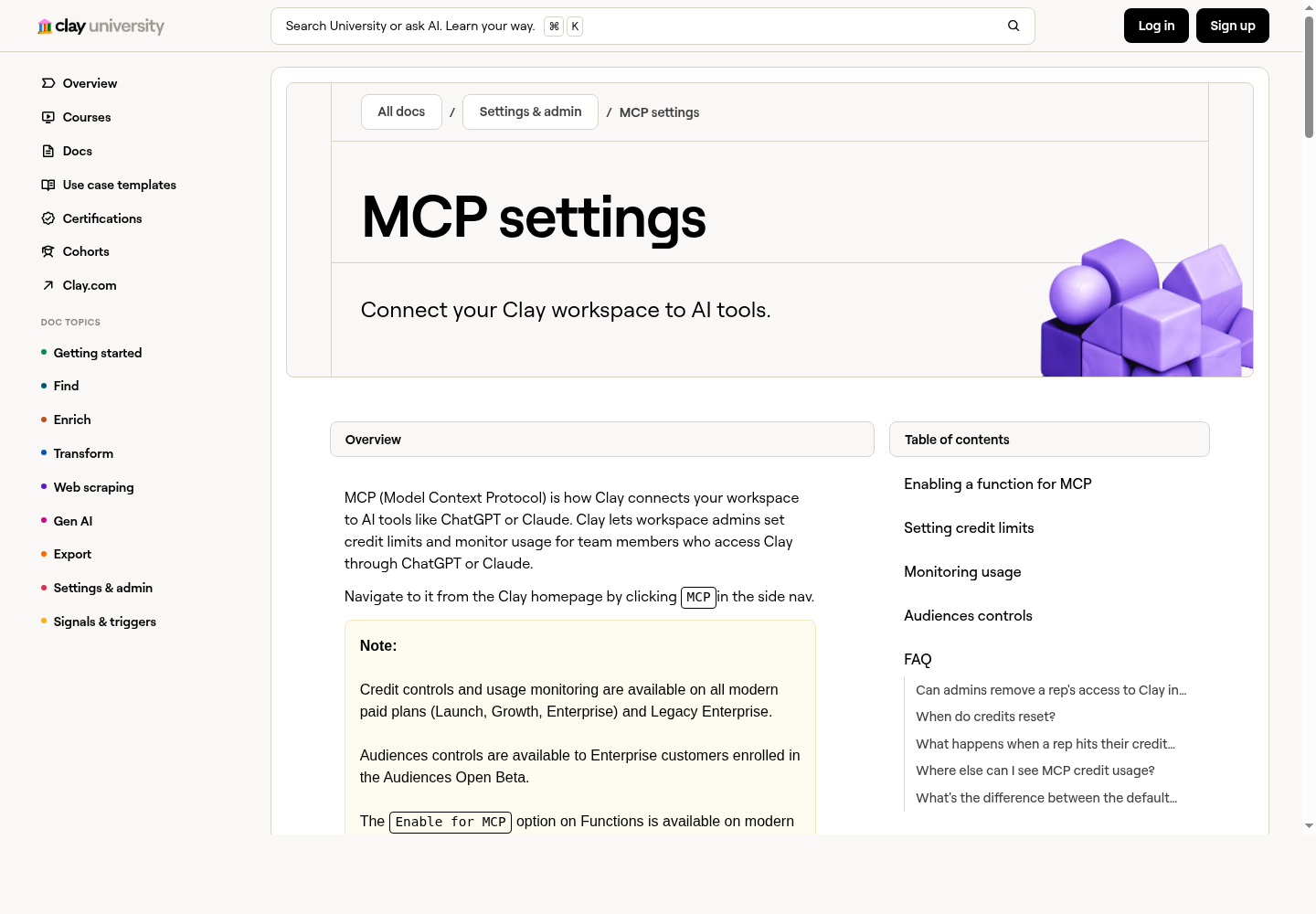
Product screenshot: Clay MCP settings page for connecting a workspace to AI tools and controlling usage.
Setup clarity: Clay has official MCP settings and usage controls, which makes it suitable for teams that care about credit governance.
Clay pricing currently includes a Free plan with limited credits/actions, Launch around $167-$185/month depending on billing/page state, Growth around $446-$495/month depending on billing/page state, and Enterprise custom pricing. Clay MCP features are available on modern paid plans such as Launch, Growth, Enterprise, and Legacy Enterprise.
Clay MCP Server is best for enrichment-heavy LinkedIn workflows. It is not the cheapest tool, but it is one of the strongest options when your workflow depends on high-quality data, account research, and reusable GTM systems.
Best for multi-account LinkedIn outreach
HeyReach is a LinkedIn outreach platform for sales teams and agencies. Its MCP server lets users connect HeyReach with AI assistants and run LinkedIn outreach workflows more conversationally.
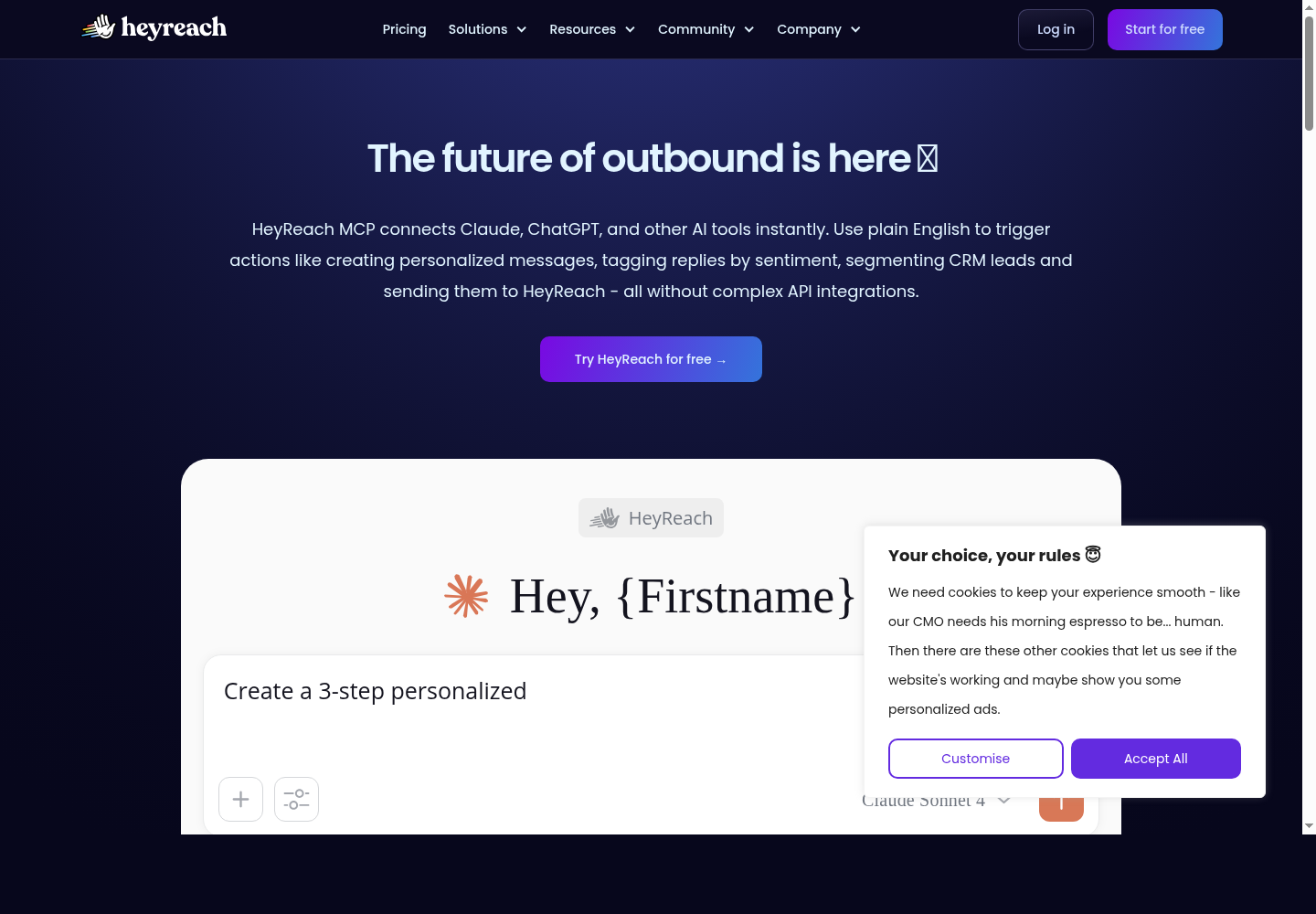
Product screenshot: HeyReach MCP landing page for connecting LinkedIn outreach workflows to AI tools.
Setup clarity: HeyReach has MCP positioning and help documentation, but users should still validate which actions are available in their plan.
HeyReach MCP does not appear to have separate pricing. It is included with HeyReach. Public pricing includes Growth at $79/month for 1 sender, Agency at $999/month for 50 senders, and Unlimited at $1,999/month for unlimited senders. HeyReach charges by LinkedIn sender account, not by user.
HeyReach MCP Server is best for LinkedIn outreach at scale. It is not mainly a content-growth tool. Use it when the goal is replies, meetings, and multi-account LinkedIn prospecting.
Best for LinkedIn content and personal branding
Taplio is built for LinkedIn content growth, personal branding, engagement, and analytics. Unlike Salesforge or HeyReach, Taplio is not primarily an outbound sales platform. It is more useful for founders, creators, and teams that want to grow visibility and turn engagement into relationships.
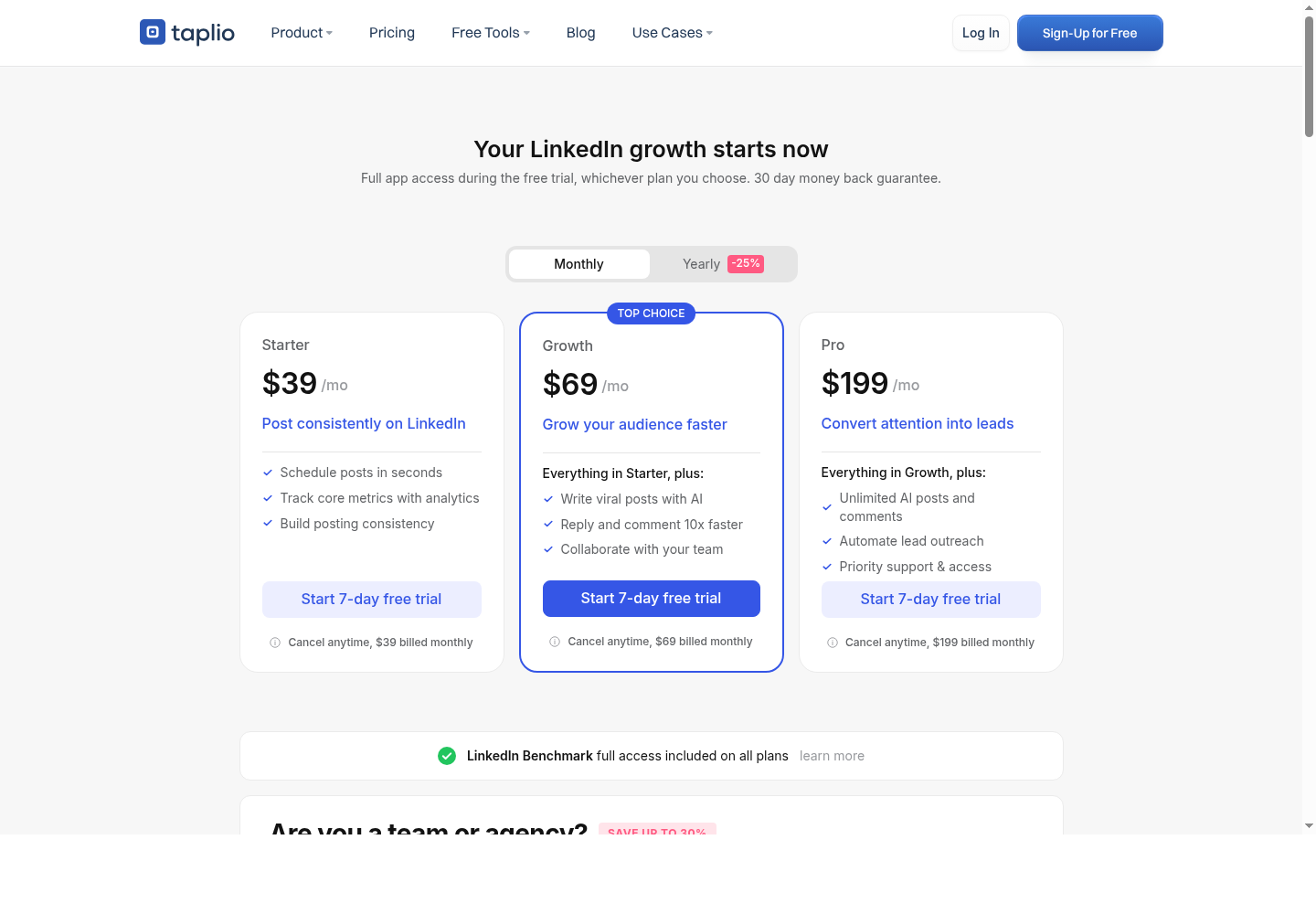
Product screenshot: Taplio pricing/features page showing LinkedIn content, engagement, and outreach features.
Setup clarity: Treat Taplio as an MCP-style workflow unless you are using a specific native Taplio MCP connector. It is strong for content workflows, but posting should stay approval-based.
Taplio pricing publicly starts around $39/month. It also offers a 7-day free trial with access to Pro features. Higher tiers vary by AI credits, engagement tools, analytics, list building, and outreach/networking features.
Taplio is the best choice in this list for content-led LinkedIn growth. Use it if you want inbound authority, consistent posting, and better engagement. Do not use it as your main scraping or outbound automation tool.
Best open-source browser-based LinkedIn MCP
stickerdaniel LinkedIn MCP Server is an open-source LinkedIn MCP server that uses browser automation. It manages a stateful browser session, which makes it different from API-only MCP servers. This is a technical option for developers and advanced operators.
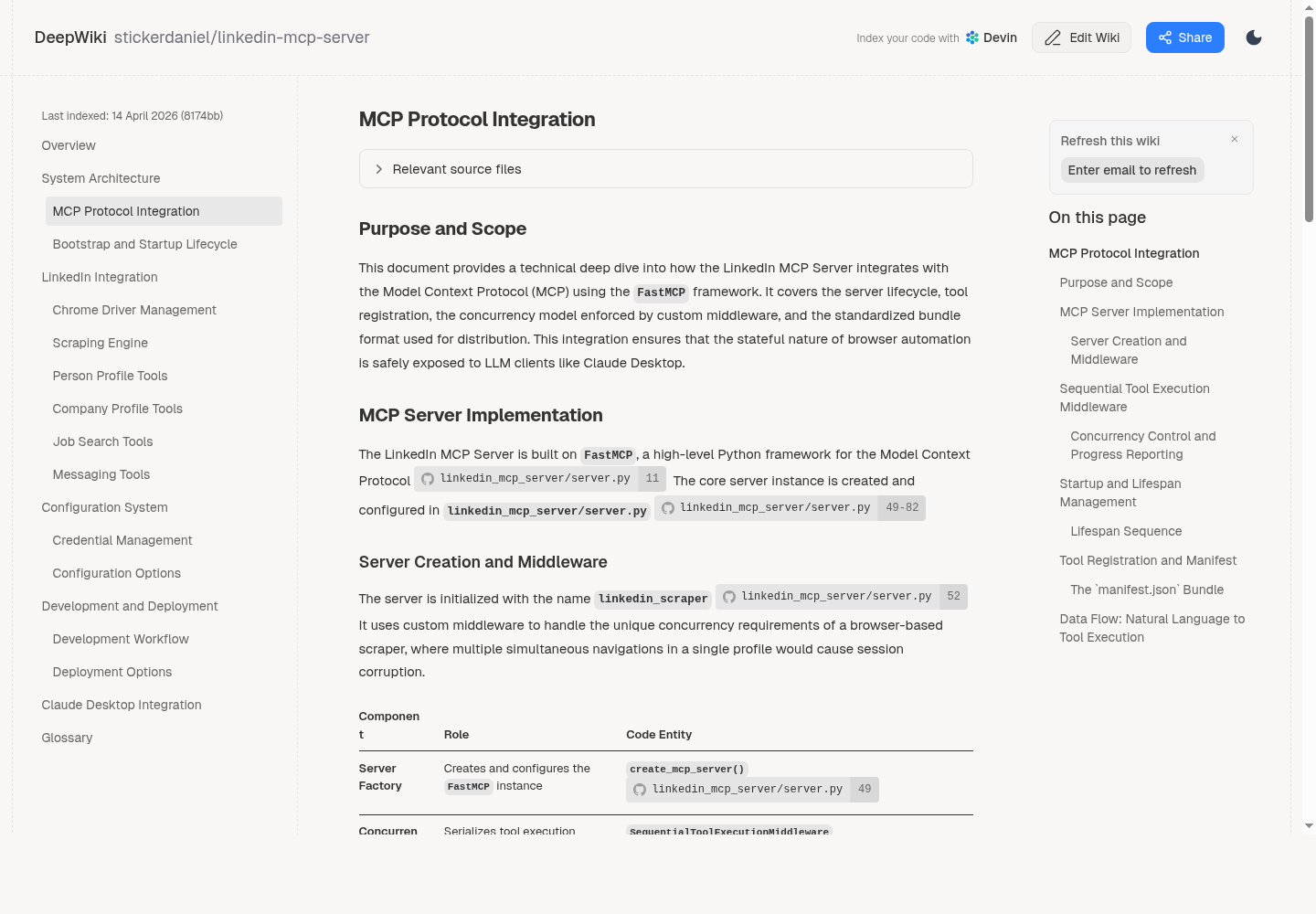
Product screenshot: technical documentation for stickerdaniel's browser-based LinkedIn MCP server.
Setup clarity: This is a developer setup. It gives more control, but it also requires maintenance and careful LinkedIn account-risk management.
The MCP server appears to be open-source/free. Real costs may include developer setup time, hosting or local runtime, browser/session management, proxy or infrastructure cost, and maintenance when LinkedIn changes its interface.
stickerdaniel LinkedIn MCP Server is best for technical users who want direct control over LinkedIn browser automation. It is flexible, but it carries more setup and maintenance burden than a commercial SaaS tool.
Best open-source LinkedIn/recruiting MCP
felipfr LinkedIn MCP Server is an open-source LinkedIn MCP implementation listed in MCP directories. It is described as supporting LinkedIn-style workflows for profile search, job retrieval, messaging, recruitment, and professional networking.
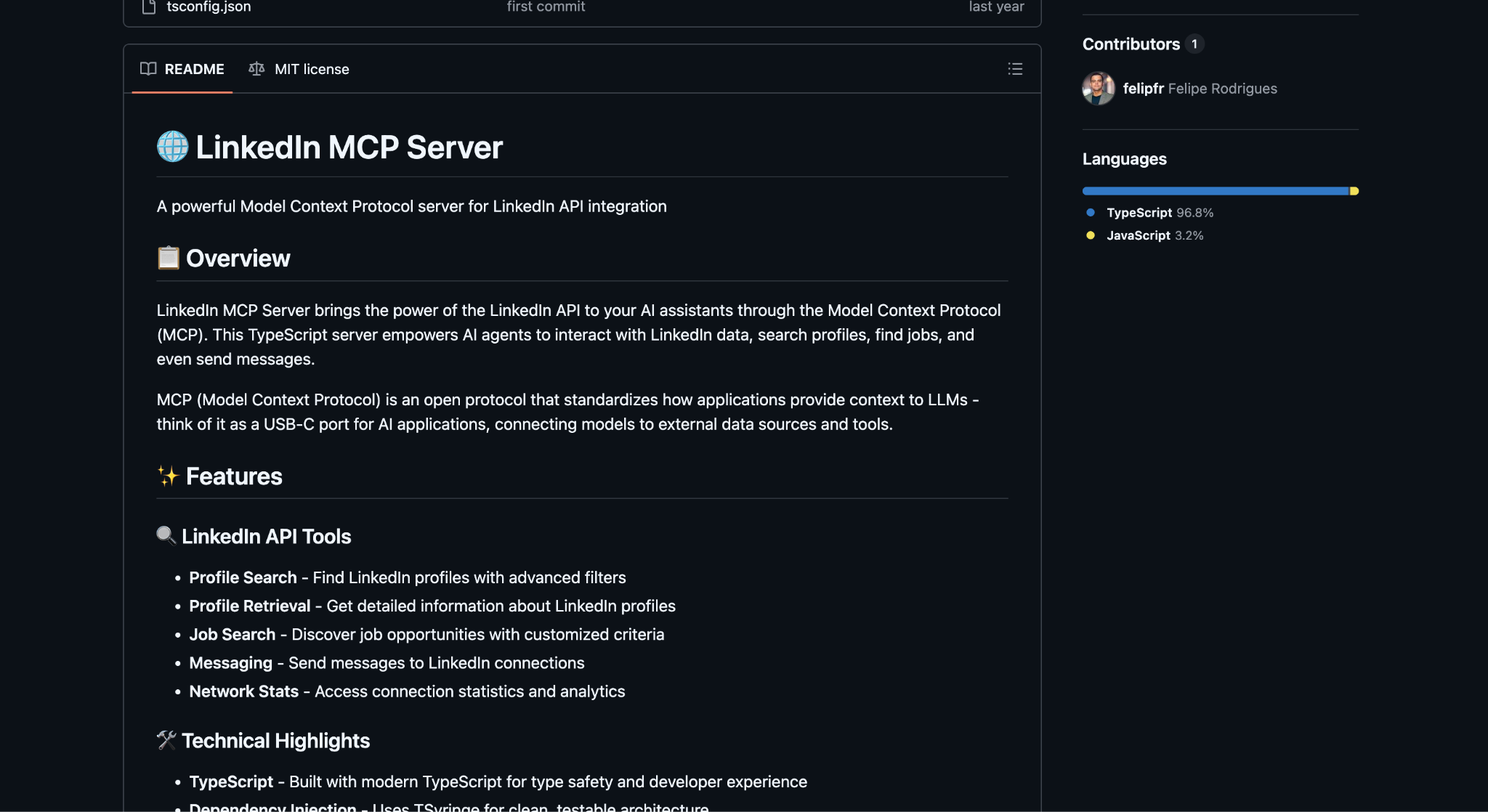
Product screenshot: PulseMCP listing for felipfr LinkedIn MCP Server.
Setup clarity: This is best treated as an open-source experimental MCP server. Review maintenance status before using it for production workflows.
The MCP server itself appears to be open-source/free. Potential costs include developer setup time, hosting/local runtime, maintenance, LinkedIn account/session handling, and any infrastructure needed for stable operation.
felipfr LinkedIn MCP Server is best for developers testing LinkedIn MCP workflows, especially around recruiting or professional networking. It is not the best choice for a team that wants polished reporting, support, and managed outreach.
Best for LinkedIn data extraction and web access
Bright Data MCP Server gives AI agents access to real-time web data, search, scraping, extraction, browser automation, and structured datasets. For LinkedIn, Bright Data is valuable because it supports structured extraction from LinkedIn person and company profiles.
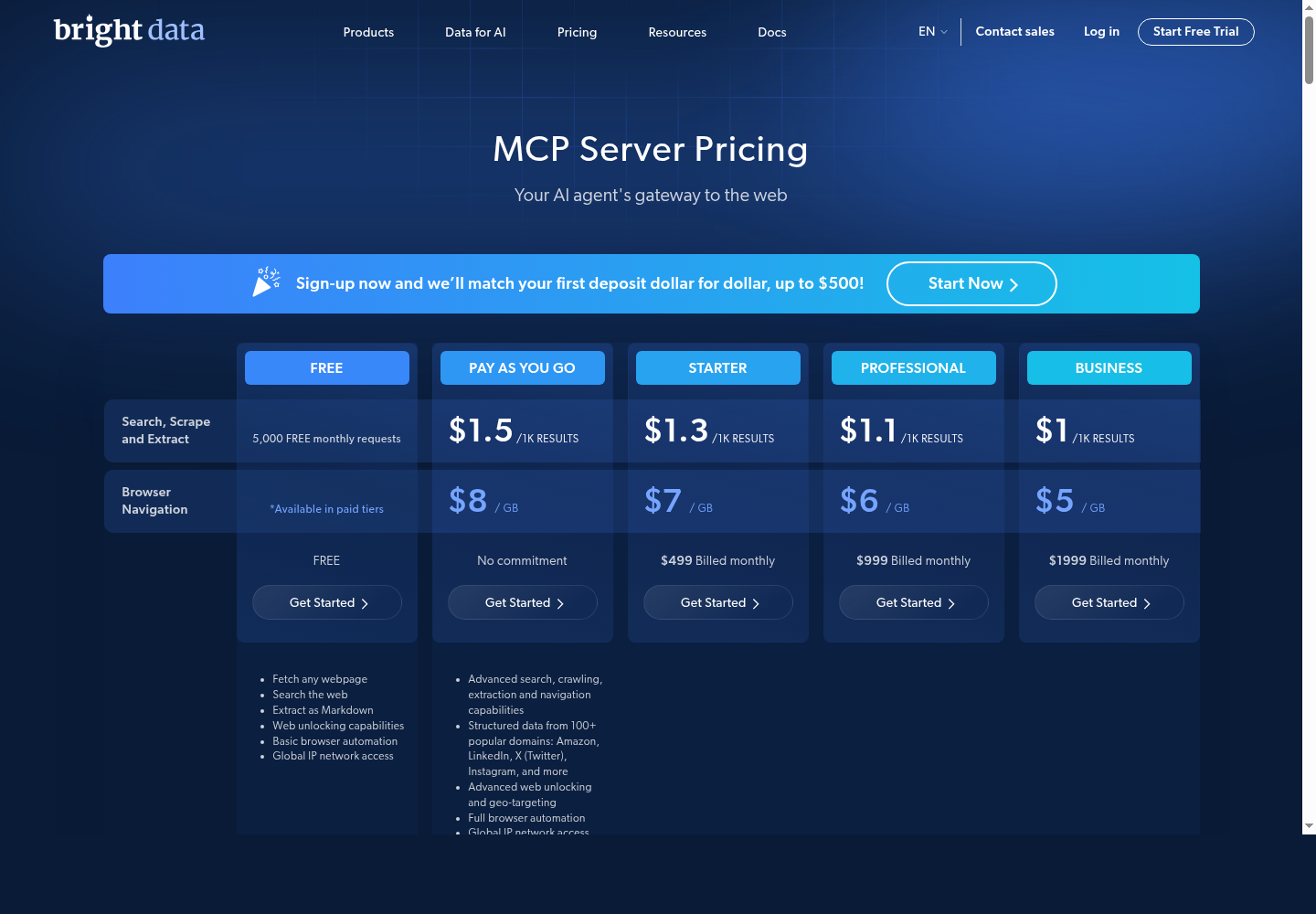
Product screenshot: Bright Data MCP pricing page showing web access, scraping, and structured data capabilities.
Setup clarity: Bright Data has a clear MCP product and pricing page. It is strongest as a data layer, not an outreach execution layer.
Bright Data MCP pricing includes a Free tier with 5,000 monthly requests, pay as you go at around $1.50 per 1,000 results for search/scrape/extract and around $8/GB for browser navigation, Starter at $499/month, Professional at $999/month, Business at $1,999/month, and enterprise/custom pricing for larger scale.
Bright Data MCP Server is best for LinkedIn data extraction, research, and enrichment. It should usually be paired with an execution tool like Salesforge, Apollo, Clay, or a CRM.
Best no-code LinkedIn automation workflow
PhantomBuster is a no-code automation platform used for LinkedIn lead generation, extraction, enrichment, and scheduled workflows. It is useful for teams that want LinkedIn automation without building custom scrapers or MCP servers.
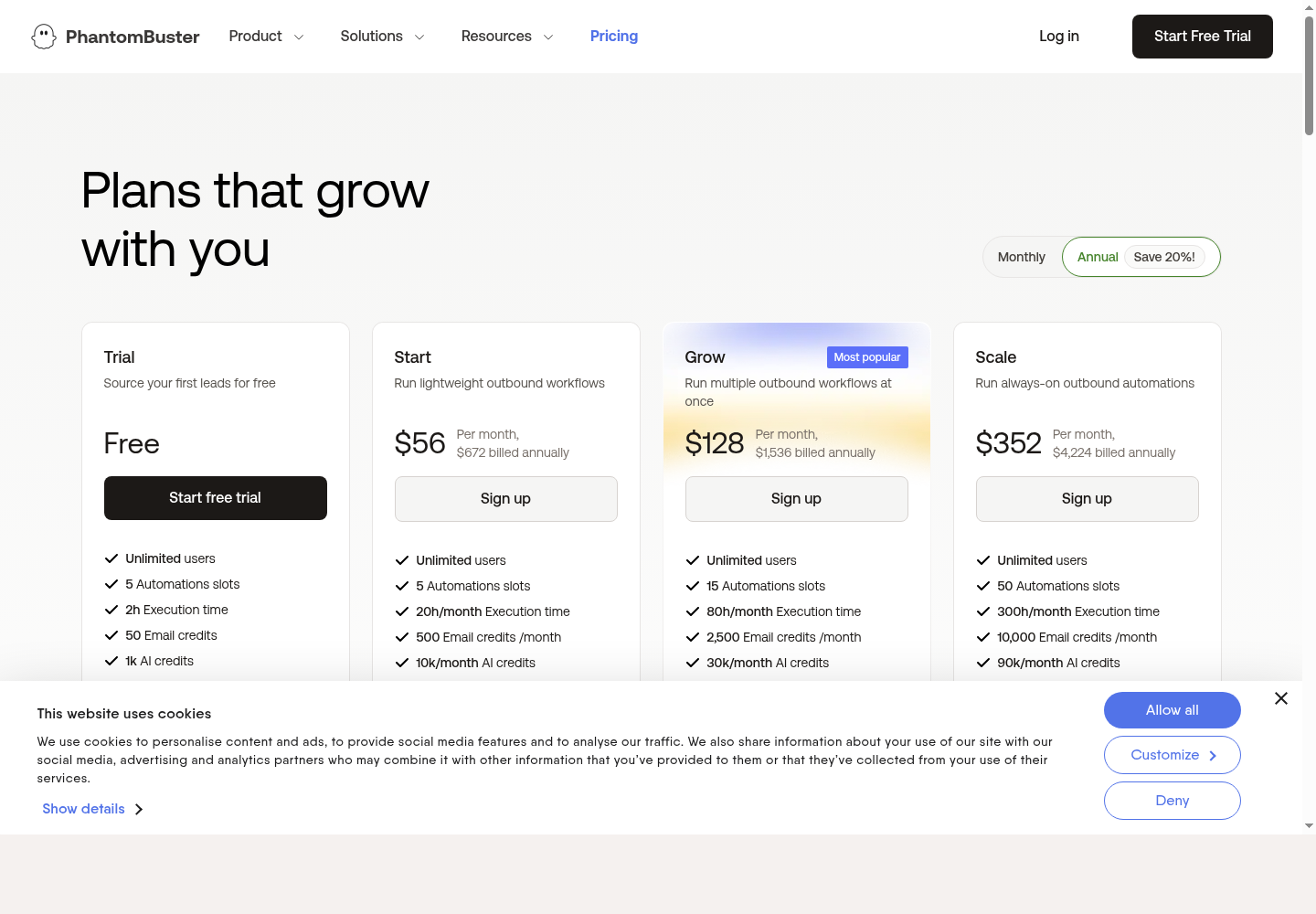
Product screenshot: PhantomBuster pricing/features page for no-code automation and workflow execution.
Setup clarity: Treat PhantomBuster as an MCP-style workflow unless you are using a specific PhantomBuster MCP connector. It is practical for no-code extraction and scheduled automation.
Current public pricing includes Trial/free with limited resources, Start at $56/month annually, Grow at $128/month annually, and Scale at $352/month annually. Plans vary by automation slots, execution hours, email credits, AI credits, URL finder credits, and exports.
PhantomBuster is best for no-code LinkedIn automation and extraction. It is easier than open-source MCP servers but can become expensive as usage grows.
Best for sales prospecting and sequencing
Apollo is a sales intelligence and engagement platform for prospecting, enrichment, and outbound sequencing. Apollo MCP workflows help AI agents use Apollo data to find prospects, enrich contacts, prepare sequences, and support account research.
Product screenshot: Apollo pricing/features page for prospecting, enrichment, and outbound workflows.
Setup clarity: Apollo is best described here as an MCP workflow unless you are using a specific Apollo MCP server implementation. It is useful when the AI assistant needs sales data and sequencing context.
Apollo pricing publicly includes Free at $0, Basic around $59/seat/month, Professional around $99/seat/month, and Organization custom or reported around $149/seat/month. Annual billing is usually cheaper. Real cost depends on seats, credits, exports, mobile credits, CRM sync, and AI features.
Apollo MCP Workflow is best for sales teams that want prospecting, enrichment, and sequencing in one system. It is a strong fit when LinkedIn is part of the research process, but not the only channel.
The best LinkedIn MCP server depends on the growth motion.
If you want pipeline, start with Salesforge, Leadsforge, HeyReach, Apollo, or Clay. If you want content-led growth, start with Taplio. If you want LinkedIn data extraction, use Bright Data or PhantomBuster. If you want open-source control, test stickerdaniel or felipfr, but expect more setup and maintenance.
The main mistake is choosing a LinkedIn MCP server only because it can automate actions. The better question is whether it helps the AI agent make better decisions with better context. That is where MCP is useful: research, enrichment, personalization, outreach, engagement, and measurement working in one connected workflow.