Table of contents
Get insights delivered straight into your inbox every week!
Summarize with

10 Best MCP Servers For LinkedIn To Scale Overall Growth in 2026

LinkedIn growth has changed from a manual activity into a connected workflow. A team may start with a LinkedIn profile, but the real work usually continues across enrichment tools, outbound platforms, CRMs, spreadsheets, content systems, and reporting dashboards.

MCP servers matter because they let AI assistants work across those systems with structured tool access. Instead of asking an AI assistant to only write a LinkedIn message, a user can ask it to research a prospect, enrich the account, prepare a LinkedIn touchpoint, draft an email follow-up, update a CRM field, and summarize the next action.

This guide focuses on practical LinkedIn growth, not MCP novelty. The goal is to help you understand what each tool actually offers through MCP or MCP-style workflows, where it fits in the LinkedIn growth stack, what it does not solve, and which option makes sense for your use case.

Quick Answer: Best LinkedIn MCP Servers By Use Case

The best MCP server for LinkedIn depends on what you mean by growth. Some tools help you grow through outbound sales. Some help with LinkedIn content and engagement. Others help AI agents collect LinkedIn data, enrich leads, or automate research workflows.

  • Best for LinkedIn + cold email outbound: Salesforge MCP Server
  • Best for lead generation inside the Forge stack: Leadsforge MCP Server
  • Best for enrichment and GTM workflows: Clay MCP Server
  • Best for multi-account LinkedIn outreach: HeyReach MCP Server
  • Best for LinkedIn content and personal branding: Taplio MCP Workflow
  • Best open-source browser-based LinkedIn MCP: stickerdaniel LinkedIn MCP Server
  • Best open-source LinkedIn/recruiting MCP: felipfr LinkedIn MCP Server
  • Best for LinkedIn data extraction and web access: Bright Data MCP Server
  • Best no-code LinkedIn automation workflow: PhantomBuster MCP Server
  • Best for sales prospecting and sequencing: Apollo MCP Workflow

For most growth teams, the strongest stack is not one tool. It is usually Clay or Bright Data for research, Salesforge, HeyReach, or Apollo for execution, and Taplio for content-led growth.

How I Evaluated These MCP Servers

I evaluated each MCP Server based on how useful it is for a real LinkedIn growth workflow. A tool scored higher when it helped with more than one isolated action and could connect LinkedIn activity to research, enrichment, personalization, outreach, content, or CRM execution.

  • MCP usefulness: whether the tool exposes meaningful actions to AI assistants instead of only acting as a static data source.
  • LinkedIn relevance: whether the tool directly supports LinkedIn outreach, LinkedIn data, LinkedIn content, or LinkedIn-driven sales workflows.
  • Workflow depth: whether it helps users move from research to action, not just collect data.
  • Ease of adoption: whether non-technical growth teams can use it, or whether it needs developer setup and maintenance.
  • Data and execution quality: whether it improves targeting, enrichment, personalization, sequencing, or measurement.
  • Pricing clarity: whether users can understand the likely cost before committing.
  • Risk and control: whether the tool gives users enough control over automation, rate limits, credits, sender accounts, and human review.

The most useful LinkedIn MCP tools are not always the most technical ones. For growth teams, the best tool is usually the one that creates a clearer handoff between prospect data, AI reasoning, human approval, and campaign execution.

10 Best MCP Servers For LinkedIn 

This table shows what each tool contributes specifically from an MCP or AI-agent workflow perspective. Use it to decide whether you need research, enrichment, outreach execution, content growth, data extraction, or developer control.

Tool Primary MCP Value LinkedIn Growth Role Best User Key Strength Main Limitation Pricing Style
Salesforge MCP Server Best Execution Layer
Lets AI assistants manage outbound workflows across the Forge stack. Turns LinkedIn prospecting into LinkedIn + cold email sequences. Sales teams, founders, outbound agencies. Strongest execution layer for pipeline-focused LinkedIn growth. Not built mainly for content-led personal branding. MCP connection free; pay for Forge products.
Leadsforge MCP Server
Lets AI agents generate and enrich lead lists from ICP prompts. Finds the right people before LinkedIn or email outreach starts. Outbound teams that need prospect lists. Good fit with Salesforge for end-to-end prospecting and outreach. Less useful if you already have clean lead data. Credit-based lead generation/enrichment.
Clay MCP Server
Exposes Clay enrichment functions and workflows to AI assistants. Turns LinkedIn profile/company signals into richer GTM intelligence. GTM teams, RevOps, growth operators. Excellent enrichment waterfalls, account research, and workflow control. Can become expensive or complex without credit controls. Paid plans with credits; MCP on modern paid tiers.
HeyReach MCP Server
Connects LinkedIn outreach campaigns and sender accounts to AI workflows. Runs multi-account LinkedIn outreach at team or agency scale. Agencies and sales teams using multiple LinkedIn senders. Strong for sender management and scalable LinkedIn outreach. Not designed for content creation or deep enrichment by itself. Sender-based monthly plans.
Taplio MCP Workflow
Supports AI-assisted content, scheduling, engagement, and relationship workflows. Grows LinkedIn visibility, engagement, and inbound demand. Founders, creators, consultants, marketers. Best option here for content-led LinkedIn growth. Not a heavy scraping, enrichment, or outbound infrastructure tool. Monthly SaaS plans starting around creator/team tiers.
stickerdaniel LinkedIn MCP Server
Provides browser-session-based LinkedIn automation through MCP. Lets developers build custom profile, messaging, and session workflows. Developers and technical operators. Open-source control and direct browser automation. Requires setup, maintenance, and compliance judgment. Open-source; infrastructure costs may apply.
felipfr LinkedIn MCP Server
Provides open-source LinkedIn profile, jobs, messaging, and networking tools. Supports recruiting and professional networking experiments. Developers and recruiters testing custom workflows. Useful for experimentation around profiles and jobs. Not a polished commercial growth platform. Open-source; setup/hosting costs may apply.
Bright Data MCP Server
Gives AI agents web access, scraping, browser automation, and structured data. Extracts LinkedIn person/company data for research and enrichment. Data teams, GTM ops, research-heavy teams. Strong data infrastructure and web-unlocking layer. Does not handle outreach execution by itself. Free tier, pay-as-you-go, and monthly plans.
PhantomBuster MCP Server
Runs no-code automation workflows that can feed AI or CRM systems. Extracts LinkedIn search/profile data and runs scheduled workflows. No-code growth operators and small teams. Fast setup for repeatable LinkedIn extraction workflows. Usage limits and execution hours can become constraints. Monthly plans based on execution/resources.
Apollo MCP Workflow
Lets AI-assisted workflows use Apollo prospecting, enrichment, and sequences. Combines LinkedIn-style research with sales database and outbound execution. B2B sales teams. Strong database plus sequencing workflow. Not a pure LinkedIn automation tool. Seat-based SaaS with credits/features by plan.

1. Salesforge MCP Server

Best for LinkedIn + cold email outbound

Salesforge MCP Server, also called Forge MCP Server, connects the Salesforge ecosystem with AI assistants that support Model Context Protocol. It is built for outbound teams that want to manage prospecting, LinkedIn outreach, cold email, mailbox infrastructure, warmup, and campaign analytics from one AI-assisted workflow.

The main advantage is that it does not treat LinkedIn as a separate activity. It connects LinkedIn-style prospecting with email outreach, lead enrichment, sending infrastructure, and campaign execution.
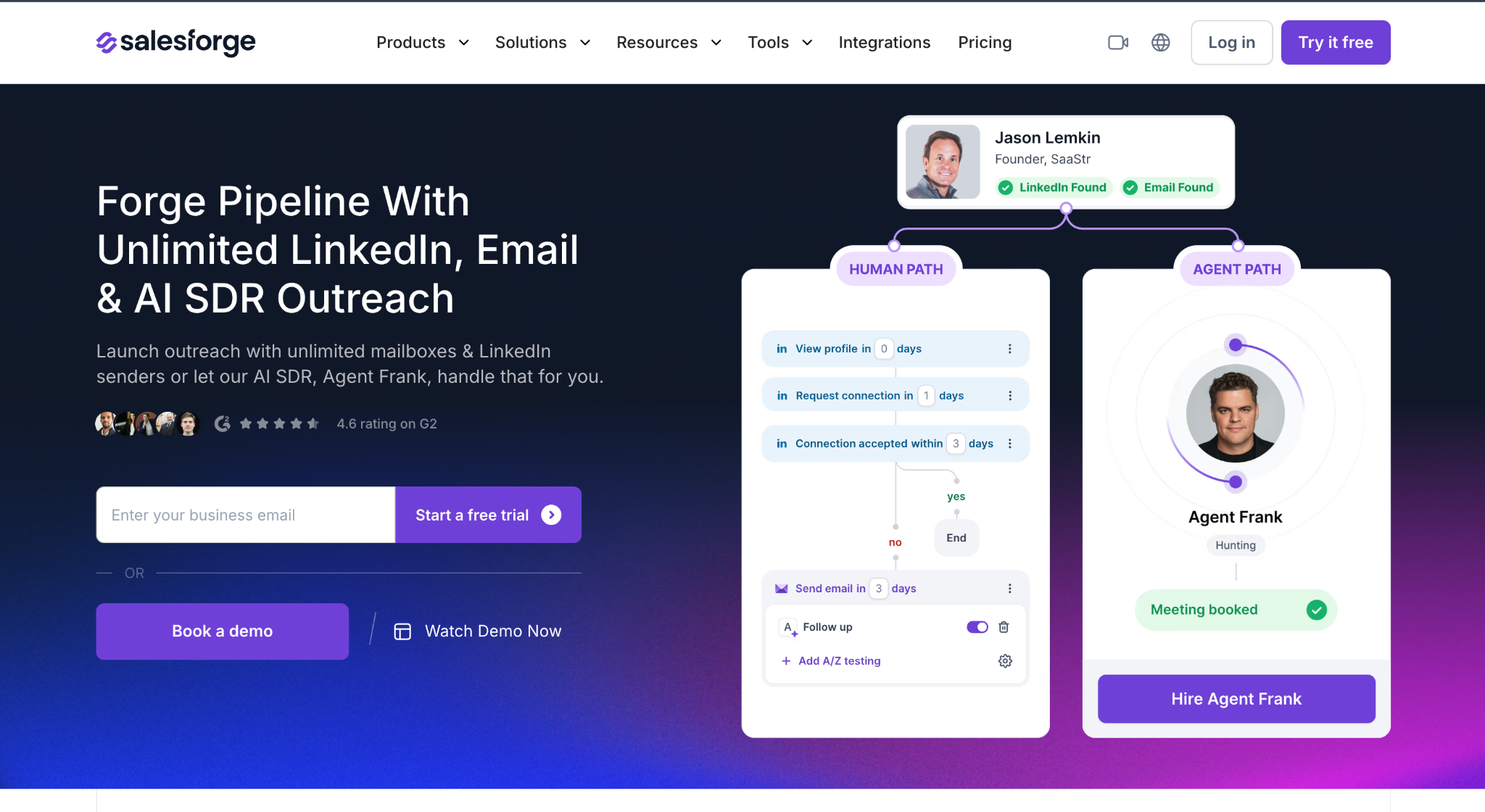
Salesforge MCP documentation for connecting Forge MCP with AI assistants.

How To Connect Salesforge MCP

  1. Create or log in to your Salesforge account and make sure the relevant Forge products are enabled for your workflow.
  2. Open the official Salesforge MCP setup guide and copy the Forge MCP server configuration into your MCP-compatible client, such as Claude Desktop, Cursor, or Windsurf.
  3. Add the required API credentials or access token as instructed by Salesforge.
  4. Restart the MCP client so it can discover the Forge tools.
  5. Test with a simple command such as asking the assistant to list available Forge actions or create a draft outbound workflow.

Setup clarity: Salesforge has native MCP documentation, so this is one of the clearest tools on the list to connect.

MCP Capabilities

  • Create and manage outbound campaigns.
  • Build LinkedIn and email outreach sequences.
  • Work with Salesforge, Leadsforge, Mailforge, Infraforge, Primeforge, and Warmforge.
  • Track campaign performance and manage mailboxes/domains.
  • Use Claude, Cursor, Windsurf, and other MCP-compatible clients to operate outbound workflows.

Pricing

The MCP server itself is free to connect. You pay for the underlying Forge products. Public pricing signals include Salesforge free trial availability, Mailforge around $2-$3 per mailbox/month, Infraforge around $3-$4 per mailbox/month, Primeforge around $3.50-$4.50 per mailbox/month, Leadsforge credit-based usage, and Warmforge free warmup/placement-test allowances depending on setup.

Summary

Salesforge MCP Server is one of the strongest options if your LinkedIn growth goal is pipeline, not just visibility. It works best for sales teams, agencies, and founders who want LinkedIn and email to work together in one outbound motion.

2. Leadsforge MCP Server

Best for lead generation inside the Forge stack

Leadsforge is the lead generation and enrichment layer of the Forge ecosystem. Through Forge MCP, users can ask an AI assistant to find, enrich, and prepare leads for outbound workflows.

For LinkedIn growth, Leadsforge is useful when the problem is not what to post, but who to target.

Forge MCP documentation. Leadsforge is part of the Forge workflow for creating and enriching leads.

How To Connect Leadsforge MCP

  1. Set up Leadsforge inside the Forge ecosystem.
  2. Connect the Forge MCP Server to your MCP client using the Salesforge/Forge MCP instructions.
  3. Confirm that Leadsforge actions are available inside the connected Forge MCP toolset.
  4. Add or verify the credits needed for lead generation and enrichment.
  5. Test with an ICP prompt, such as asking the assistant to find and enrich a small sample of prospects before running a larger workflow.

Setup clarity: Leadsforge is connected through the Forge MCP setup rather than as a completely separate standalone MCP server.

MCP Capabilities

  • Find prospects based on ICP criteria.
  • Enrich lead records.
  • Prepare lead lists for LinkedIn and email outreach.
  • Pass leads into Salesforge campaigns.
  • Use natural language to build prospecting workflows.

Pricing

Leadsforge is credit-based. The MCP connection is part of the Forge MCP setup, but actual lead generation and enrichment consume Leadsforge credits. Free credits may be available on signup.

Summary

Leadsforge MCP Server is best for teams that need lead discovery before outreach. It is especially useful when paired with Salesforge because the workflow can move from prospecting to campaign execution without switching systems.

3. Clay MCP Server

Best for enrichment and GTM workflows

Clay MCP connects Clay workspaces to AI tools like ChatGPT and Claude. Clay is popular for enrichment waterfalls, account research, data workflows, and GTM automation. MCP makes those workflows easier to trigger from a conversational AI assistant.
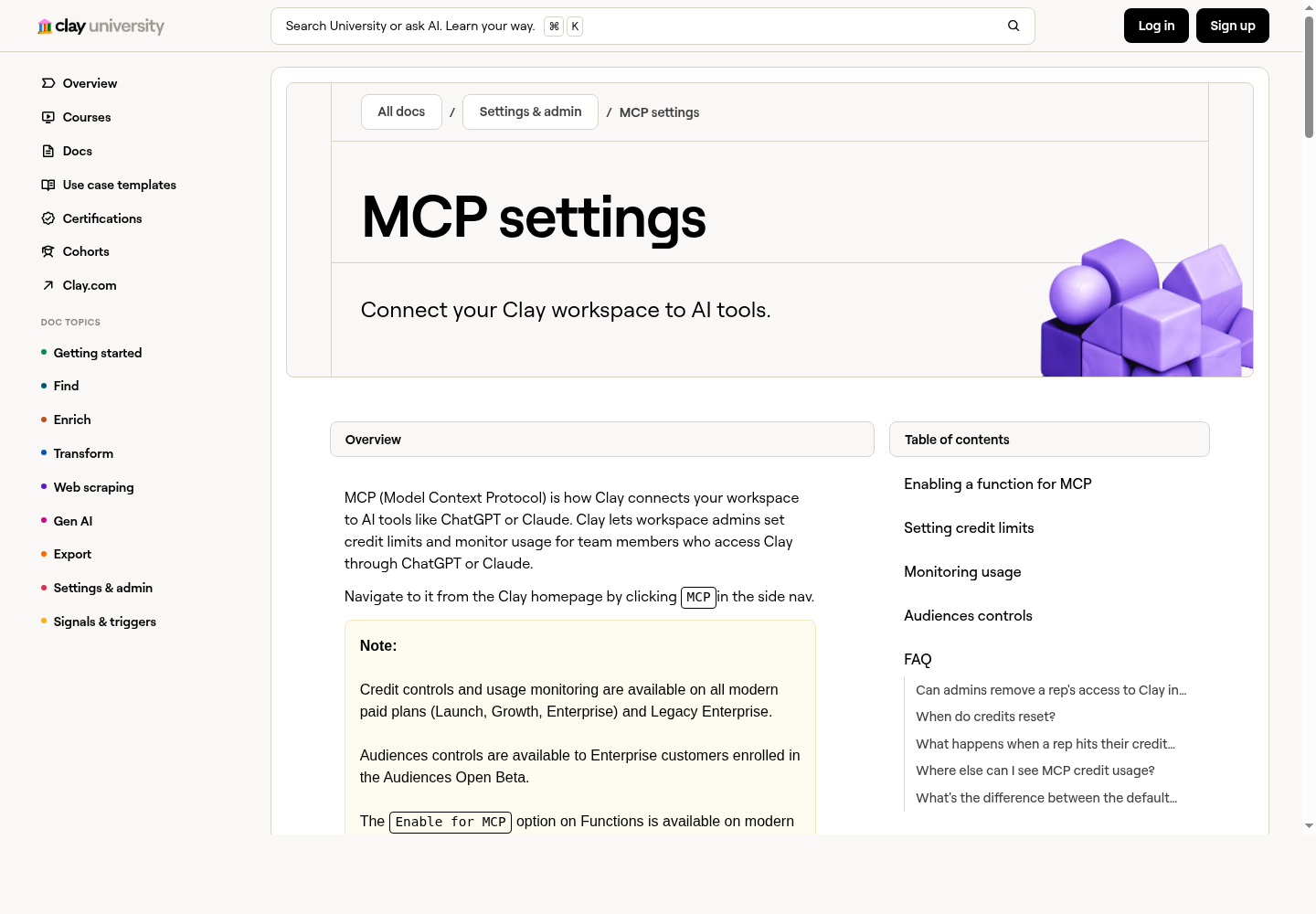
Clay MCP settings for AI-assisted enrichment workflows

Product screenshot: Clay MCP settings page for connecting a workspace to AI tools and controlling usage.

How To Connect Clay MCP

  1. Log in to Clay and open your workspace settings.
  2. Go to the MCP settings area.
  3. Create or choose the Clay functions you want AI assistants to access.
  4. Enable those functions for MCP and set credit limits for safety.
  5. Copy the Clay MCP configuration into your MCP client.
  6. Restart the client and test a small enrichment function before exposing larger workflows.

Setup clarity: Clay has official MCP settings and usage controls, which makes it suitable for teams that care about credit governance.

MCP Capabilities

  • Run Clay enrichment functions from AI assistants.
  • Search and enrich contacts/accounts.
  • Use Claygent for web research.
  • Trigger reusable GTM workflows.
  • Set credit limits and monitor MCP usage.

Pricing

Clay pricing currently includes a Free plan with limited credits/actions, Launch around $167-$185/month depending on billing/page state, Growth around $446-$495/month depending on billing/page state, and Enterprise custom pricing. Clay MCP features are available on modern paid plans such as Launch, Growth, Enterprise, and Legacy Enterprise.

Summary

Clay MCP Server is best for enrichment-heavy LinkedIn workflows. It is not the cheapest tool, but it is one of the strongest options when your workflow depends on high-quality data, account research, and reusable GTM systems.

4. HeyReach MCP Server

Best for multi-account LinkedIn outreach

HeyReach is a LinkedIn outreach platform for sales teams and agencies. Its MCP server lets users connect HeyReach with AI assistants and run LinkedIn outreach workflows more conversationally.
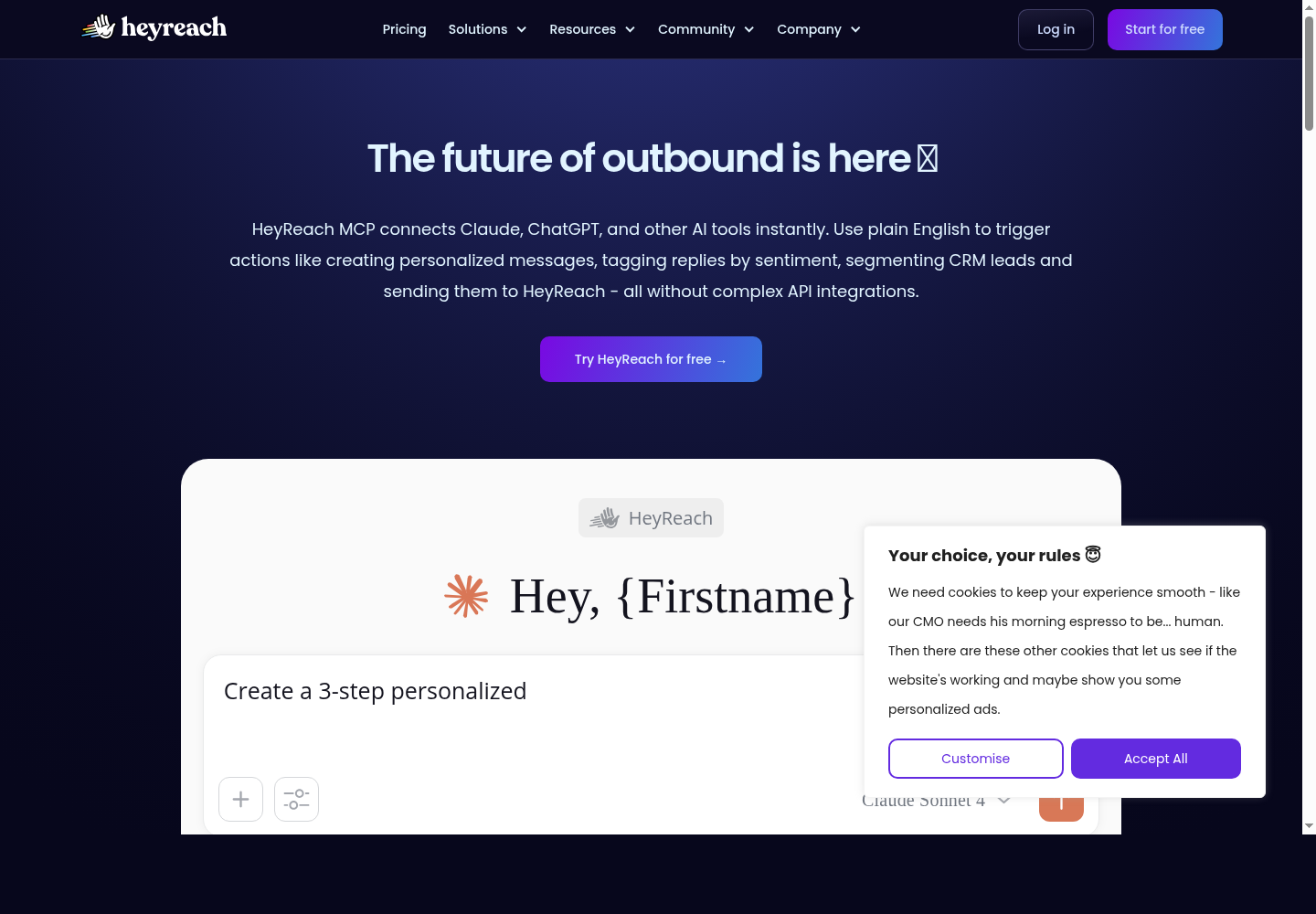
HeyReach MCP Server for LinkedIn outreach automation

Product screenshot: HeyReach MCP landing page for connecting LinkedIn outreach workflows to AI tools.

How To Connect HeyReach MCP

  1. Log in to HeyReach and make sure your sender accounts and campaigns are configured.
  2. Open HeyReach MCP or the relevant integration guide.
  3. Generate or copy the MCP connection details/API credentials from HeyReach.
  4. Add the configuration to your MCP-compatible client or automation platform, such as Make where supported.
  5. Restart the client and test with a limited campaign or read-only query before allowing campaign edits.

Setup clarity: HeyReach has MCP positioning and help documentation, but users should still validate which actions are available in their plan.

MCP Capabilities

  • Manage LinkedIn outreach workflows.
  • Create and update campaigns.
  • Work with multiple LinkedIn sender accounts.
  • Connect HeyReach to Claude, Cursor, Make, and other MCP-compatible tools.
  • Coordinate outreach actions through AI-assisted workflows.

Pricing

HeyReach MCP does not appear to have separate pricing. It is included with HeyReach. Public pricing includes Growth at $79/month for 1 sender, Agency at $999/month for 50 senders, and Unlimited at $1,999/month for unlimited senders. HeyReach charges by LinkedIn sender account, not by user.

Summary

HeyReach MCP Server is best for LinkedIn outreach at scale. It is not mainly a content-growth tool. Use it when the goal is replies, meetings, and multi-account LinkedIn prospecting.

5. Taplio MCP Workflow

Best for LinkedIn content and personal branding

Taplio is built for LinkedIn content growth, personal branding, engagement, and analytics. Unlike Salesforge or HeyReach, Taplio is not primarily an outbound sales platform. It is more useful for founders, creators, and teams that want to grow visibility and turn engagement into relationships.
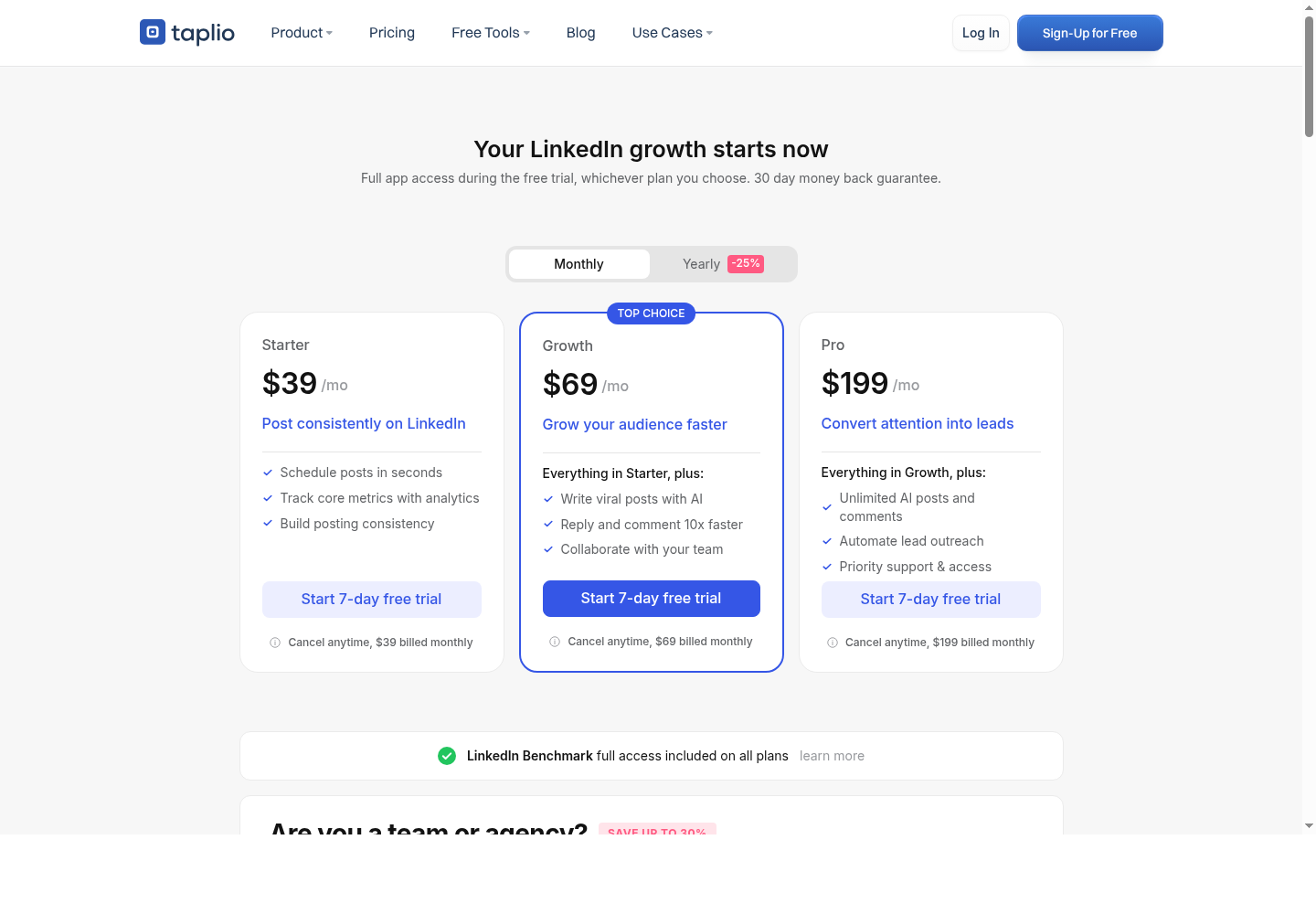
Taplio LinkedIn content growth and engagement workflow

Product screenshot: Taplio pricing/features page showing LinkedIn content, engagement, and outreach features.

How To Connect Taplio MCP Workflow

  1. Set up Taplio and connect the LinkedIn account you use for content and engagement.
  2. Check whether your workflow will use Taplio APIs, browser automation, Zapier/Make-style automation, or another MCP-compatible connector.
  3. Create the actions you want the AI assistant to support, such as drafting posts, reviewing analytics, or preparing replies.
  4. Expose those actions to your MCP client through the connector or automation layer you choose.
  5. Keep human approval on for posting, commenting, and DM workflows.

Setup clarity: Treat Taplio as an MCP-style workflow unless you are using a specific native Taplio MCP connector. It is strong for content workflows, but posting should stay approval-based.

MCP Capabilities

  • Generate LinkedIn post ideas.
  • Repurpose blogs, podcasts, or videos into LinkedIn posts.
  • Schedule content and review post analytics.
  • Draft smart replies and engage with curated feeds.
  • Build lists from likers/commenters and prepare follow-up workflows.

Pricing

Taplio pricing publicly starts around $39/month. It also offers a 7-day free trial with access to Pro features. Higher tiers vary by AI credits, engagement tools, analytics, list building, and outreach/networking features.

Summary

Taplio is the best choice in this list for content-led LinkedIn growth. Use it if you want inbound authority, consistent posting, and better engagement. Do not use it as your main scraping or outbound automation tool.

6. stickerdaniel LinkedIn MCP Server

Best open-source browser-based LinkedIn MCP

stickerdaniel LinkedIn MCP Server is an open-source LinkedIn MCP server that uses browser automation. It manages a stateful browser session, which makes it different from API-only MCP servers. This is a technical option for developers and advanced operators.
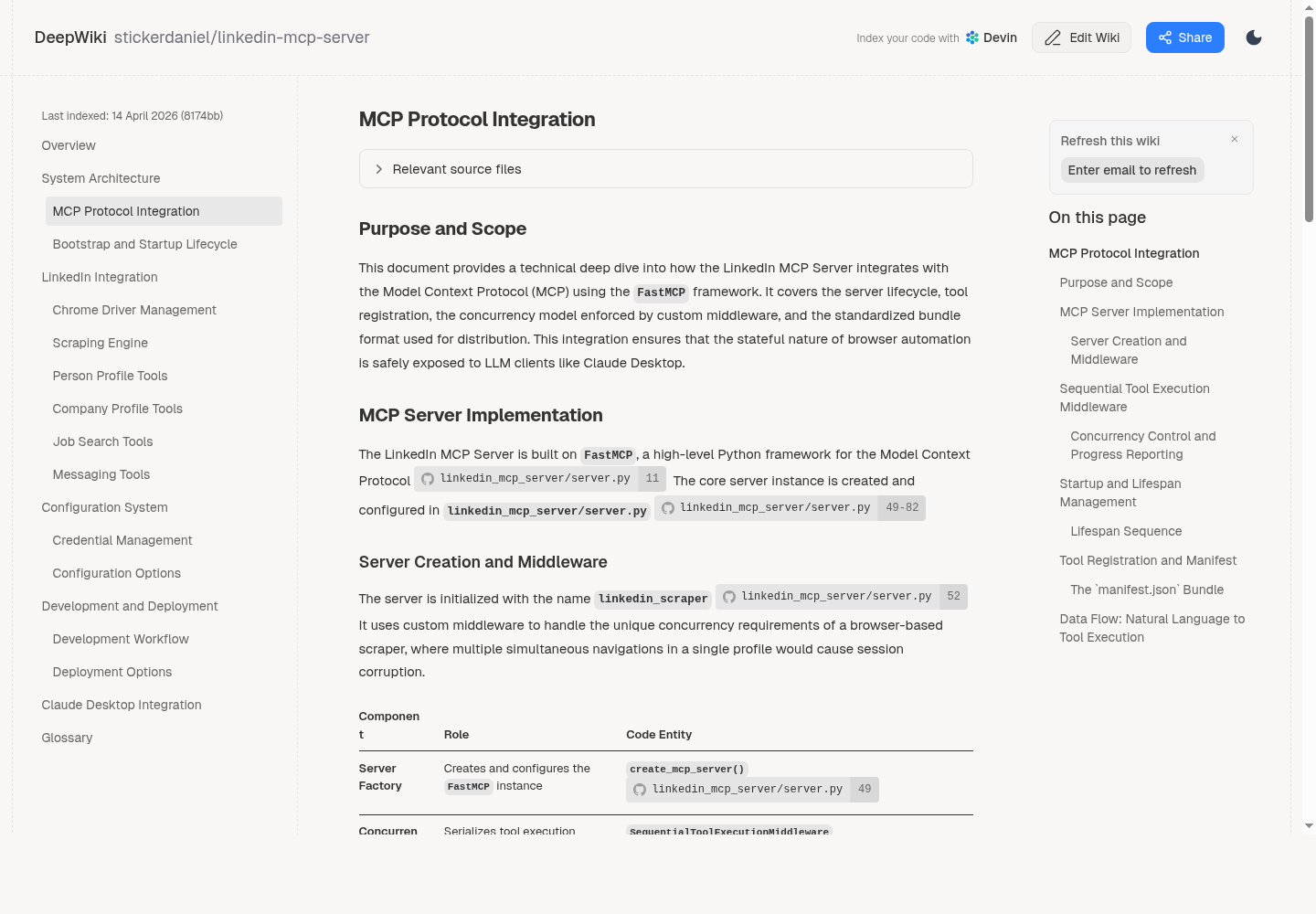
stickerdaniel LinkedIn MCP Server technical documentation

Product screenshot: technical documentation for stickerdaniel's browser-based LinkedIn MCP server.

How To Connect stickerdaniel LinkedIn MCP Server

  1. Clone the GitHub repository or follow the project setup instructions.
  2. Install the required runtime dependencies.
  3. Configure the browser/session settings used by the server.
  4. Add the local MCP server command to your MCP client configuration.
  5. Start the server and authenticate the LinkedIn browser session where required.
  6. Test one read-only action first, such as fetching profile context, before attempting messaging or automation.

Setup clarity: This is a developer setup. It gives more control, but it also requires maintenance and careful LinkedIn account-risk management.

MCP Capabilities

  • Get person's profile data.
  • Run LinkedIn interactions through a browser session.
  • Send messages where configured.
  • Manage the session lifecycle.
  • Serialize tool execution to avoid browser conflicts.

Pricing

The MCP server appears to be open-source/free. Real costs may include developer setup time, hosting or local runtime, browser/session management, proxy or infrastructure cost, and maintenance when LinkedIn changes its interface.

Summary

stickerdaniel LinkedIn MCP Server is best for technical users who want direct control over LinkedIn browser automation. It is flexible, but it carries more setup and maintenance burden than a commercial SaaS tool.

7. felipfr LinkedIn MCP Server

Best open-source LinkedIn/recruiting MCP

felipfr LinkedIn MCP Server is an open-source LinkedIn MCP implementation listed in MCP directories. It is described as supporting LinkedIn-style workflows for profile search, job retrieval, messaging, recruitment, and professional networking.
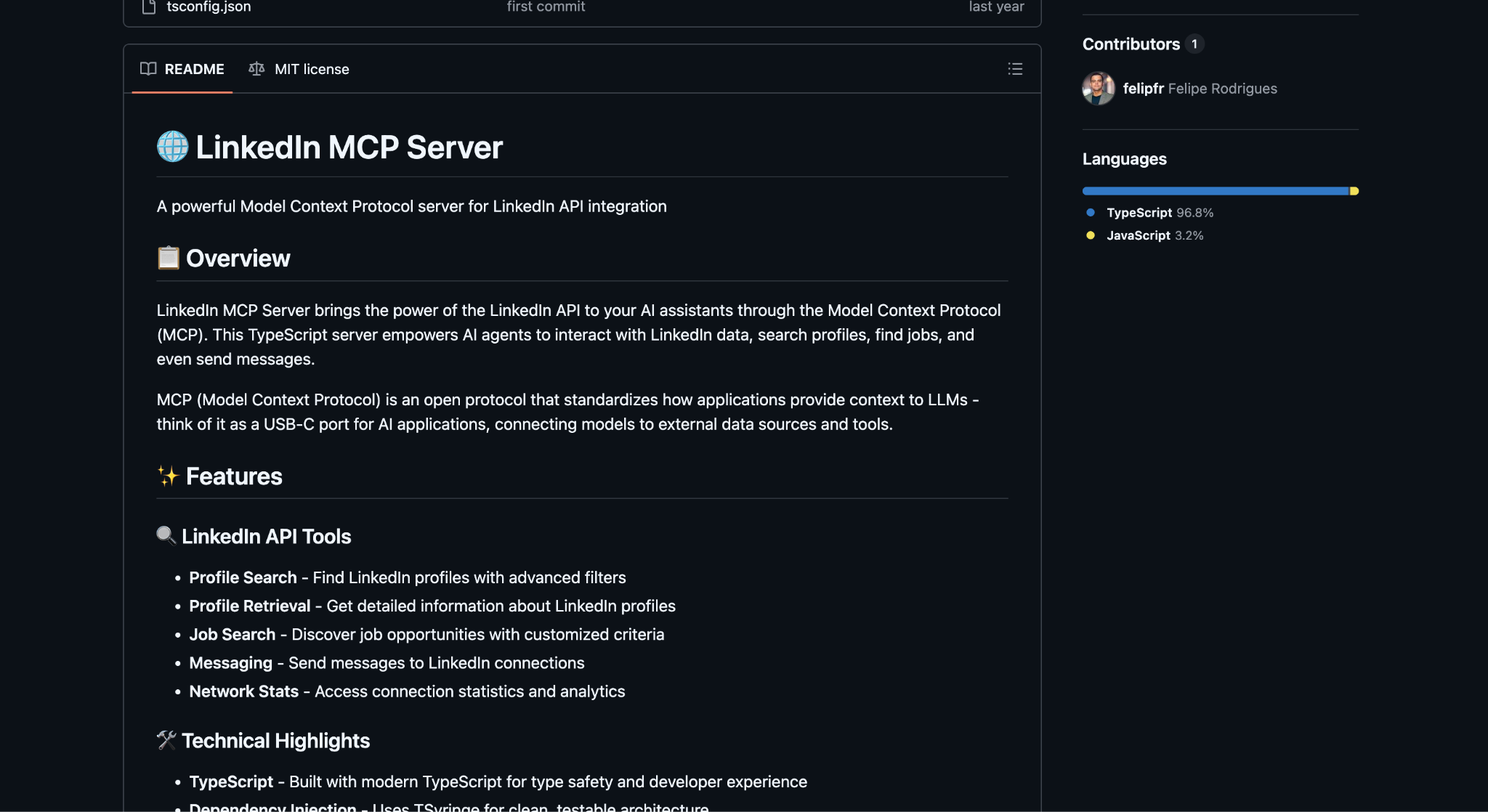
Product screenshot: PulseMCP listing for felipfr LinkedIn MCP Server.

How To Connect felipfr LinkedIn MCP Server

  1. Open the felipfr LinkedIn MCP repository or MCP directory listing.
  2. Install the server dependencies listed by the project.
  3. Configure authentication/session variables according to the repo instructions.
  4. Add the server command to your MCP client configuration.
  5. Restart the client and confirm the LinkedIn tools appear.
  6. Test with profile or job retrieval before using any messaging-related tools.

Setup clarity: This is best treated as an open-source experimental MCP server. Review maintenance status before using it for production workflows.

MCP Capabilities

  • LinkedIn profile search.
  • Job posting retrieval.
  • Messaging workflows.
  • Recruitment support.
  • MCP-compatible server configuration.

Pricing

The MCP server itself appears to be open-source/free. Potential costs include developer setup time, hosting/local runtime, maintenance, LinkedIn account/session handling, and any infrastructure needed for stable operation.

Summary

felipfr LinkedIn MCP Server is best for developers testing LinkedIn MCP workflows, especially around recruiting or professional networking. It is not the best choice for a team that wants polished reporting, support, and managed outreach.

8. Bright Data MCP Server

Best for LinkedIn data extraction and web access

Bright Data MCP Server gives AI agents access to real-time web data, search, scraping, extraction, browser automation, and structured datasets. For LinkedIn, Bright Data is valuable because it supports structured extraction from LinkedIn person and company profiles.
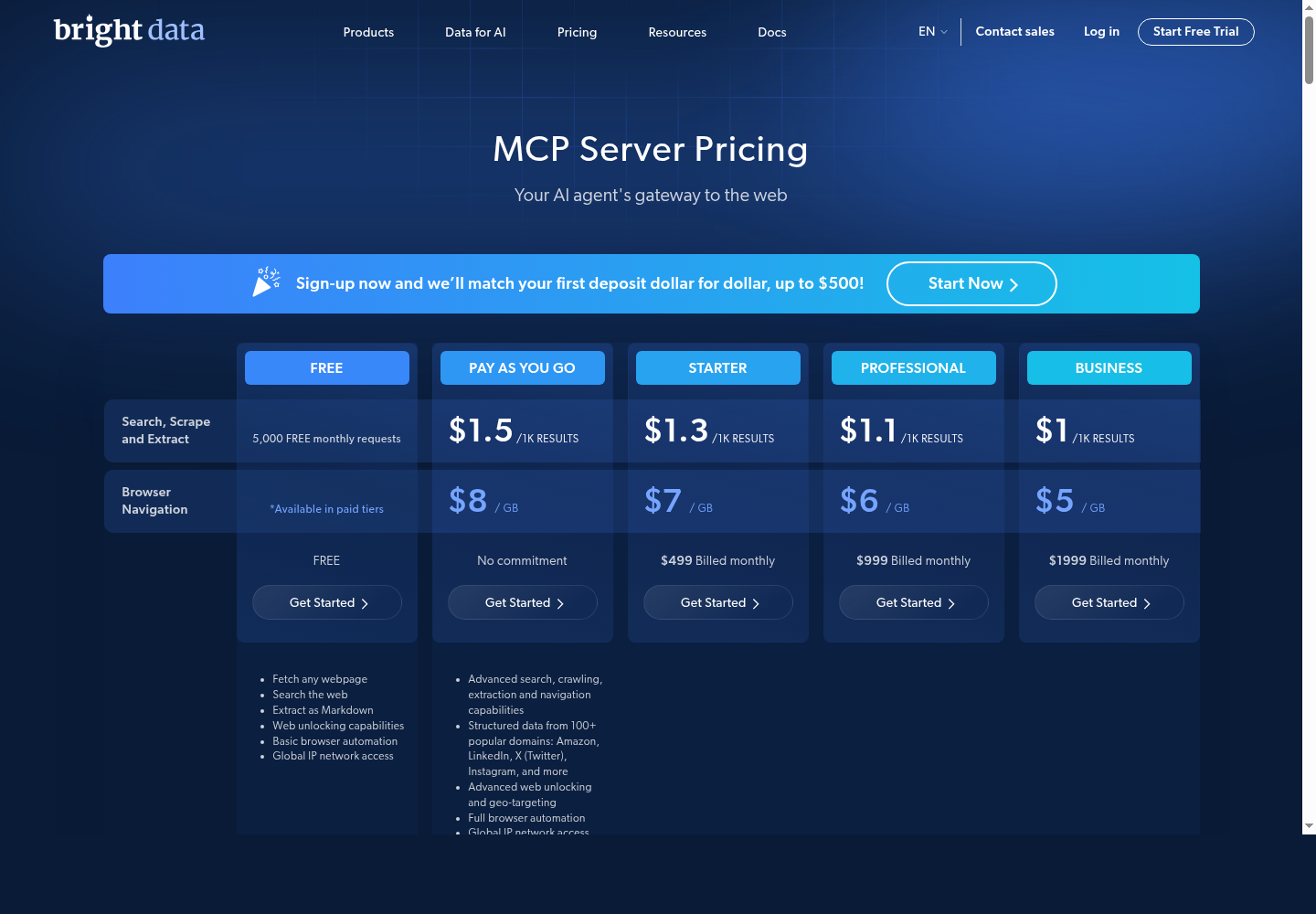
Bright Data MCP Server LinkedIn data extraction tools

Product screenshot: Bright Data MCP pricing page showing web access, scraping, and structured data capabilities.

How To Connect Bright Data MCP

  1. Create or log in to your Bright Data account.
  2. Open the Bright Data MCP Server documentation or dashboard.
  3. Create the API token or credentials required for MCP access.
  4. Add the Bright Data MCP server configuration to your MCP client.
  5. Choose the tools you need, such as search, scrape, browser automation, or structured LinkedIn data extraction.
  6. Run a small test request and monitor usage before scaling.

Setup clarity: Bright Data has a clear MCP product and pricing page. It is strongest as a data layer, not an outreach execution layer.

MCP Capabilities

  • Web search, fetching webpages, and extracting pages as Markdown or HTML.
  • Browser automation, web unlocking, and geo-targeting.
  • Structured data extraction from 100+ domains.
  • LinkedIn person profile extraction and company profile extraction.
  • Usage/session monitoring.

Pricing

Bright Data MCP pricing includes a Free tier with 5,000 monthly requests, pay as you go at around $1.50 per 1,000 results for search/scrape/extract and around $8/GB for browser navigation, Starter at $499/month, Professional at $999/month, Business at $1,999/month, and enterprise/custom pricing for larger scale.

Summary

Bright Data MCP Server is best for LinkedIn data extraction, research, and enrichment. It should usually be paired with an execution tool like Salesforge, Apollo, Clay, or a CRM.

9. PhantomBuster MCP Server

Best no-code LinkedIn automation workflow

PhantomBuster is a no-code automation platform used for LinkedIn lead generation, extraction, enrichment, and scheduled workflows. It is useful for teams that want LinkedIn automation without building custom scrapers or MCP servers.
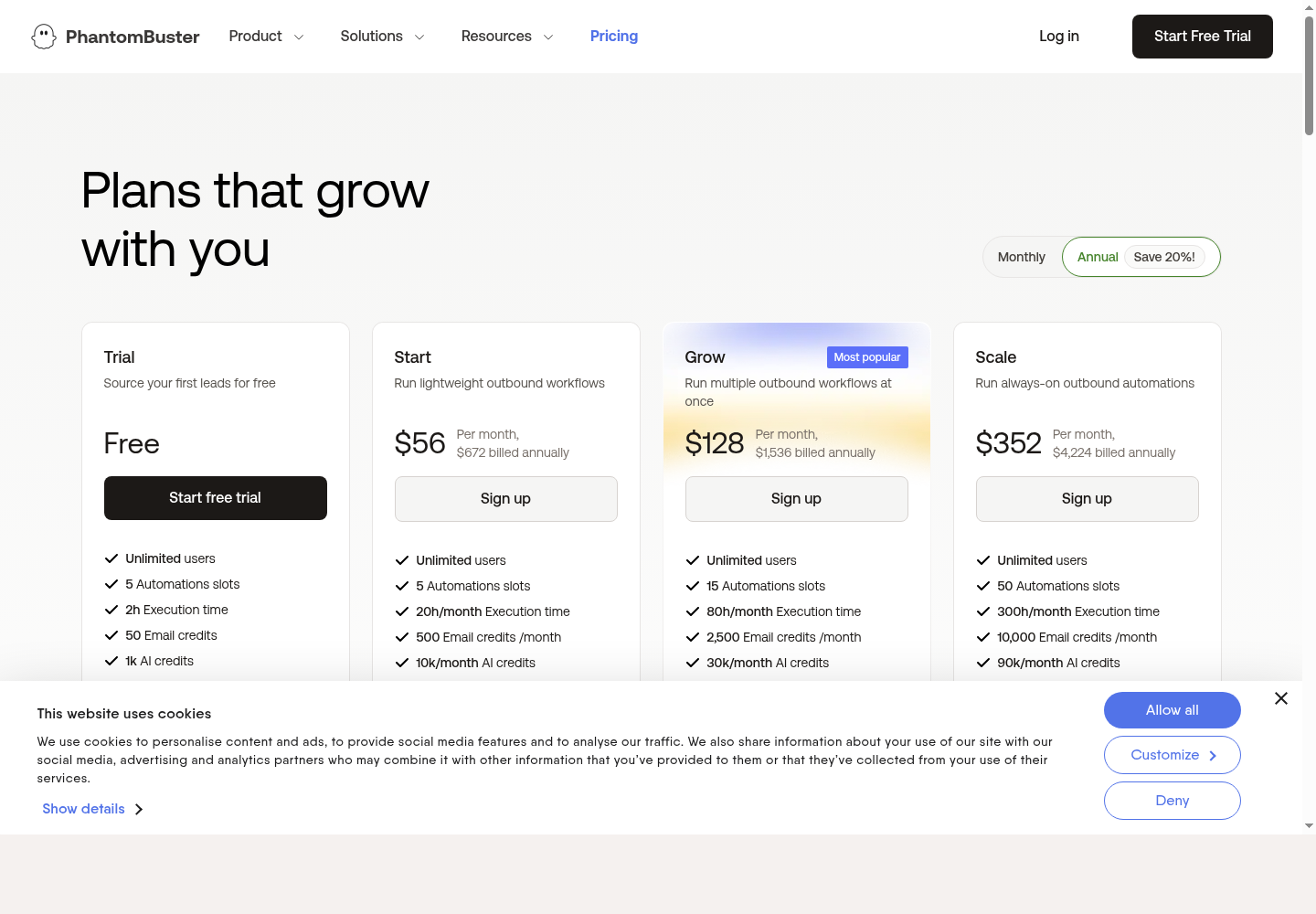
PhantomBuster LinkedIn automation workflow dashboard

Product screenshot: PhantomBuster pricing/features page for no-code automation and workflow execution.

How To Connect PhantomBuster MCP Workflow

  1. Create a PhantomBuster account and choose the relevant LinkedIn Phantom or workflow.
  2. Connect the LinkedIn session or cookie according to PhantomBuster’s instructions.
  3. Configure the Phantom input, schedule, and export format.
  4. Expose the PhantomBuster workflow to your AI/MCP environment through API access, automation tools, or a compatible connector.
  5. Test on a small LinkedIn search or profile list before scaling.
  6. Push the output into Clay, Sheets, a CRM, or an outbound platform for the next step.

Setup clarity: Treat PhantomBuster as an MCP-style workflow unless you are using a specific PhantomBuster MCP connector. It is practical for no-code extraction and scheduled automation.

MCP Capabilities

  • Run LinkedIn automations.
  • Extract LinkedIn profile/search data.
  • Build lead lists and schedule recurring workflows.
  • Enrich profiles with email credits.
  • Export CSV/JSON data and connect results to CRMs or workflow tools.

Pricing

Current public pricing includes Trial/free with limited resources, Start at $56/month annually, Grow at $128/month annually, and Scale at $352/month annually. Plans vary by automation slots, execution hours, email credits, AI credits, URL finder credits, and exports.

Summary

PhantomBuster is best for no-code LinkedIn automation and extraction. It is easier than open-source MCP servers but can become expensive as usage grows.

10. Apollo MCP Workflow

Best for sales prospecting and sequencing

Apollo is a sales intelligence and engagement platform for prospecting, enrichment, and outbound sequencing. Apollo MCP workflows help AI agents use Apollo data to find prospects, enrich contacts, prepare sequences, and support account research.
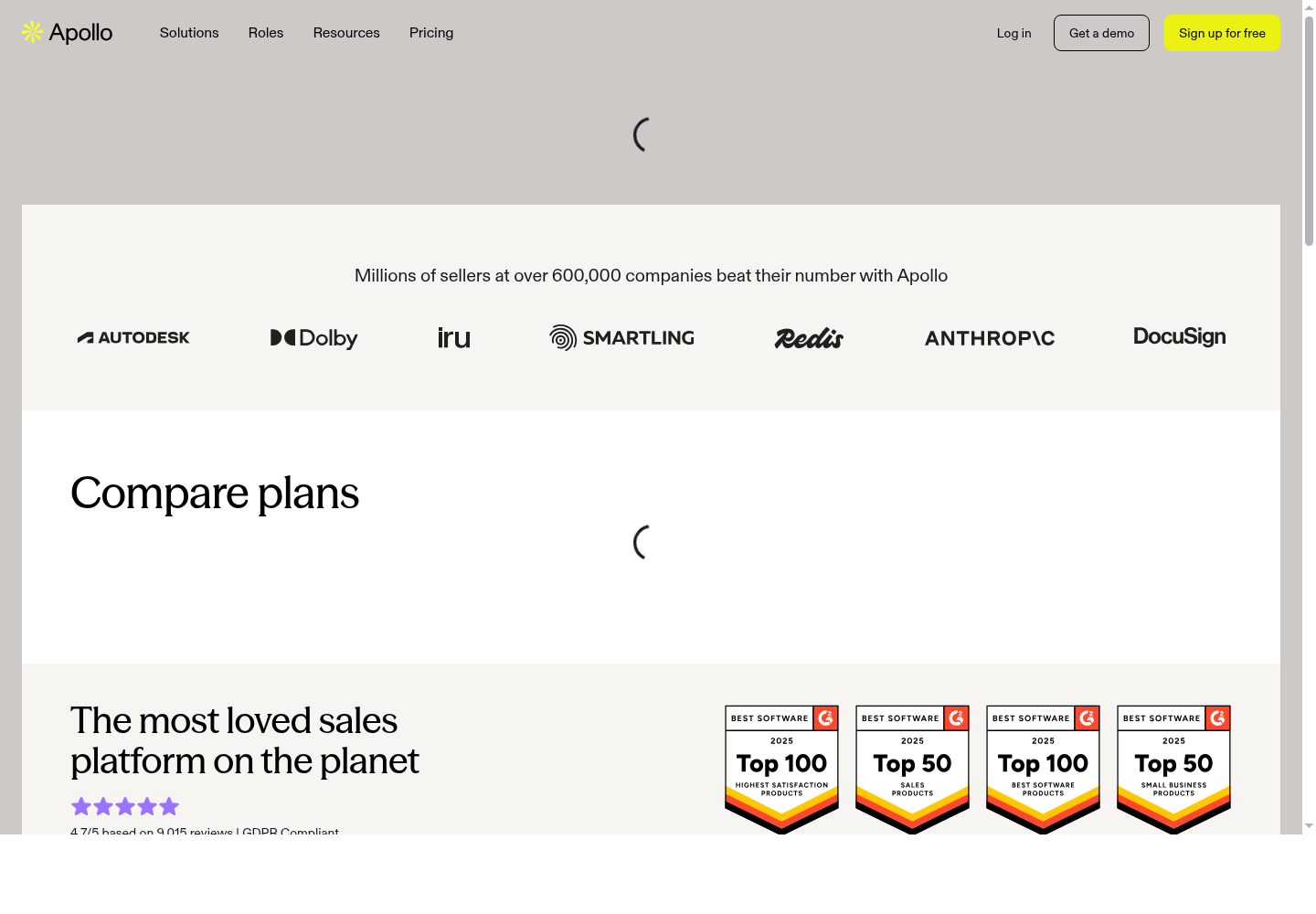
Apollo prospecting and sequencing workflow for LinkedIn-adjacent outbound

Product screenshot: Apollo pricing/features page for prospecting, enrichment, and outbound workflows.

How To Connect Apollo MCP Workflow

  1. Create or log in to Apollo and confirm your plan includes the data, enrichment, export, and sequence features you need.
  2. Create an Apollo API key if your workflow uses API access.
  3. Connect Apollo to your MCP client through a native MCP server, third-party connector, or workflow automation layer.
  4. Define which actions the assistant can perform, such as prospect search, enrichment, list creation, or sequence drafting.
  5. Test with a small list before allowing large exports or sequence creation.
  6. Keep human approval before enrolling prospects into outbound sequences.

Setup clarity: Apollo is best described here as an MCP workflow unless you are using a specific Apollo MCP server implementation. It is useful when the AI assistant needs sales data and sequencing context.

MCP Capabilities

  • Prospect and company search.
  • Contact enrichment and lead list creation.
  • Sequence preparation.
  • CRM sync depending on plan.
  • AI-assisted account research using LinkedIn-style company and profile signals.

Pricing

Apollo pricing publicly includes Free at $0, Basic around $59/seat/month, Professional around $99/seat/month, and Organization custom or reported around $149/seat/month. Annual billing is usually cheaper. Real cost depends on seats, credits, exports, mobile credits, CRM sync, and AI features.

Summary

Apollo MCP Workflow is best for sales teams that want prospecting, enrichment, and sequencing in one system. It is a strong fit when LinkedIn is part of the research process, but not the only channel.

Best MCP Stack For LinkedIn Growth

Best Stack For Outbound Sales

  • Leadsforge or Apollo for prospecting.
  • Clay or Bright Data for enrichment.
  • Salesforge or HeyReach for outreach execution.

Best Stack For Personal Branding

  • Taplio for content creation and scheduling.
  • Clay for enriching people who engage.
  • Apollo or Salesforge for follow-up workflows.

Best Stack For Agencies

  • HeyReach for multi-sender LinkedIn outreach.
  • Clay for enrichment workflows.
  • PhantomBuster for no-code extraction.
  • Salesforge for multi-channel outbound.

Best Stack For Developers

  • stickerdaniel or felipfr LinkedIn MCP Server.
  • Bright Data MCP for public web data.
  • Your CRM or outbound platform for execution.

Final Verdict

The best LinkedIn MCP server depends on the growth motion.

If you want pipeline, start with Salesforge, Leadsforge, HeyReach, Apollo, or Clay. If you want content-led growth, start with Taplio. If you want LinkedIn data extraction, use Bright Data or PhantomBuster. If you want open-source control, test stickerdaniel or felipfr, but expect more setup and maintenance.

The main mistake is choosing a LinkedIn MCP server only because it can automate actions. The better question is whether it helps the AI agent make better decisions with better context. That is where MCP is useful: research, enrichment, personalization, outreach, engagement, and measurement working in one connected workflow.